> ## Documentation Index
> Fetch the complete documentation index at: https://docs.fire.rest/llms.txt
> Use this file to discover all available pages before exploring further.
# Procurement
> Plan purchases in BOH: receiving schedules, purchase orders and their lifecycle, par levels and suggested orders.
Procurement covers everything **before** stock arrives: planning what to buy, from whom, and when. Purchase orders express intent — stock only enters inventory when the merchandise is received (see [Receipts and returns](/en/manuals/boh/goods-receipts-returns)).
**Where you work:** **BOH → Procurement** — **Par levels** (`/boh/admin/procurement/par-levels`), **Suggested order** (`/boh/admin/procurement/suggested-order`), **Schedules** (`/boh/admin/procurement/schedules`), and **Orders** (`/boh/admin/procurement/orders`).
## Receiving schedules
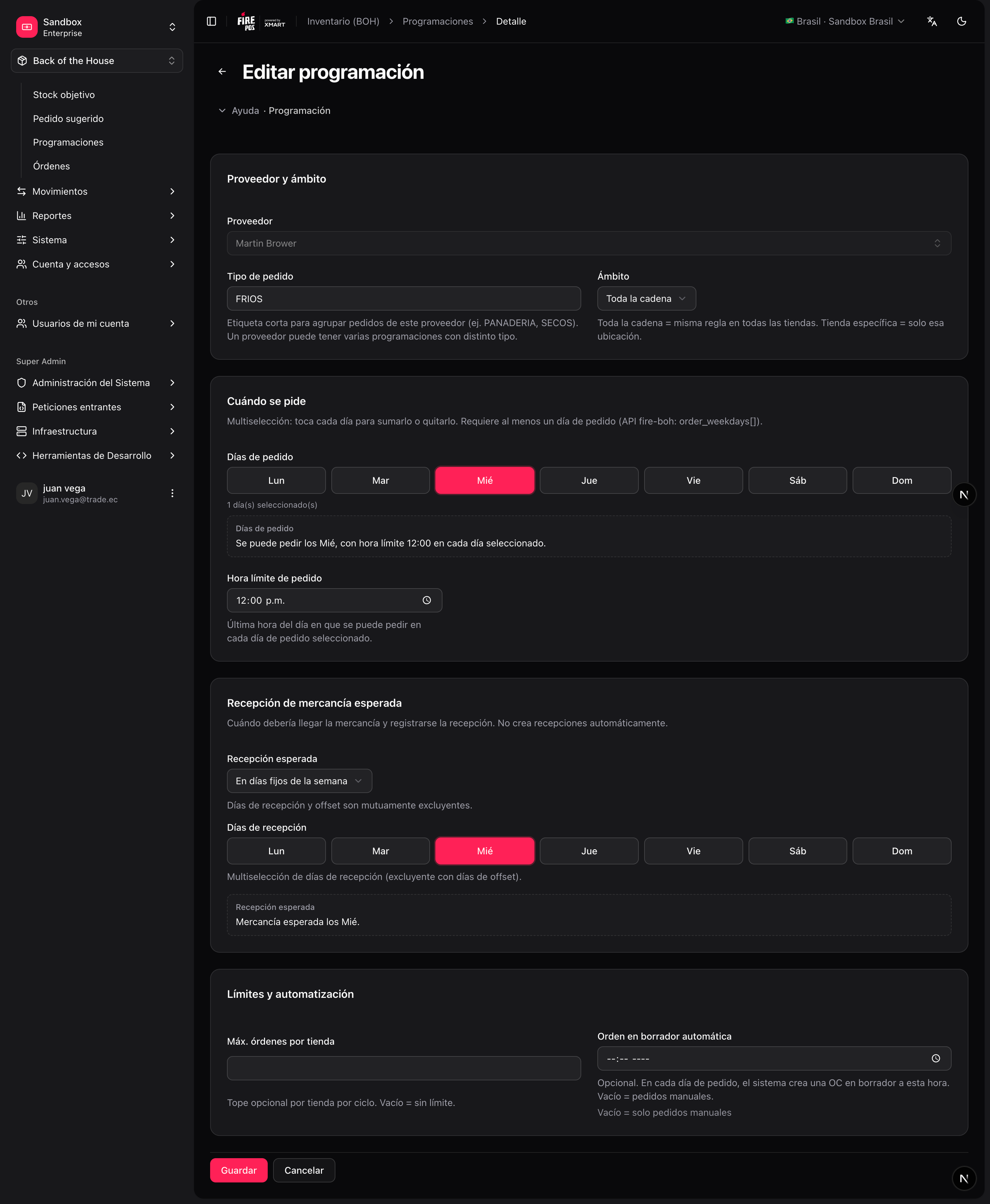
A **schedule** defines a recurring purchasing rhythm with a supplier: which days you order, the cutoff time, and the expected delivery day. Purchase orders can be created against a schedule so deliveries stay predictable.
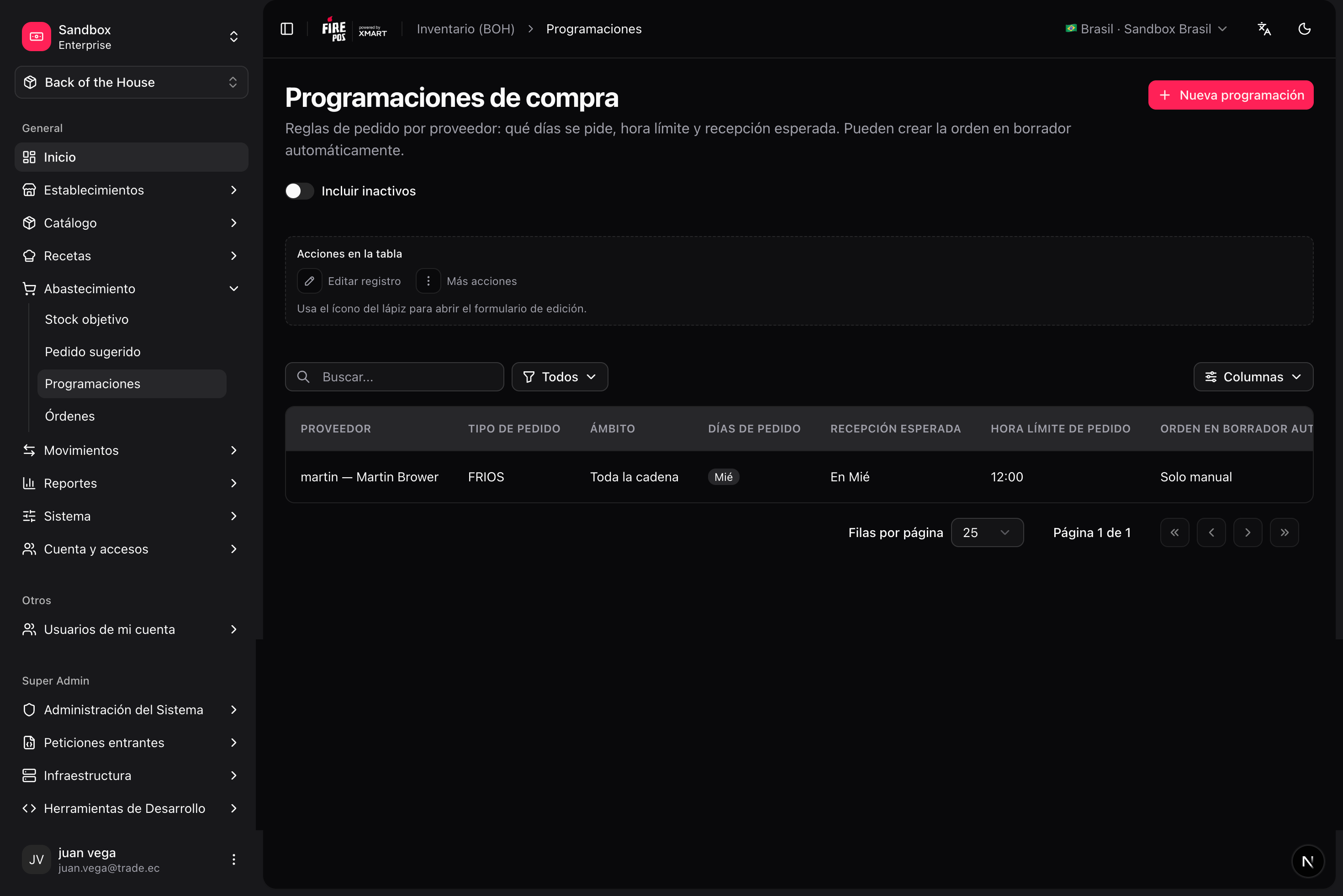 To create one: **Procurement → Schedules → Create** (`/boh/admin/procurement/schedules/new`), pick the supplier, the store, and the recurrence.
## Purchase orders
A purchase order (PO) lists the items and quantities you intend to buy from one supplier for one store.
### Lifecycle
```text theme={null}
DRAFT ──submit──► SUBMITTED ──confirm──► CONFIRMED ──first receipt──► PARTIALLY RECEIVED
│ │ │
└──── cancel ──────┘ everything received ──► RECEIVED
│
explicit close ─► CLOSED
```
| State | Meaning |
| ---------------------- | ----------------------------------------------------------------- |
| **Draft** | Editable: add, change, or remove lines. |
| **Submitted** | Sent to the supplier for confirmation. |
| **Confirmed** | The supplier confirmed; goods receipts can now be linked to it. |
| **Partially received** | At least one linked receipt was posted, but lines remain pending. |
| **Received** | All lines fully received (automatic). |
| **Closed** | Explicitly closed; accepts no more receipts. |
A PO can only be **cancelled** while in draft or submitted. Once confirmed, close it instead. And remember: **a PO never moves stock by itself** — only the goods receipts recorded against it do.
### Create a purchase order
**Procurement → Orders → Create** (`/boh/admin/procurement/orders/new`).
Optionally link a schedule and set the expected delivery date.
For each item: quantity, purchase unit, and unit cost. If the item has a [supplier link](/en/manuals/boh/stores-suppliers#item-supplier-links), the price and unit are suggested from it.
From the detail page (`/boh/admin/procurement/orders/{id}`), **Submit** the order and, when the supplier agrees, **Confirm** it.
To create one: **Procurement → Schedules → Create** (`/boh/admin/procurement/schedules/new`), pick the supplier, the store, and the recurrence.
## Purchase orders
A purchase order (PO) lists the items and quantities you intend to buy from one supplier for one store.
### Lifecycle
```text theme={null}
DRAFT ──submit──► SUBMITTED ──confirm──► CONFIRMED ──first receipt──► PARTIALLY RECEIVED
│ │ │
└──── cancel ──────┘ everything received ──► RECEIVED
│
explicit close ─► CLOSED
```
| State | Meaning |
| ---------------------- | ----------------------------------------------------------------- |
| **Draft** | Editable: add, change, or remove lines. |
| **Submitted** | Sent to the supplier for confirmation. |
| **Confirmed** | The supplier confirmed; goods receipts can now be linked to it. |
| **Partially received** | At least one linked receipt was posted, but lines remain pending. |
| **Received** | All lines fully received (automatic). |
| **Closed** | Explicitly closed; accepts no more receipts. |
A PO can only be **cancelled** while in draft or submitted. Once confirmed, close it instead. And remember: **a PO never moves stock by itself** — only the goods receipts recorded against it do.
### Create a purchase order
**Procurement → Orders → Create** (`/boh/admin/procurement/orders/new`).
Optionally link a schedule and set the expected delivery date.
For each item: quantity, purchase unit, and unit cost. If the item has a [supplier link](/en/manuals/boh/stores-suppliers#item-supplier-links), the price and unit are suggested from it.
From the detail page (`/boh/admin/procurement/orders/{id}`), **Submit** the order and, when the supplier agrees, **Confirm** it.
 ## Par levels and suggested orders
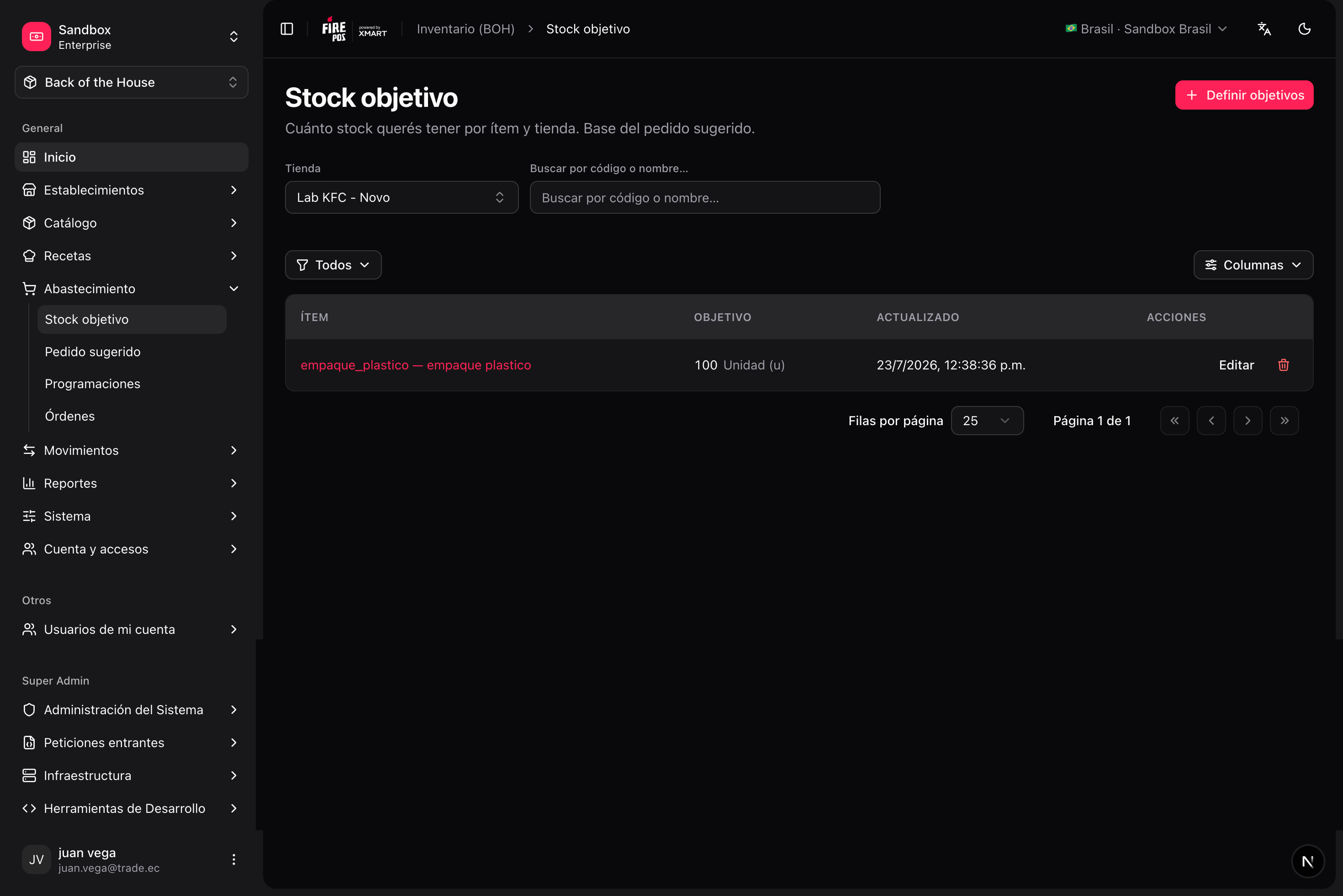
**Par levels** define the target stock for an item in a store — how much you want on hand after replenishing. Manage them in **Procurement → Par levels** (`/boh/admin/procurement/par-levels`).
## Par levels and suggested orders
**Par levels** define the target stock for an item in a store — how much you want on hand after replenishing. Manage them in **Procurement → Par levels** (`/boh/admin/procurement/par-levels`).
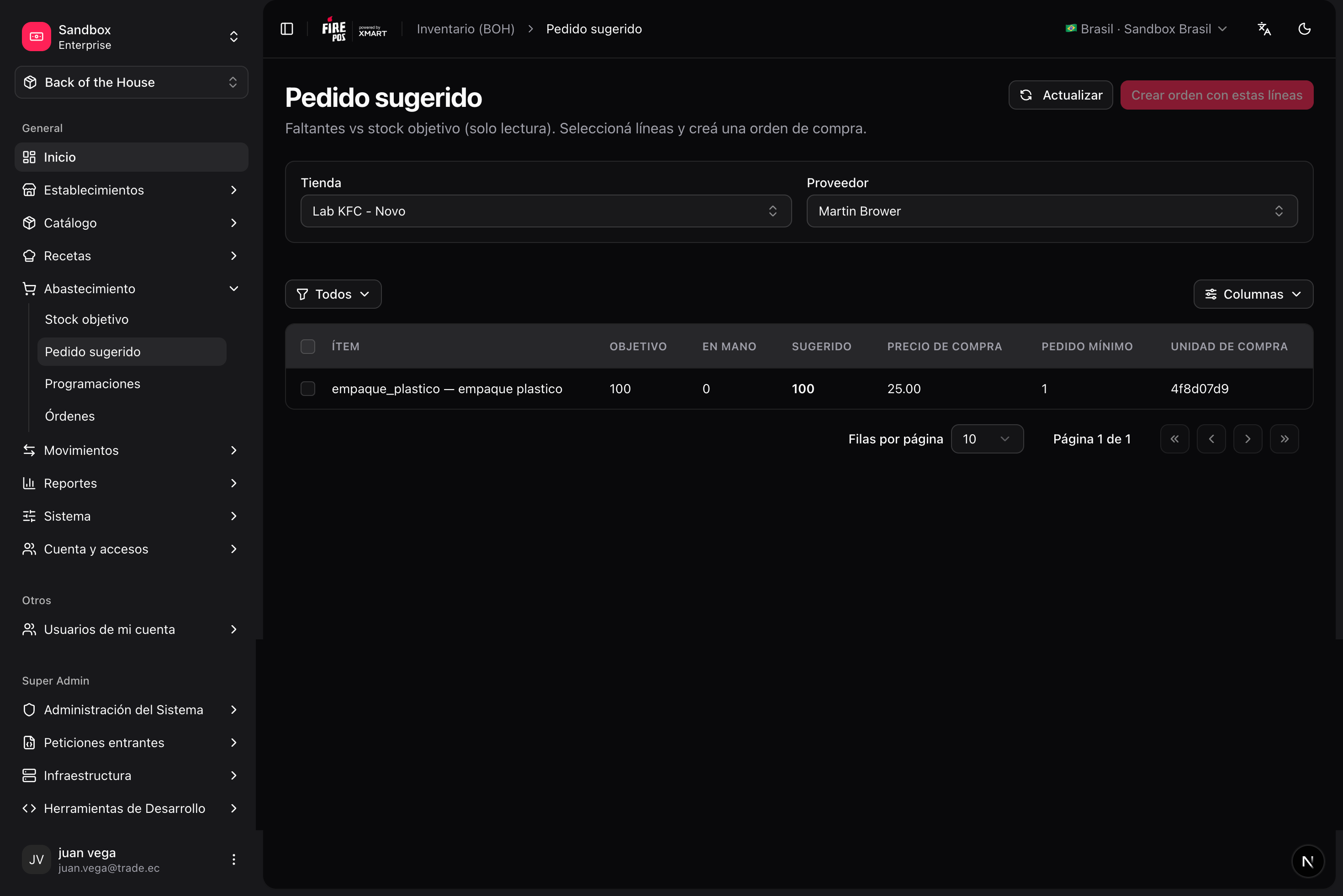
 With par levels in place, BOH can compute a **suggested order** in **Procurement → Suggested order** (`/boh/admin/procurement/suggested-order`):
```text theme={null}
suggested quantity = target (par) − current stock
```
Only items below their par level appear in the suggestion, so building a weekly order becomes reviewing a pre-filled list instead of guessing quantities.
With par levels in place, BOH can compute a **suggested order** in **Procurement → Suggested order** (`/boh/admin/procurement/suggested-order`):
```text theme={null}
suggested quantity = target (par) − current stock
```
Only items below their par level appear in the suggestion, so building a weekly order becomes reviewing a pre-filled list instead of guessing quantities.
 Review par levels seasonally. A par set for winter demand will over-order in summer, and the suggestion is only as good as the target behind it.
Next: [Receipts and returns](/en/manuals/boh/goods-receipts-returns).
Review par levels seasonally. A par set for winter demand will over-order in summer, and the suggestion is only as good as the target behind it.
Next: [Receipts and returns](/en/manuals/boh/goods-receipts-returns).