> ## Documentation Index
> Fetch the complete documentation index at: https://docs.fire.rest/llms.txt
> Use this file to discover all available pages before exploring further.
# Recipes
> Define how sales and production consume inventory: recipes, subrecipes, the draft-publish lifecycle, and the sale simulator.
Recipes connect what you **sell** with what you **stock**. When an order is sold, BOH looks up the recipe of each product and deducts the ingredients from inventory automatically.
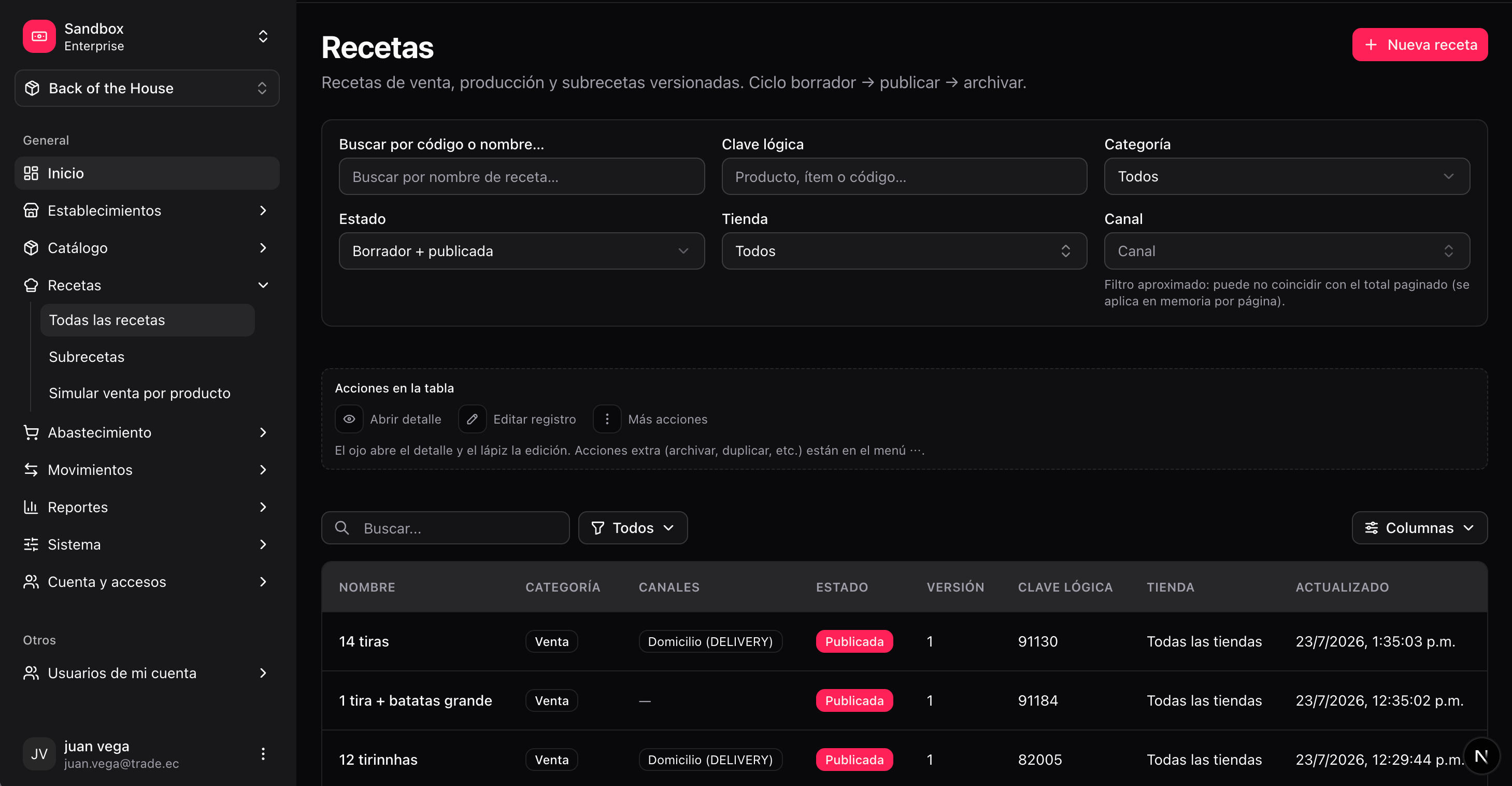
**Where you work:** the **Recipes** section of the BOH menu — **All recipes** (`/boh/admin/recipes`), **Subrecipes** (`/boh/admin/subrecipes`), and **Simulate sale by product** (`/boh/admin/recipes/effective`).
## Recipe types
| Type | What it does | Example |
| --------------------- | -------------------------------------------------------------------------------------------------------------------------------- | ------------------------------------------------------ |
| **Sales recipe** | Bound to a sellable product. Consumed automatically when the product is sold. | "Classic Burger" consumes bread, meat, cheese… |
| **Production recipe** | Produces a stocked item from other items, through a [production batch](/en/manuals/boh/transfers-production#production-batches). | "BBQ sauce" consumes tomato, sugar… and outputs sauce. |
| **Subrecipe** | A reusable composition used inside other recipes. It has no stock of its own. | "Burger base" used by every burger on the menu. |
Recipe lines can consume:
* A specific **item** (e.g. 120 g of brand-X cheese).
* An **item tag** (e.g. 80 g of any `TOMATO`) — BOH picks the member per its [selection strategy](/en/manuals/boh/catalog#item-tags--interchangeable-items).
* A **subrecipe** (e.g. 1 portion of "Burger base"), expanded recursively at consumption time.
 ## Lifecycle: draft, published, archived
Recipes are **versioned**. Each version moves through three states:
| State | Meaning |
| ------------- | --------------------------------------------------------- |
| **Draft** | Editable. Not used by sales. |
| **Published** | Immutable and active — this is the version sales consume. |
| **Archived** | Historical. Kept for auditing past consumption. |
Publishing a new version automatically archives the previous published one, so **only one published version exists per product and store** at a time.
Sales only consume **published** recipes. A product with only a draft recipe will not deduct inventory when sold.
## Create and publish a recipe
**Recipes → Create** (`/boh/admin/recipes/new`).
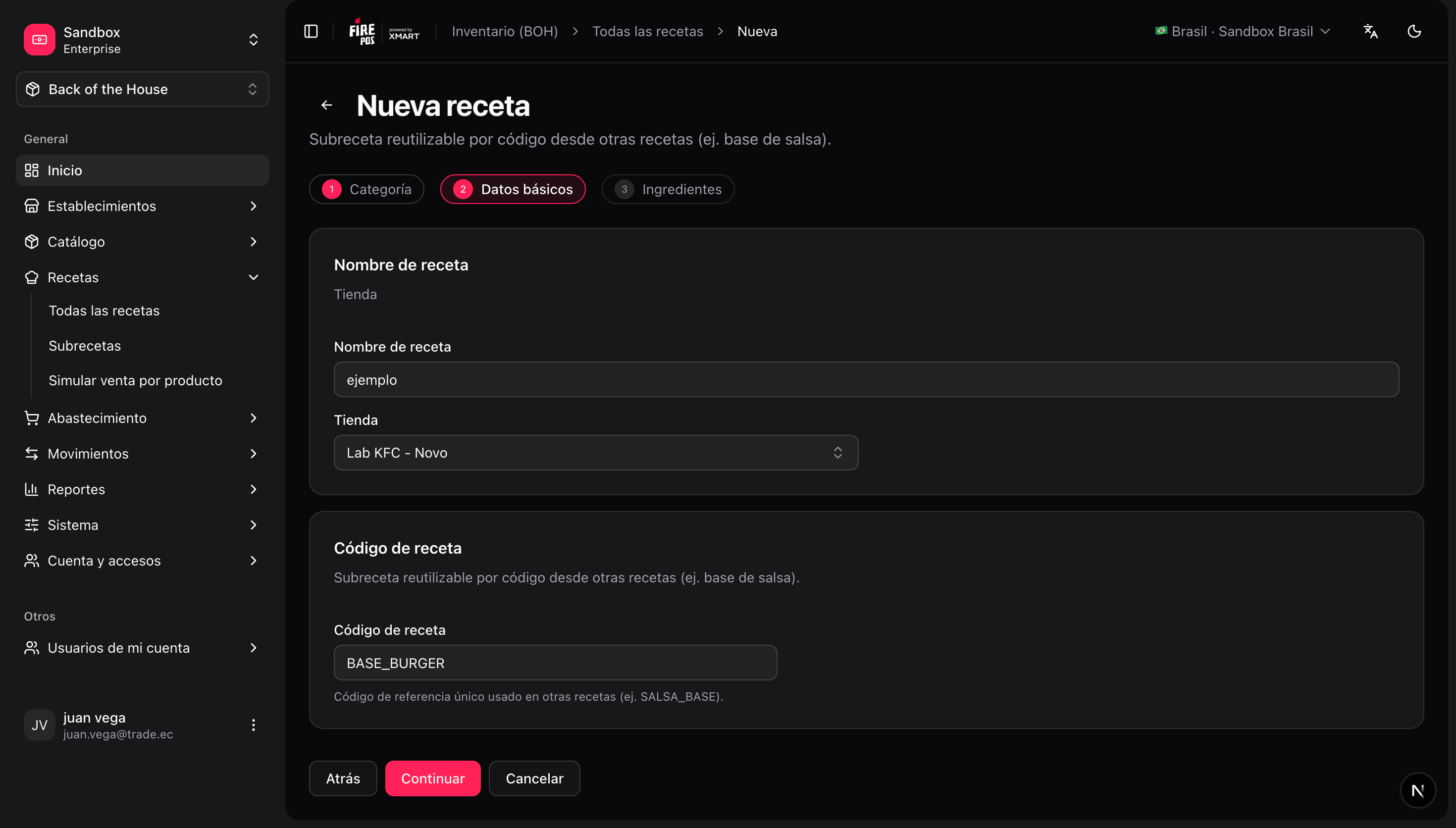
For a sales recipe, select the sellable product it applies to and the store. For a production recipe, select the output item. For a subrecipe, give it a code.
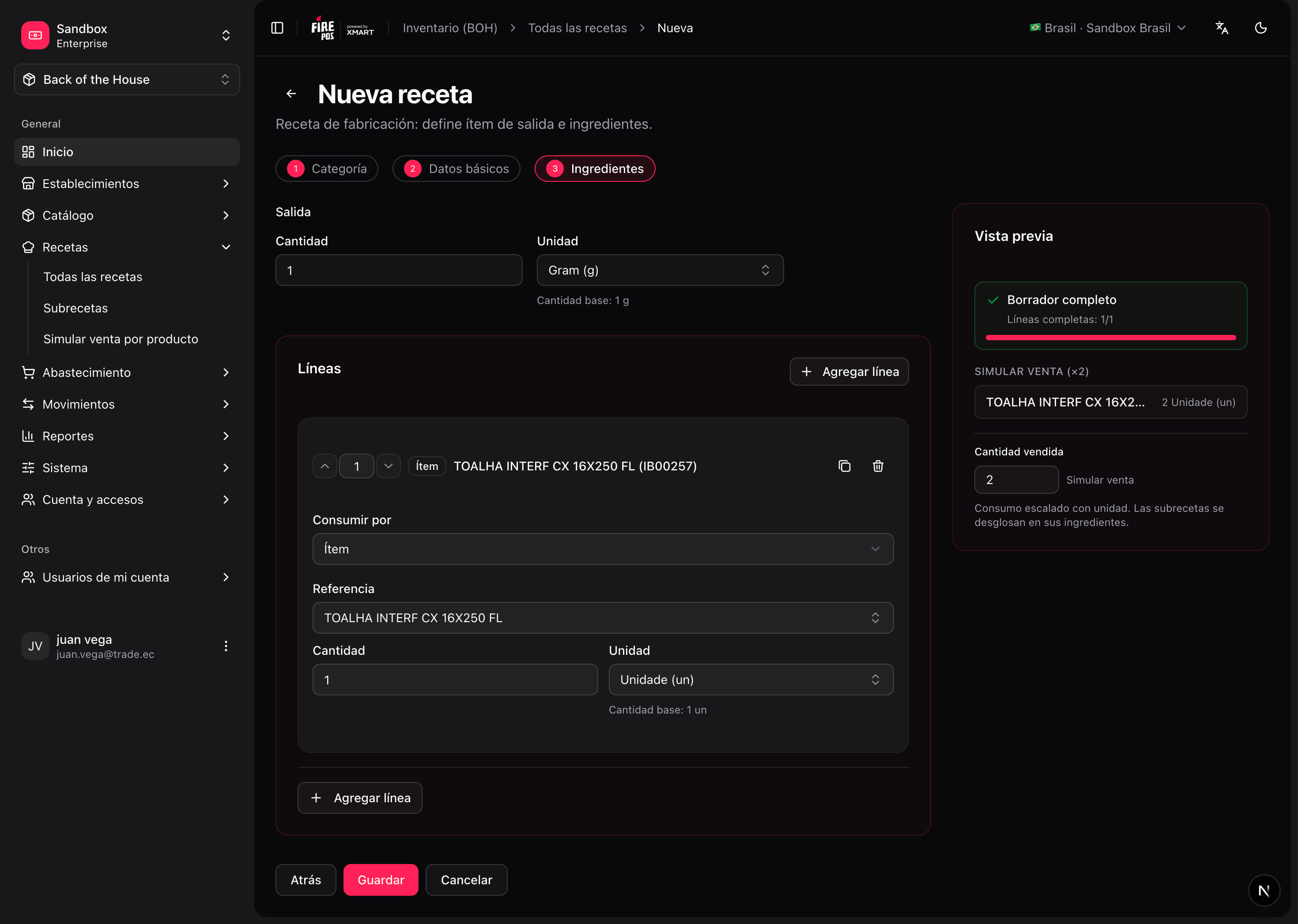
Each line: what to consume (item, tag, or subrecipe), the quantity, and the unit.
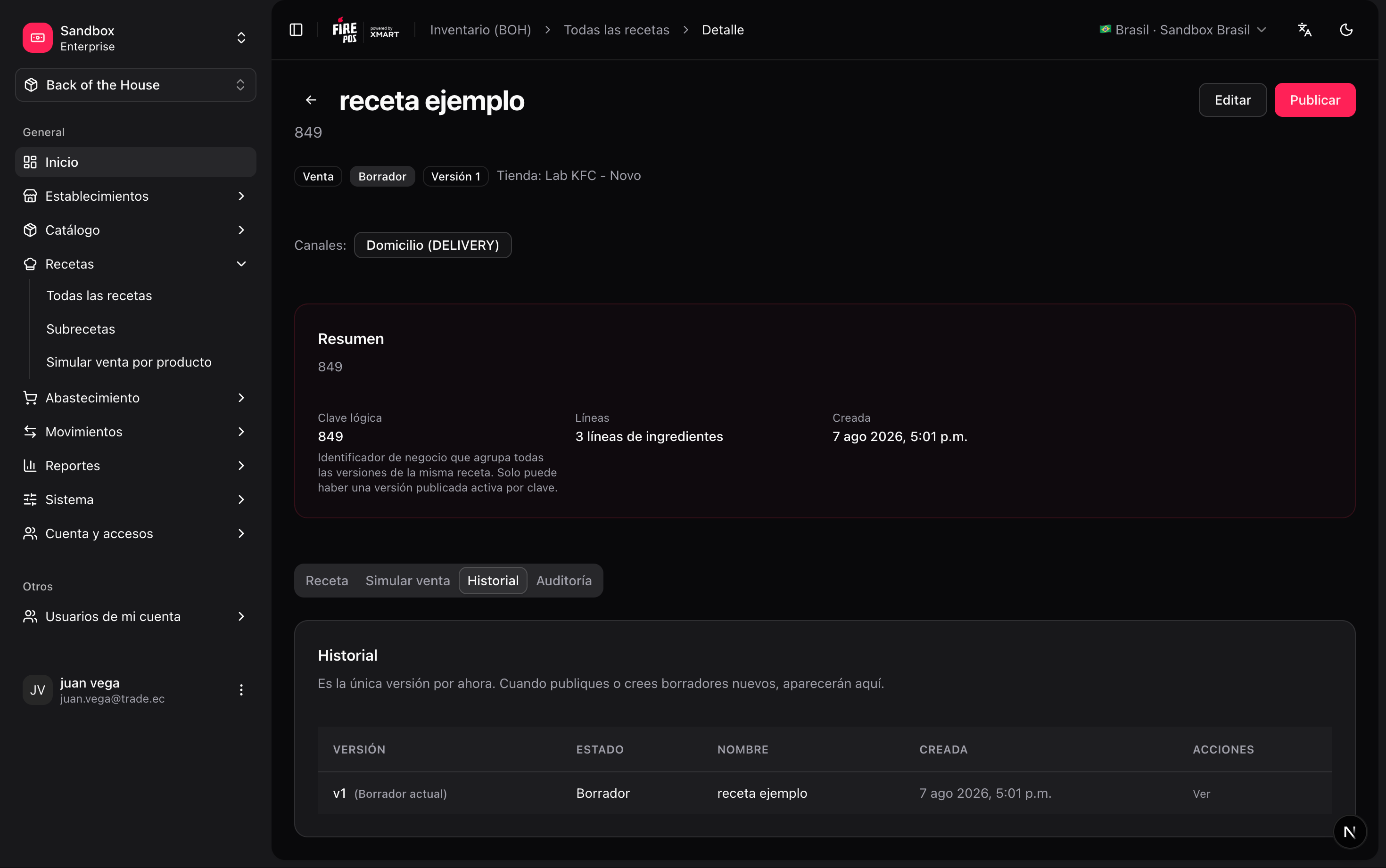
From the detail page (`/boh/admin/recipes/{id}`) you can review lines and the version history.
Press **Publish**. The draft becomes the active version.
## Lifecycle: draft, published, archived
Recipes are **versioned**. Each version moves through three states:
| State | Meaning |
| ------------- | --------------------------------------------------------- |
| **Draft** | Editable. Not used by sales. |
| **Published** | Immutable and active — this is the version sales consume. |
| **Archived** | Historical. Kept for auditing past consumption. |
Publishing a new version automatically archives the previous published one, so **only one published version exists per product and store** at a time.
Sales only consume **published** recipes. A product with only a draft recipe will not deduct inventory when sold.
## Create and publish a recipe
**Recipes → Create** (`/boh/admin/recipes/new`).
For a sales recipe, select the sellable product it applies to and the store. For a production recipe, select the output item. For a subrecipe, give it a code.
Each line: what to consume (item, tag, or subrecipe), the quantity, and the unit.
From the detail page (`/boh/admin/recipes/{id}`) you can review lines and the version history.
Press **Publish**. The draft becomes the active version.
 The same form covers the three recipe types — what changes is the **target**: a sellable product and store for sales recipes, an output item for production recipes, and a code for subrecipes.
 ## Channel-scoped lines
There is a single published recipe per product and store. Lines that only apply to a specific channel (delivery, drive-thru, dine-in…) are modelled **per line** using the optional `service_codes` field:
| Line configuration | When it applies |
| ------------------------------------------- | -------------------------------------------------------------- |
| `service_codes` absent or empty | **Always** — the line is general and applies to every channel. |
| `service_codes: ["DELIVERY"]` | Only when the order's channel is `DELIVERY`. |
| `service_codes: ["DELIVERY", "DRIVE_THRU"]` | When the channel is `DELIVERY` **or** `DRIVE_THRU`. |
Model delivery containers, cutlery kits, and bags as lines scoped to `DELIVERY` instead of putting them in the base recipe — dine-in orders will not consume them.
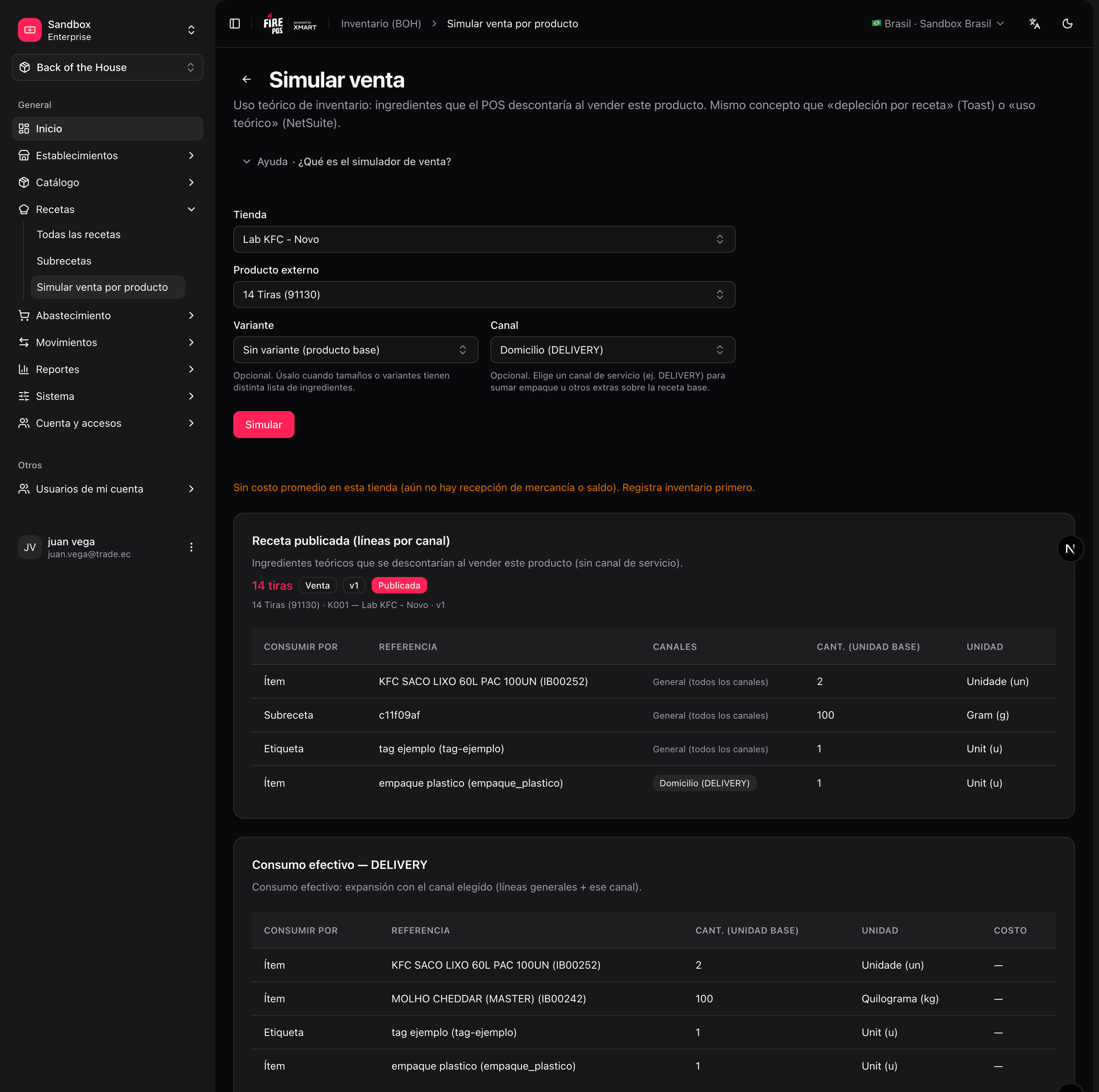
When you simulate a sale (**Recipes → Simulate sale by product**), select the service type to preview the exact lines that will be consumed for that channel — general lines are always shown, channel-scoped lines only when their code matches.
## Simulate a sale
Before going live, verify what a product will actually deduct: **Recipes → Simulate sale by product** (`/boh/admin/recipes/effective`). Pick a store, a product, and a service type, and BOH shows the fully expanded list of items and quantities that a sale would consume — including subrecipe expansion and tag resolution.
## Channel-scoped lines
There is a single published recipe per product and store. Lines that only apply to a specific channel (delivery, drive-thru, dine-in…) are modelled **per line** using the optional `service_codes` field:
| Line configuration | When it applies |
| ------------------------------------------- | -------------------------------------------------------------- |
| `service_codes` absent or empty | **Always** — the line is general and applies to every channel. |
| `service_codes: ["DELIVERY"]` | Only when the order's channel is `DELIVERY`. |
| `service_codes: ["DELIVERY", "DRIVE_THRU"]` | When the channel is `DELIVERY` **or** `DRIVE_THRU`. |
Model delivery containers, cutlery kits, and bags as lines scoped to `DELIVERY` instead of putting them in the base recipe — dine-in orders will not consume them.
When you simulate a sale (**Recipes → Simulate sale by product**), select the service type to preview the exact lines that will be consumed for that channel — general lines are always shown, channel-scoped lines only when their code matches.
## Simulate a sale
Before going live, verify what a product will actually deduct: **Recipes → Simulate sale by product** (`/boh/admin/recipes/effective`). Pick a store, a product, and a service type, and BOH shows the fully expanded list of items and quantities that a sale would consume — including subrecipe expansion and tag resolution.
 Next: [Procurement](/en/manuals/boh/procurement).