> ## Documentation Index
> Fetch the complete documentation index at: https://docs.fire.rest/llms.txt
> Use this file to discover all available pages before exploring further.
# Transfers and production
> Move stock between stores with transfers and turn ingredients into stocked preparations with production batches.
Two documents move stock without a purchase or a sale involved: **transfers**, which relocate stock between stores, and **production batches**, which consume ingredients to produce a preparation that itself becomes stock.
**Where you work:** **BOH → Movements** — **Transfers** (`/boh/admin/operations/transfers`) and **Production** (`/boh/admin/operations/production-batches`).
## Transfers
A transfer takes stock out of one store and puts it into another — for example, sending cheese from the central kitchen to a branch. One document generates both sides of the movement: the exit at the origin store and the entry at the destination store.
**Movements → Transfers → Create** (`/boh/admin/operations/transfers/new`).
They must be different stores of the same account.
Item, quantity, and unit per line.
Stock leaves the origin and enters the destination in the same operation.
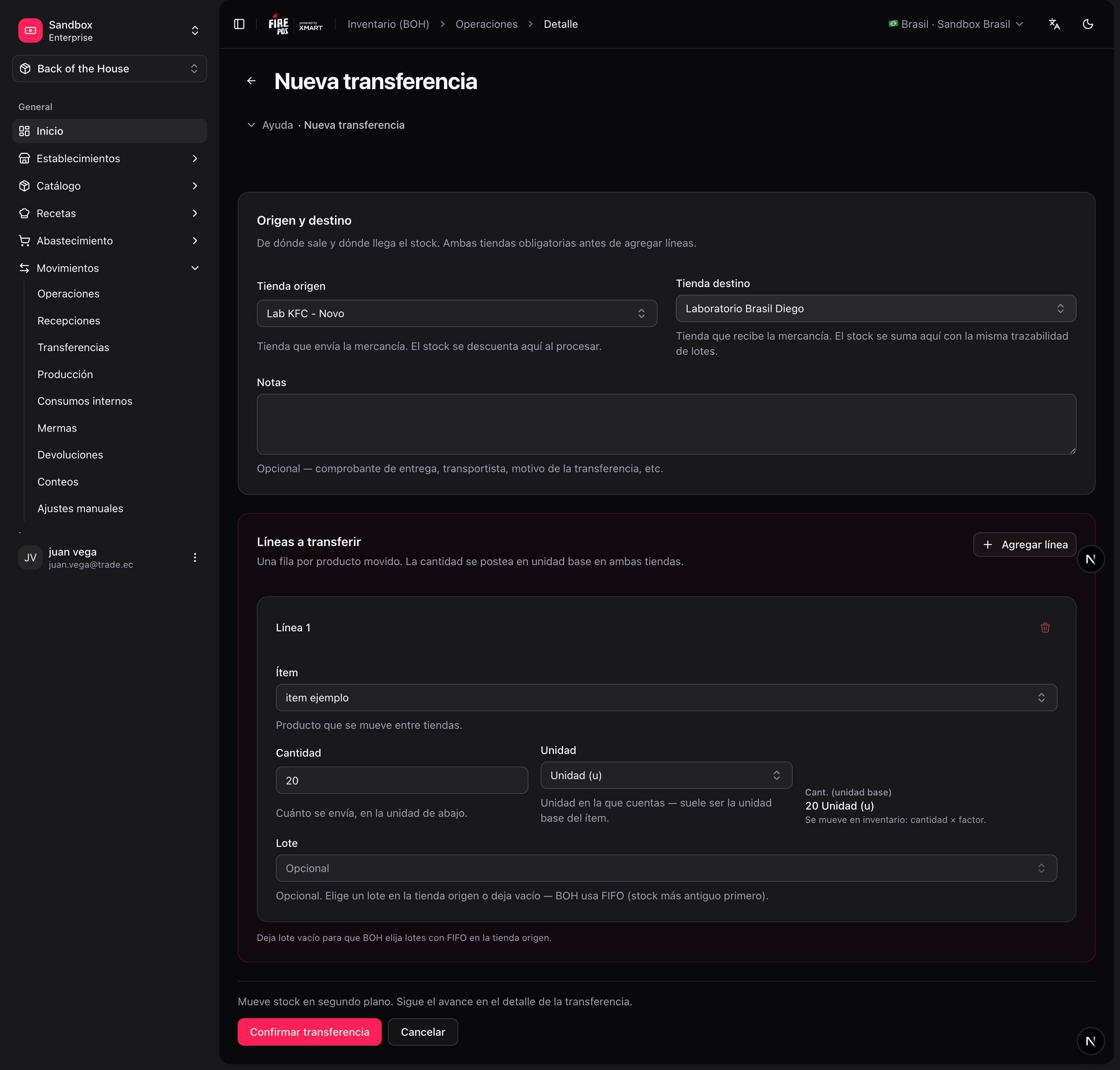 If the transfer was recorded by mistake, **cancel** it from the detail page — both sides are reversed together.
## Production batches
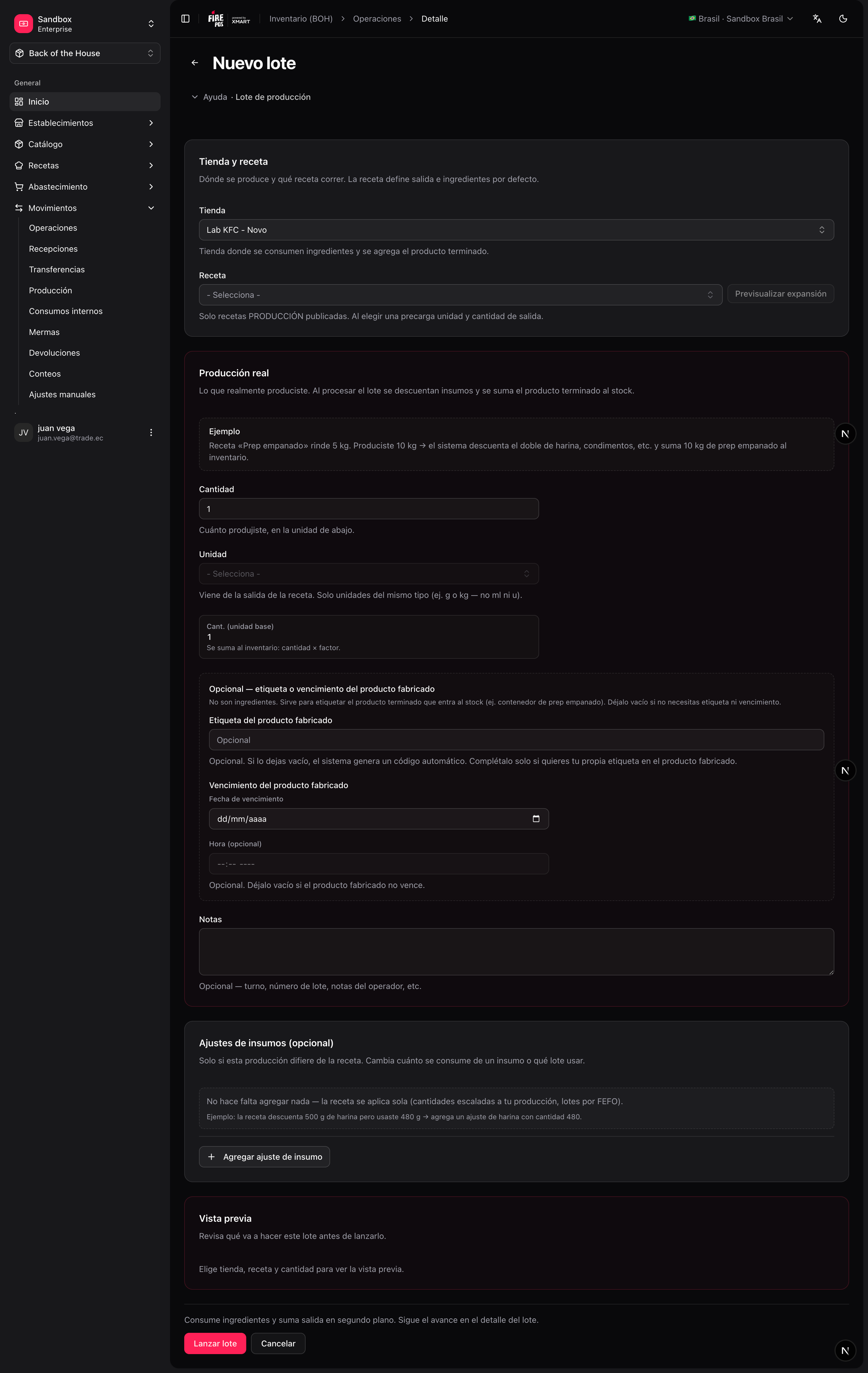
A production batch executes a [production recipe](/en/manuals/boh/recipes#recipe-types): it **consumes** the input ingredients and **produces** the output item, which enters inventory as a new lot. Use it for preparations you stock and track: sauces, doughs, marinated proteins, portioned items.
### Record a production batch
**Movements → Production → Create** (`/boh/admin/operations/production-batches/new`).
The recipe determines the inputs and the output item.
How much output you intend to produce. Inputs scale from the recipe.
After producing, record what actually came out — this is what enters stock.
Ingredients are deducted and the output lot is created.
If the transfer was recorded by mistake, **cancel** it from the detail page — both sides are reversed together.
## Production batches
A production batch executes a [production recipe](/en/manuals/boh/recipes#recipe-types): it **consumes** the input ingredients and **produces** the output item, which enters inventory as a new lot. Use it for preparations you stock and track: sauces, doughs, marinated proteins, portioned items.
### Record a production batch
**Movements → Production → Create** (`/boh/admin/operations/production-batches/new`).
The recipe determines the inputs and the output item.
How much output you intend to produce. Inputs scale from the recipe.
After producing, record what actually came out — this is what enters stock.
Ingredients are deducted and the output lot is created.
 ### Yield
The difference between planned and actual output is the batch **yield** (e.g. planned 10 L of sauce, obtained 9.5 L → 95%). Yields are aggregated in the [production yield report](/en/manuals/boh/reports), which helps detect recipes with unrealistic quantities or processes losing product.
Always record the **actual** output honestly, even when it is below plan. A batch recorded at planned quantity hides losses that the yield report exists to surface.
Next: [Stock counts](/en/manuals/boh/stock-counts).
### Yield
The difference between planned and actual output is the batch **yield** (e.g. planned 10 L of sauce, obtained 9.5 L → 95%). Yields are aggregated in the [production yield report](/en/manuals/boh/reports), which helps detect recipes with unrealistic quantities or processes losing product.
Always record the **actual** output honestly, even when it is below plan. A batch recorded at planned quantity hides losses that the yield report exists to surface.
Next: [Stock counts](/en/manuals/boh/stock-counts).