> ## Documentation Index
> Fetch the complete documentation index at: https://docs.fire.rest/llms.txt
> Use this file to discover all available pages before exploring further.
# Waste and internal consumption
> Register waste events with configurable reasons and record internal consumption such as staff meals.
Not all stock leaves through a sale. **Waste events** record what you discard; **internal consumption** records what the store itself uses — staff meals, tastings, samples. Both deduct stock and both show up in reports, so recording them keeps your theoretical inventory honest.
**Where you work:** **BOH → Movements** — **Waste events** (`/boh/admin/operations/waste-events`) and **Internal consumption** (`/boh/admin/operations/internal-consumptions`). The **Waste reasons** catalog lives under **Catalog → Waste reasons** (`/boh/admin/operations/waste-reasons`).
## Waste reasons
Before registering waste, define the catalog of **reasons**: expiry, preparation error, breakage, spoilage… Each reason has a code, a name, and whether it is considered **controllable** (caused by operation) or not — a distinction that later makes waste reports actionable.
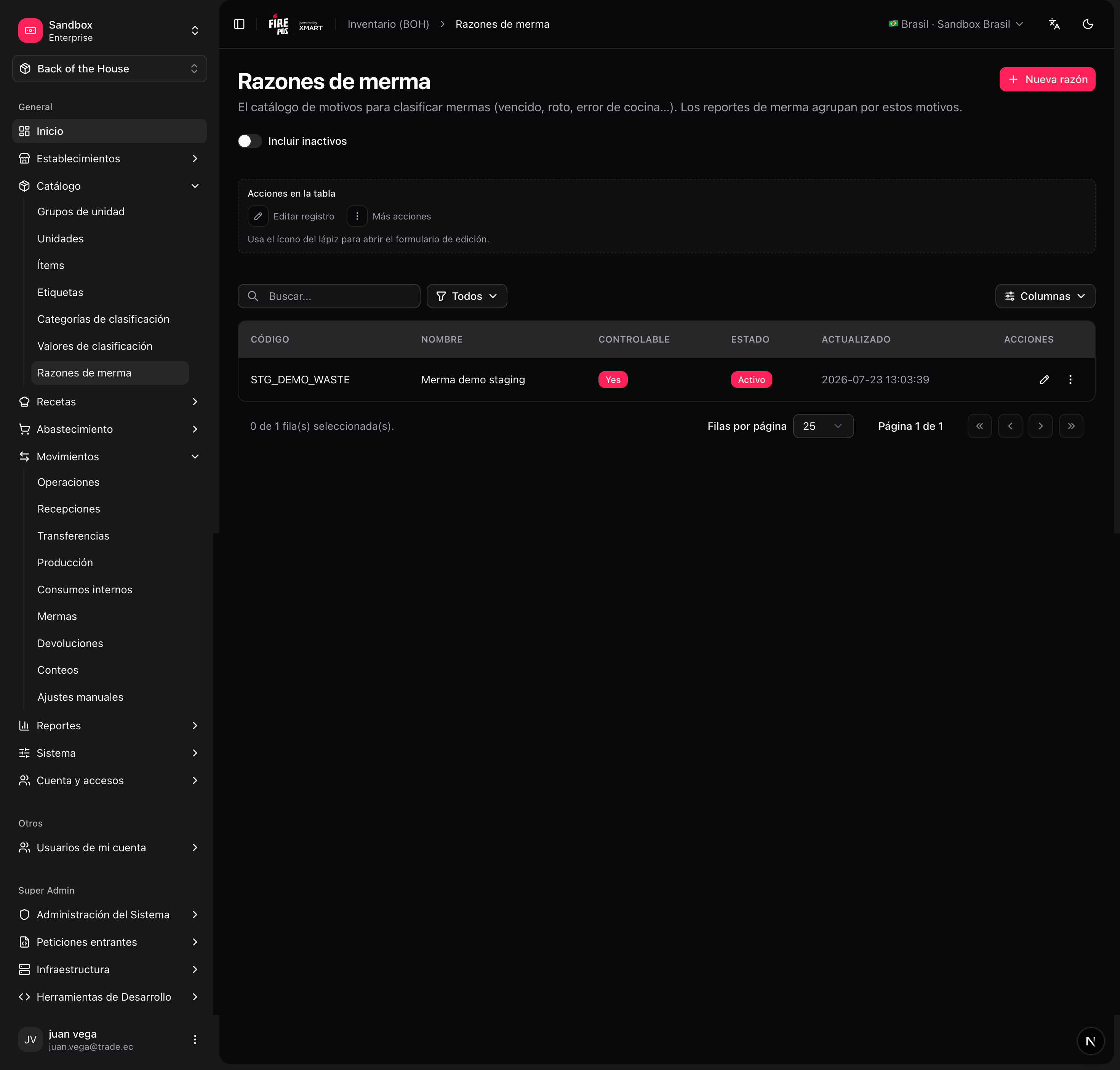 To add one: **Catalog → Waste reasons → Create** (`/boh/admin/operations/waste-reasons/new`).
## Register a waste event
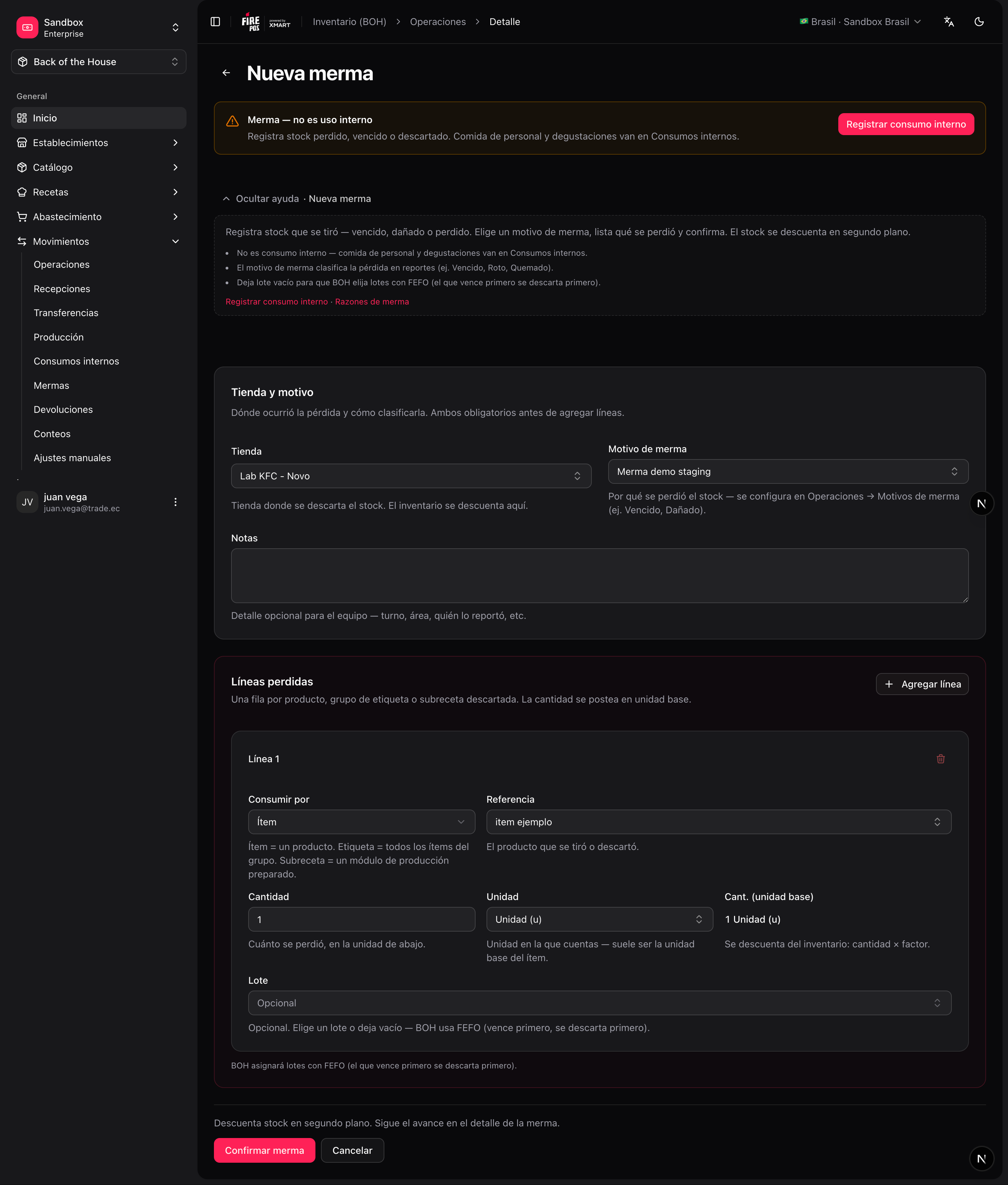
**Movements → Waste events → Create** (`/boh/admin/operations/waste-events/new`).
Item, quantity, unit — and the **reason**, which is required on every line.
Stock is deducted from the closest-to-expiry lots first, unless you point at a specific lot.
To add one: **Catalog → Waste reasons → Create** (`/boh/admin/operations/waste-reasons/new`).
## Register a waste event
**Movements → Waste events → Create** (`/boh/admin/operations/waste-events/new`).
Item, quantity, unit — and the **reason**, which is required on every line.
Stock is deducted from the closest-to-expiry lots first, unless you point at a specific lot.
 Make waste registration part of the shift routine (e.g. before close). Waste recorded days later distorts both the waste report and the stock counts in between.
## Internal consumption
Internal consumption works like waste but without a reason catalog: it represents legitimate non-sale usage such as employee meals or kitchen tests.
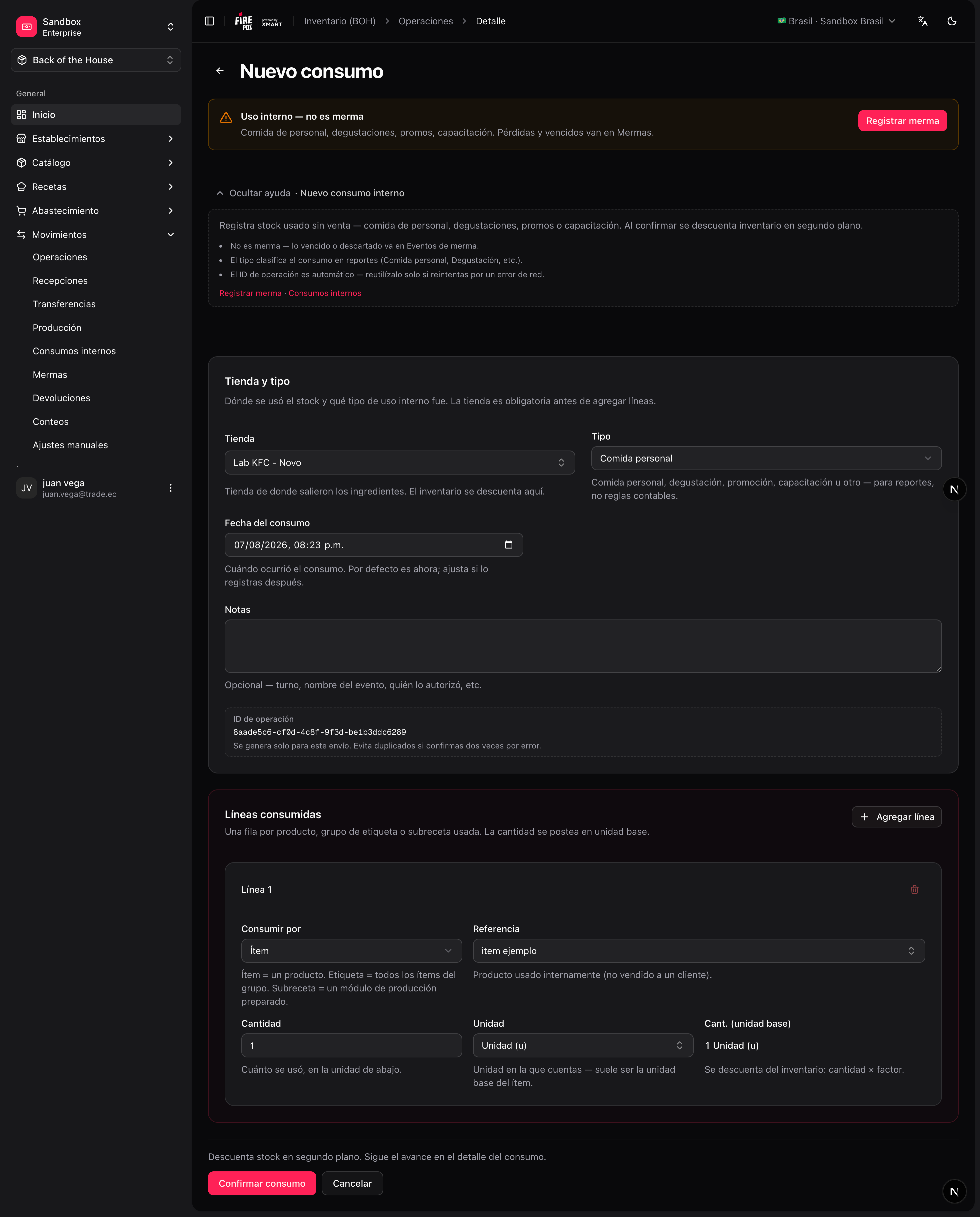
**Movements → Internal consumption → Create** (`/boh/admin/operations/internal-consumptions/new`).
Item, quantity, and unit per line.
Make waste registration part of the shift routine (e.g. before close). Waste recorded days later distorts both the waste report and the stock counts in between.
## Internal consumption
Internal consumption works like waste but without a reason catalog: it represents legitimate non-sale usage such as employee meals or kitchen tests.
**Movements → Internal consumption → Create** (`/boh/admin/operations/internal-consumptions/new`).
Item, quantity, and unit per line.
 Both documents can be **cancelled** from their detail page if recorded by mistake — BOH posts the opposite movements to restore the stock.
Next: [Transfers and production](/en/manuals/boh/transfers-production).
Both documents can be **cancelled** from their detail page if recorded by mistake — BOH posts the opposite movements to restore the stock.
Next: [Transfers and production](/en/manuals/boh/transfers-production).