> ## Documentation Index
> Fetch the complete documentation index at: https://docs.fire.rest/llms.txt
> Use this file to discover all available pages before exploring further.
# Open the cash drawer
> When the cash drawer opens by itself and how to open it outside a sale with the manager's code.
A drawer that opens without a sale is how cash leaves without a trace. That is why the POS opens it only at the moments when the cashier has to handle the money, and to open it outside those moments it asks for a manager's code, which is logged.
**The minimum you need to know**
* The drawer opens **by itself** when you have to take in or give back cash.
* Opening it **manually** requires a manager's code from **Access → Open drawer**. Each code is good for one opening.
* The drawer opens through the Fire Agent and the printer, so the device needs both set up.
## Prerequisites
* An open register.
* The Fire Agent installed and the printer set up, with the drawer connected to the printer. See [Printer and terminal settings](/en/manuals/pos/terminal-settings).
## When it opens by itself
| Moment | Why |
| - | - |
| When you tap **Cash** on the charge screen | To put away the money the customer hands you and take out the change |
| When you **void a charge** | To give back the cash from the voided charge |
| Before charging a kiosk order | To take in the customer's cash |
| When you void a finished sale that was paid in cash | To give the money back |
It does not open when you finish the sale or when the sale was paid by card only.
## Open it manually
To open the drawer outside a sale —to break bills, to put away a payment that was left out— you need the manager's code.
1. Tap your name at the top right to open **Settings** and choose **Open drawer**.
2. Ask the manager for a code from **Access → Open drawer**. See [Authorization codes](/en/manuals/pos/authorization-codes).
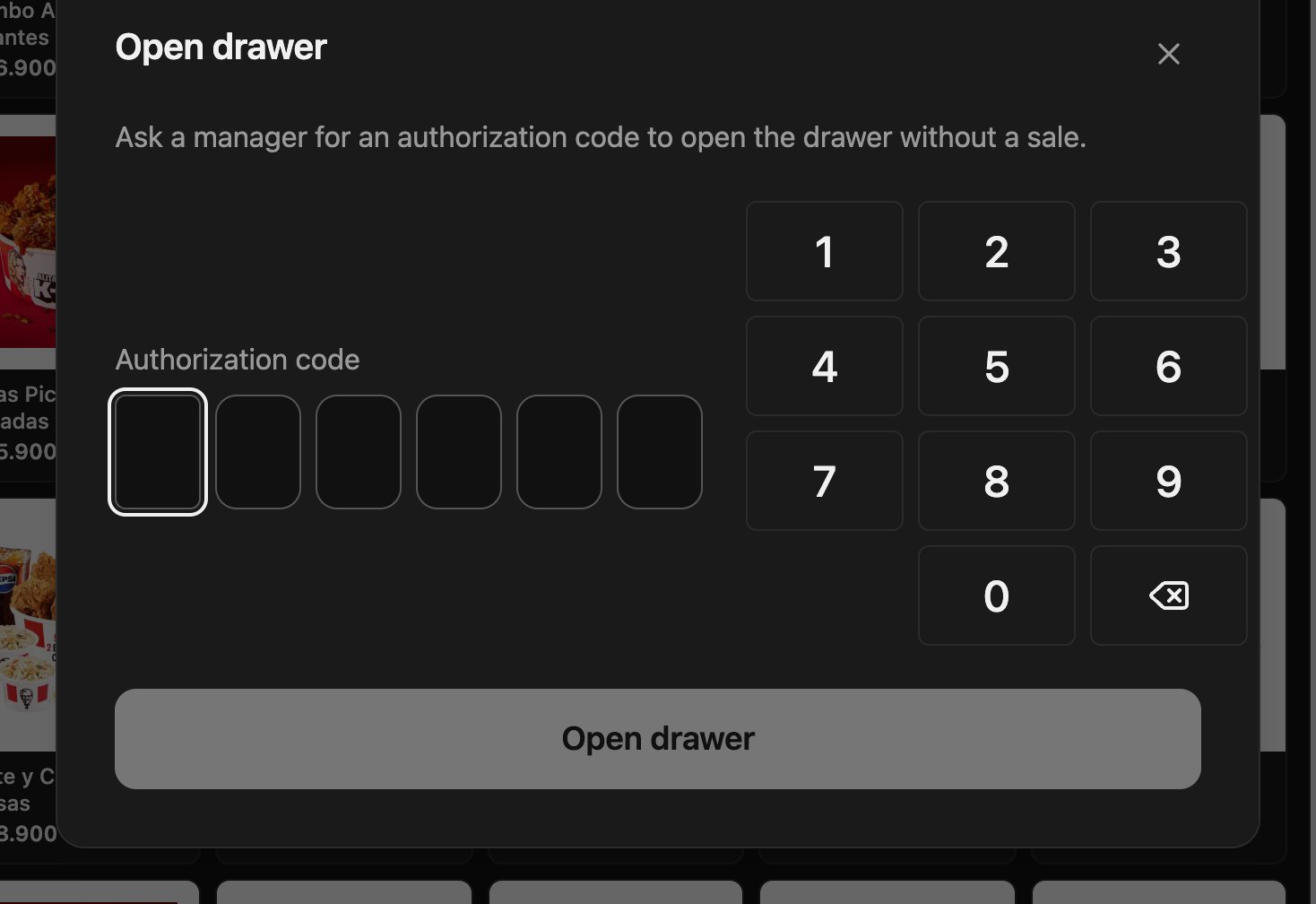 3. Type the 6 digits of the code.
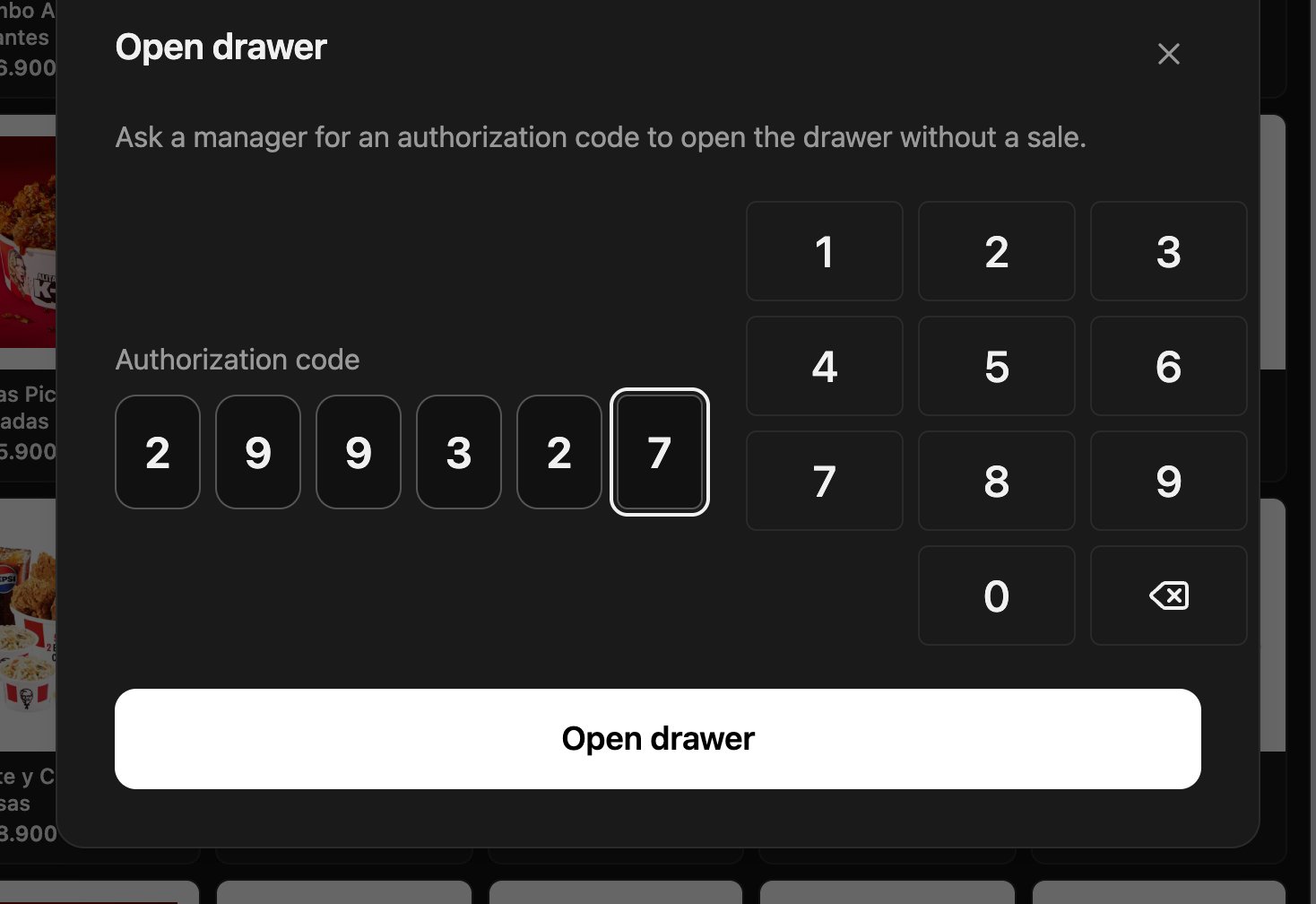 4. Tap **Open drawer**. The POS confirms **Drawer opened**.
 If the drawer opened, you are done. The code can no longer be used for another opening.
***
## Mistakes that cost money
**Opening the drawer to give change for a sale that was not charged.** Every cash movement has to go through a charge. If you open the drawer manually to take money “off the books”, that money does not show up in any sale and at closing it comes out as a surplus or a shortage.
## Frequently asked questions
The code was already used, expired, or is for another operation. Ask the manager for a new one from **Access → Open drawer**.
Check that the Fire Agent is open, that the printer is set up, and that the drawer is connected to the printer.
No. Each code opens the drawer once.
If the drawer opened, you are done. The code can no longer be used for another opening.
***
## Mistakes that cost money
**Opening the drawer to give change for a sale that was not charged.** Every cash movement has to go through a charge. If you open the drawer manually to take money “off the books”, that money does not show up in any sale and at closing it comes out as a surplus or a shortage.
## Frequently asked questions
The code was already used, expired, or is for another operation. Ask the manager for a new one from **Access → Open drawer**.
Check that the Fire Agent is open, that the printer is set up, and that the drawer is connected to the printer.
No. Each code opens the drawer once.