

The minimum you need to know
- Each code works for one thing only. A Cash count code does not open the drawer or close the register.
- It expires after 3 minutes, or after 30 minutes if you choose the long duration.
- It is used once. The Cancel orders code opens a panel where the cashier can cancel several orders in a row.
Prerequisites
- Access to the Fire backoffice at app.fire.rest, with permissions on the store.
- Channel - POS and the cashier’s store selected in the header.
Which code each operation needs
A register close with a shortage needs two codes: one to enter the close and another to approve the shortage. The first one is requested before counting, so the cashier does not know whether the register balanced until they finish.
1. Open Authorization codes
In the side menu, open Fire POS → Authorization codes. The Generate tab has the form on the left and, on the right, the codes you issued in this session.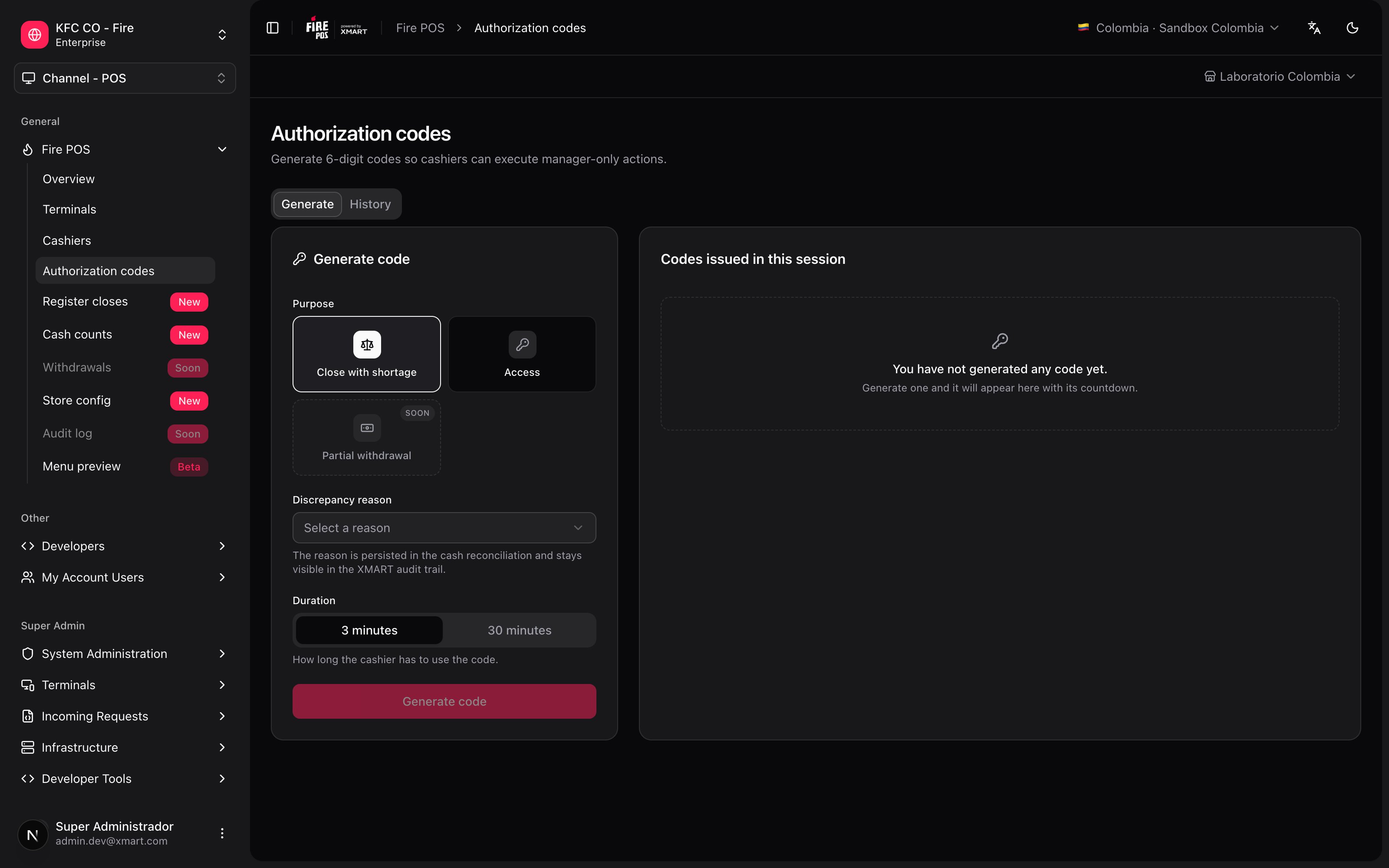
2. Choose what the code is for
In Purpose, choose one of the three options:-
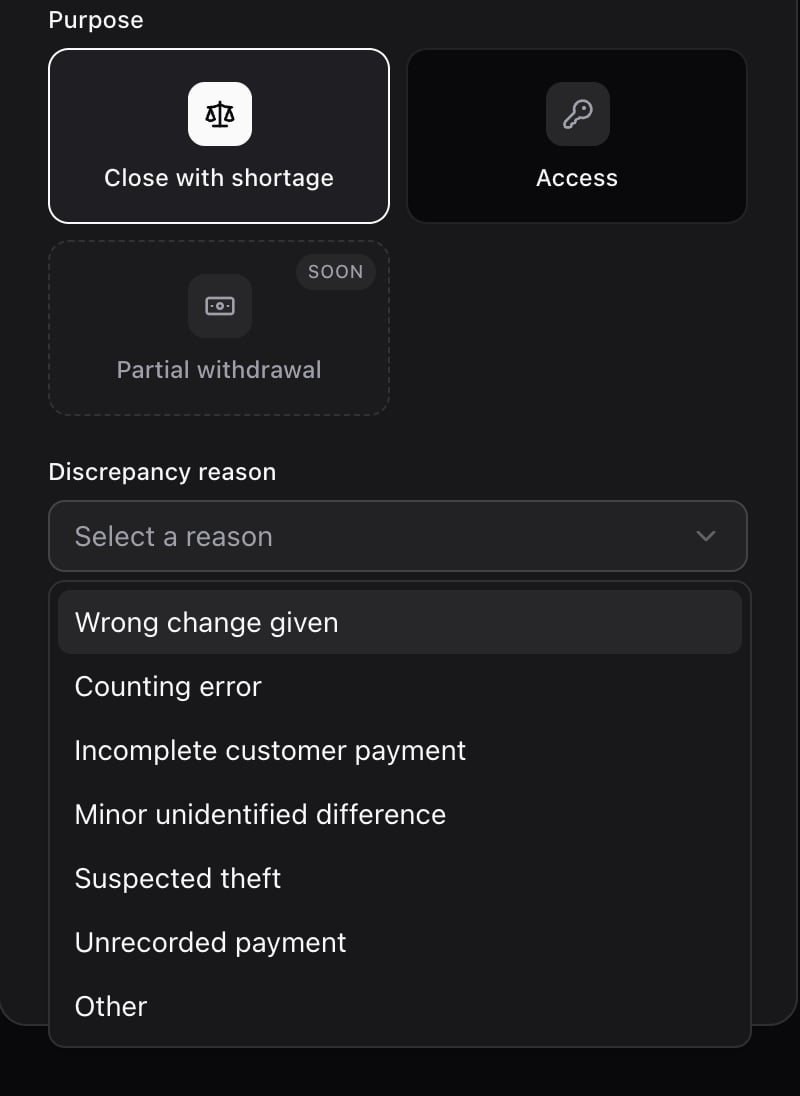
Close with shortage: when the cashier closes the register and the count comes out lower than expected. Also choose the Discrepancy reason: it is saved in the register reconciliation and in the audit log.
- Partial withdrawal: to take cash out of an open register in the middle of the shift. You choose the register, the amount and the category, and the code only works on that register and for that amount. See Partial cash withdrawal.
-
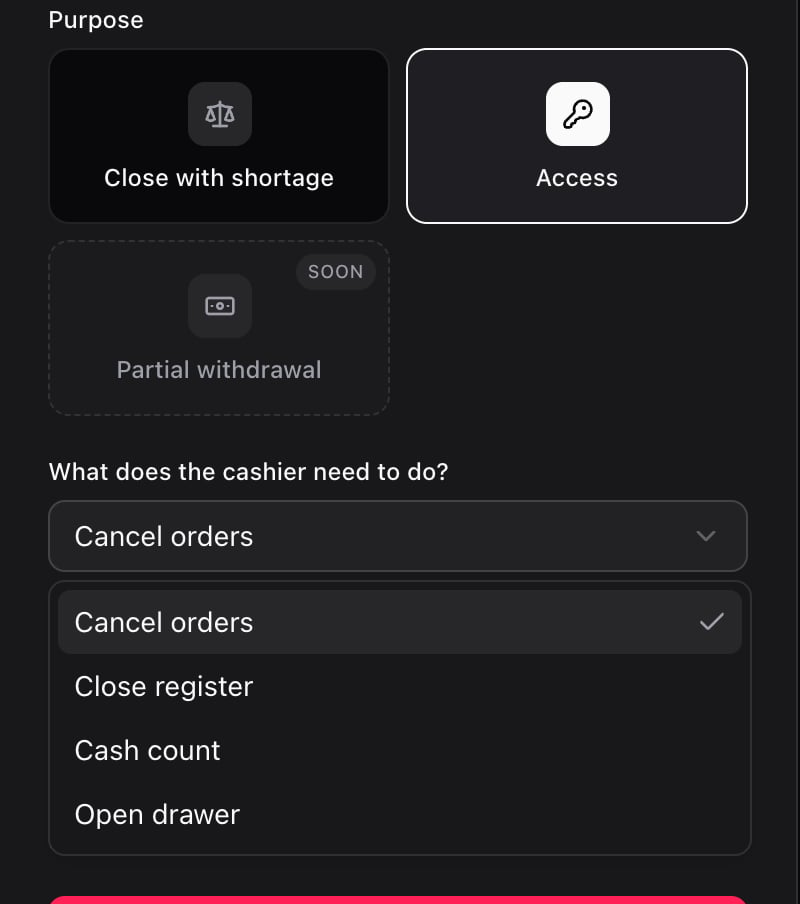
Access: for everything else. In What does the cashier need to do? choose Cancel orders, Close register, Cash count or Open drawer.
3. Choose the duration
In Duration, leave 3 minutes if the cashier is going to enter the code right away. Use 30 minutes only if it will take them a while to reach that screen.4. Generate the code and read it out to the cashier
Tap Generate code. The code appears in Codes issued in this session, with the operation, the countdown and a button to copy it.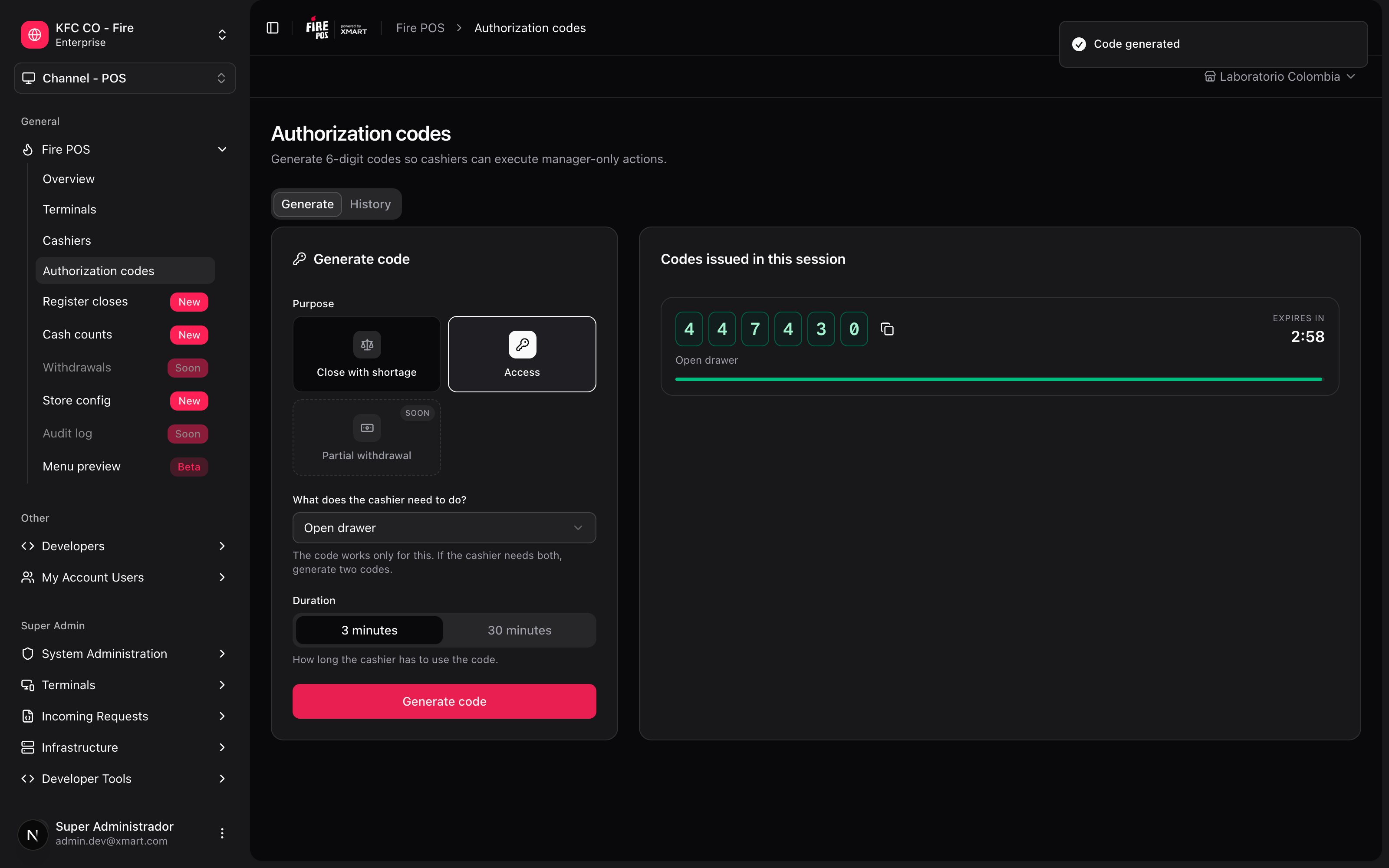
Review the history
The History tab lists the codes generated in the store. Filter by period and by status. For each code it shows the date and time, the type, the reason, who generated it, the status and, if it was used, which cashier used it and on which terminal.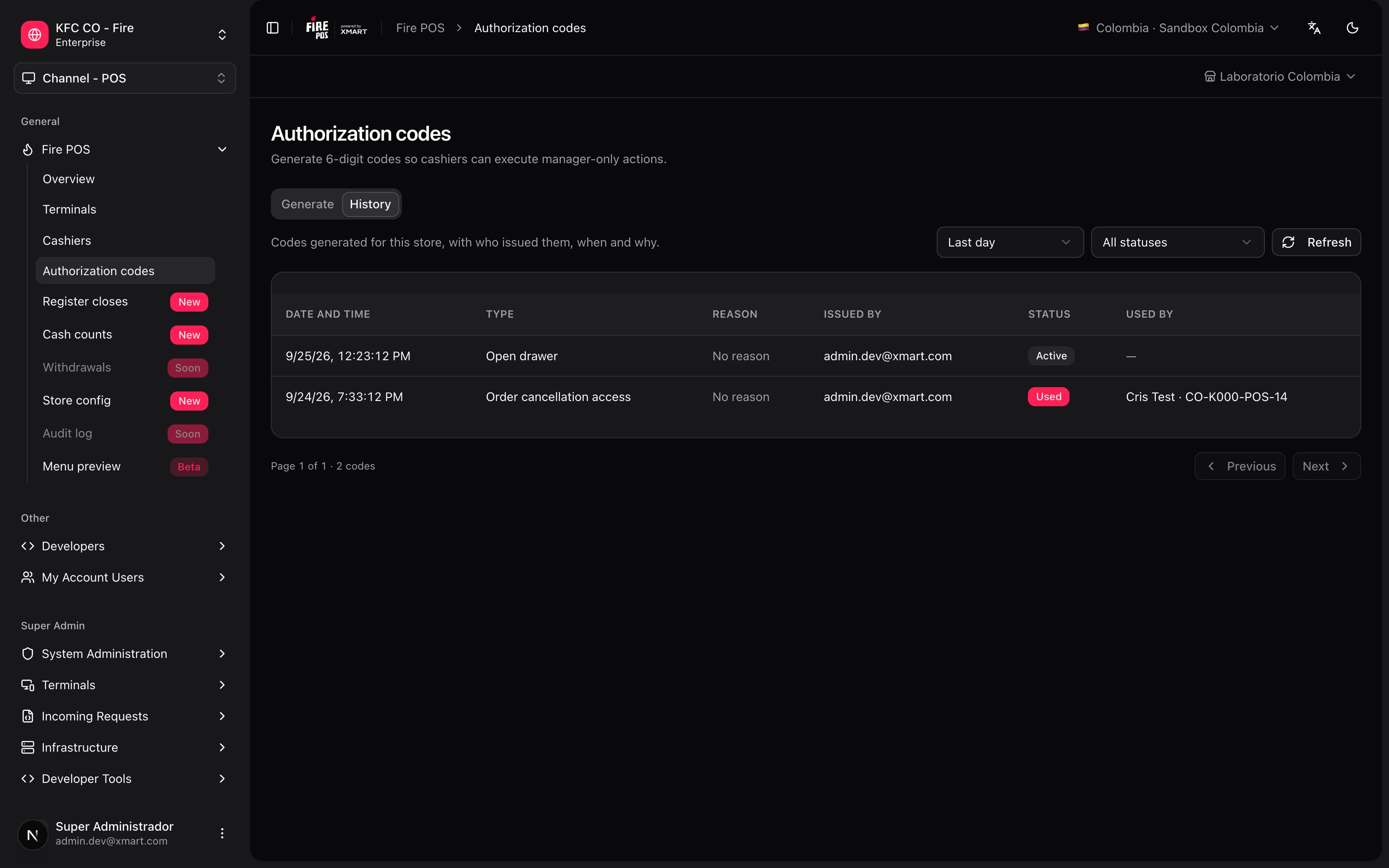
Code rules
- They have 6 digits and are used only once.
- They expire after 3 or 30 minutes, depending on the duration you chose.
- They only work for the operation they were generated for, and only in the account where they were generated.
- Every generation and every use is recorded in the audit log, with the manager who generated the code and the cashier who used it.
Mistakes that cost money
Frequently asked questions
The POS rejects the code
The POS rejects the code
Read the POS message: it says whether the code does not exist, was already used, expired, is for another operation or belongs to another account. In all five cases, generate a new one with the correct operation.
The code expired before the cashier used it
The code expired before the cashier used it
Generate another one. If this happens often, use the 30-minute duration.
The cashier needs to cancel several orders
The cashier needs to cancel several orders
Generate a single Access → Cancel orders code: it opens a panel where the cashier can cancel several orders without asking for another code.
Who used a code I generated?
Who used a code I generated?
Open the History tab: the Used by column shows the cashier and the terminal.
I generated the code with the wrong purpose
I generated the code with the wrong purpose
It cannot be changed. Generate a new one with the correct purpose; the other one expires on its own.