

Android KDS tablet
Fire Agent APK for the same device that runs fire-kds in Chrome.
Prerequisites
The agent only listens on
127.0.0.1 (localhost), so it needs no open ports and no Windows Firewall rule.Files you need
Depending on the task, you need one of these files:Download Fire Agent (Windows)
Folder with
fireAgentSetup-<version>.zip: download it and unzip it.Step-by-step installation
1
Run the installer as administrator
- Locate
fireAgentSetup.exe. - Right-click it and choose Run as administrator.
- If the User Account Control (UAC) prompt appears, click Yes.
2
Welcome screen
The wizard shows the Fire Agent 1.3.0 welcome message. Click Next.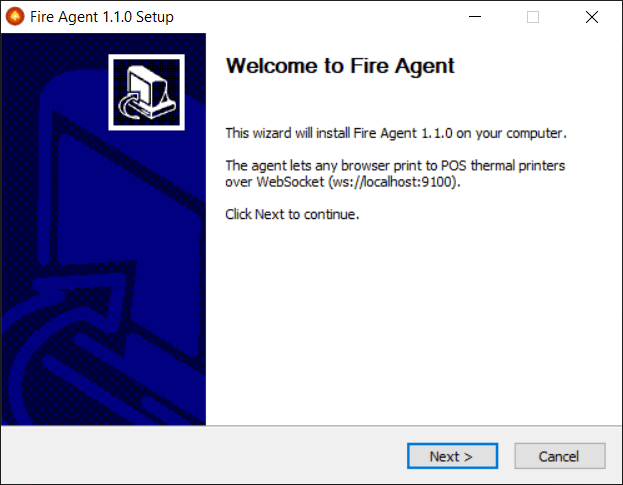
3
Installation folder
Confirm the installation folder (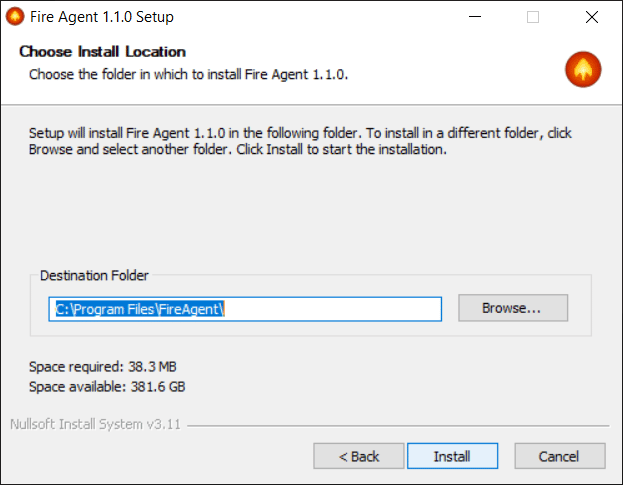
C:\Program Files\FireAgent by default). Keeping the default path is recommended. Click Install.4
Automatic installation
The wizard performs, with no user input: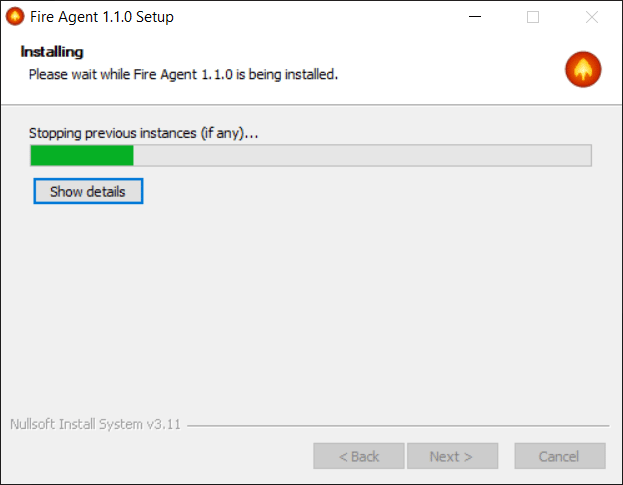
- Stops any previous instance of the agent.
- Copies
fire-agent.exeto the installation folder. - Stores the
FIRE_AGENT_TOKENas a system environment variable. - Registers auto-start with Windows for all users.
- Registers the app in Add or Remove Programs.
- Creates the uninstaller inside the installation folder.
5
Finish
The last screen confirms the installation and the configured token. To start the agent right away, leave Start Fire Agent now ticked and click Finish.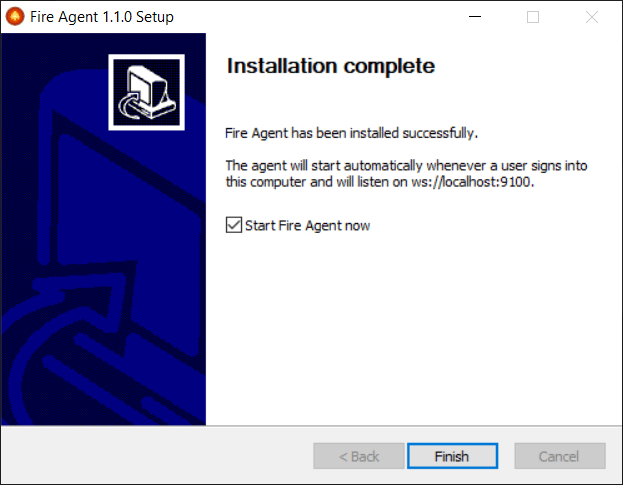
6
First launch (SSL certificate)
On its first launch the agent generates a self-signed SSL certificate in
%APPDATA%\FireAgent\ssl\ (pure JavaScript, no PowerShell) and trusts it in the current user’s store with certutil.exe. This lets HTTPS pages connect to wss://localhost:9101 without certificate warnings, with no admin prompt and in a GPO-friendly way.Fire Agent is installed and starts automatically whenever a user signs in to Windows. It appears as an icon in the system tray (next to the clock).
Verify that the agent is running
Open this address in a browser or use PowerShell:Ports used
Uninstall
There are three methods. All remove the agent completely (files, configuration, certificate, auto-start and registry).Method 1 — Add or Remove Programs (recommended)
- Open Settings (
Windows+I). - Go to Apps → Installed apps.
- Find Fire Agent, open the menu (⋯) → Uninstall and confirm.
- If the UAC prompt appears, click Yes and follow the wizard.
Method 2 — Standalone uninstaller (fireAgentUninstall.exe)
Useful when the original installer is no longer available.
- Right-click → Run as administrator.
- Confirm in the dialog and follow the wizard (Next → Uninstall → Finish).
Method 3 — Silent uninstall (scripts or mass deployments)
From PowerShell or CMD as administrator:/S flag runs the uninstall with no windows and no confirmation.
Any of the three methods stops
fire-agent.exe, removes the auto-start entry, the FIRE_AGENT_TOKEN variable and the SSL certificate, deletes the files in C:\Program Files\FireAgent\ and %APPDATA%\FireAgent\, and removes the Add or Remove Programs entry.