

Inheritance hierarchy: Brand → Store → Device. The most specific level wins; if a level defines nothing, it inherits from the one above.
Prerequisites
- Backoffice access at app.fire.rest, with permissions on the account.
- The country, account, and brand selected in the context switcher (top right).
- At least one active payment method in the catalog for that country.
The method catalog and the channels PayBridge covers are defined by a Fire administrator. If a method or channel you need does not appear on this screen, ask an administrator to enable it for your country.
1. Open the availability matrix
In the sidebar, under the General section, open PayBridge → Availability. You’ll see a stores × methods matrix for the context’s brand.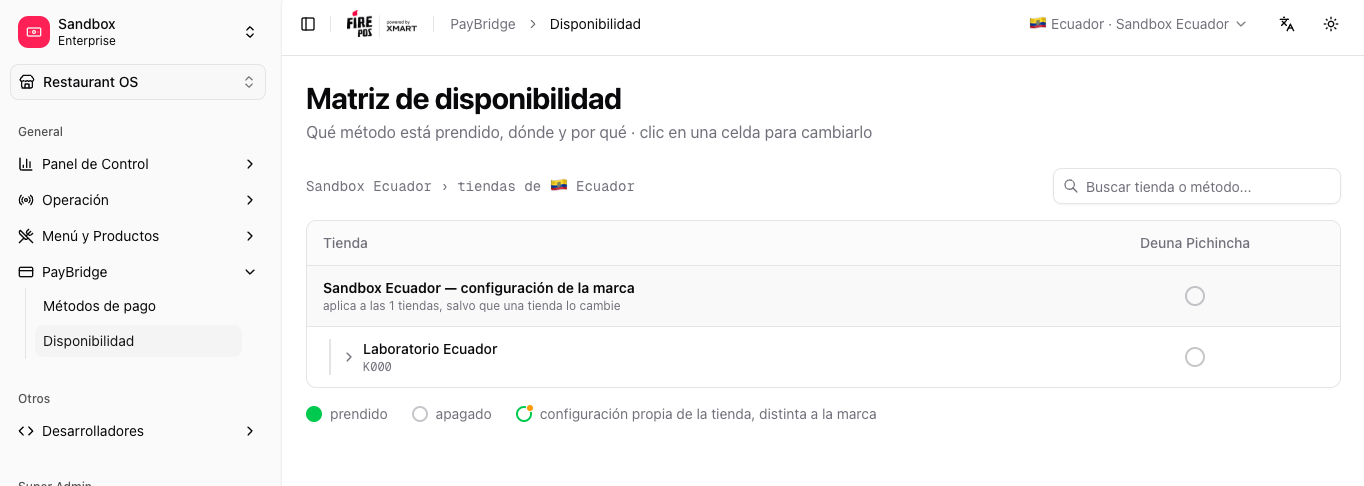
2. Turn a method on or off
Click a method’s cell to open its options. You can:- Turn on / off the method in that store.
- Turn on / off for the whole brand (from the brand row).
- Follow the brand again to remove a store’s override and inherit again.
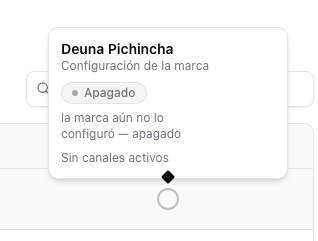
How to read the states
- Filled green — on.
- Gray — off.
- Amber dot — the store has its own configuration, different from the brand’s.

3. Choose the channels
Inside the cell you can choose which channels the method operates in (POS, Kiosk, Web, App, depending on the considered channels). Active channels are shown as chips.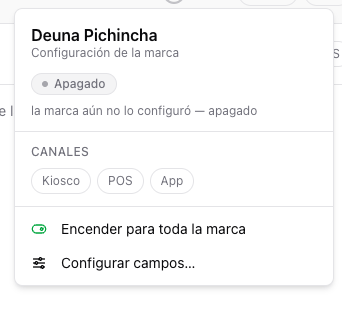
4. Drill down to the device level
Each store can be expanded with the chevron to see its devices: POS terminals and kiosks. By default each device inherits its store’s configuration; you can give it its own configuration or turn the method off for it specifically.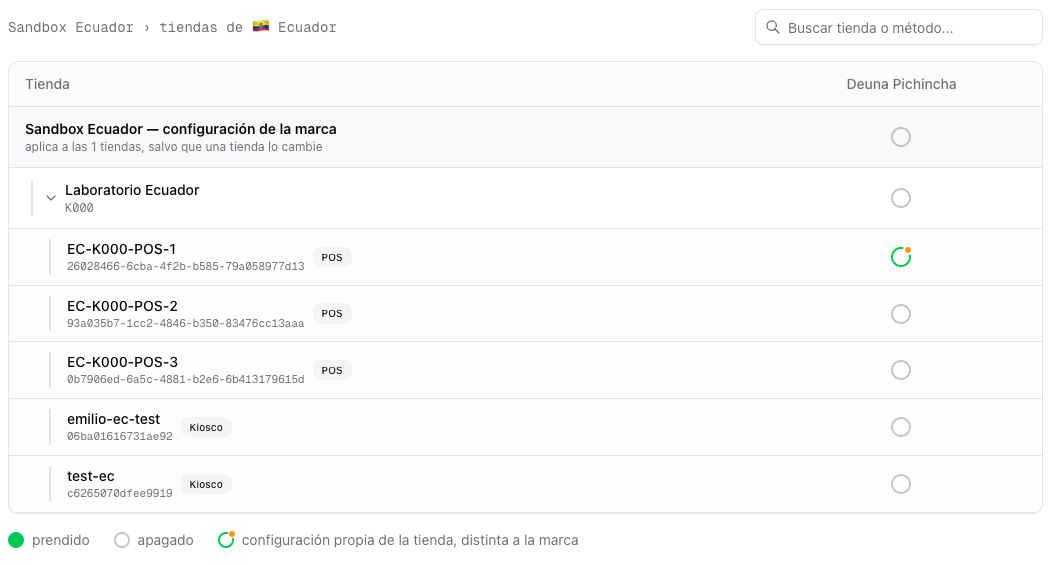
A device’s channel is implicit from its type: a POS terminal serves the POS channel and a kiosk the Kiosk channel.
Per-method view
You can also manage a specific method’s availability from its detail: open PayBridge → Payment methods, enter a method, and use the Availability tab. It’s the same brand → store → device logic, focused on that method.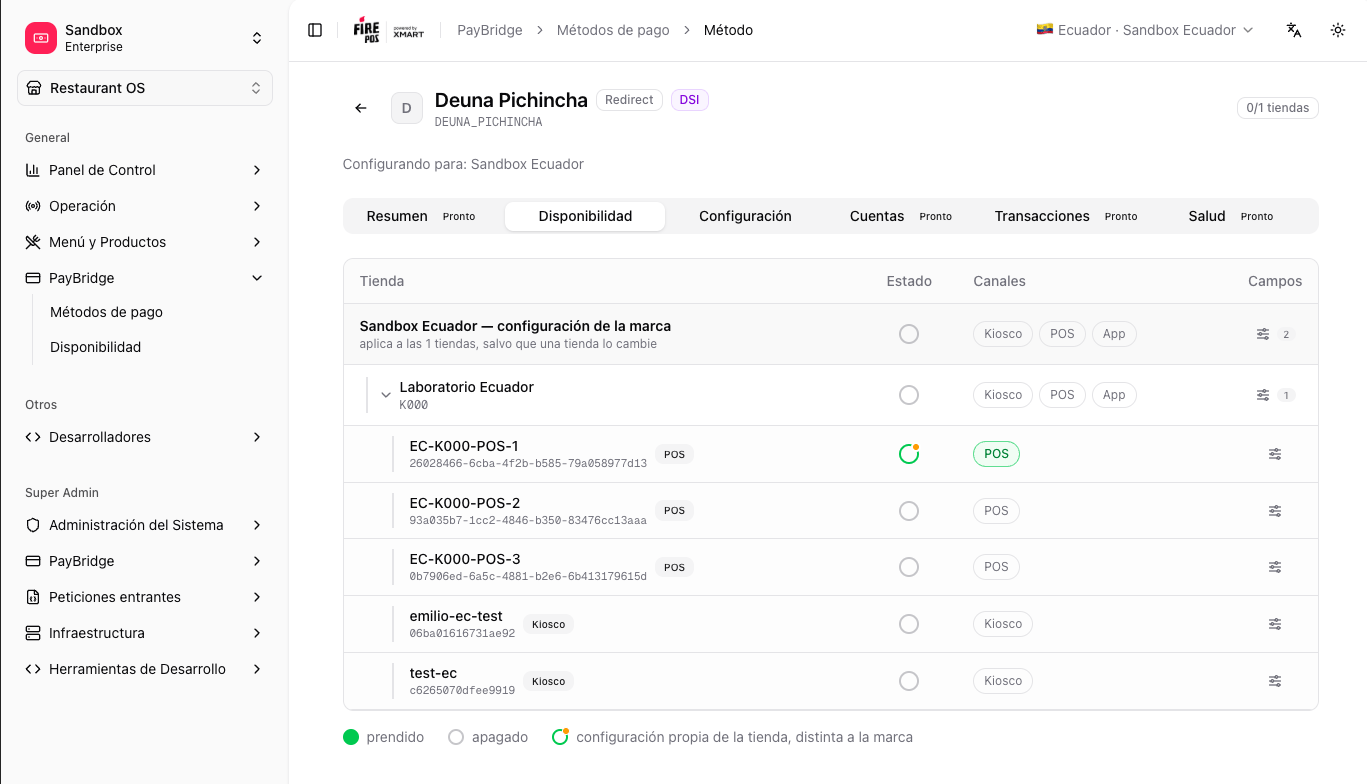
Related
Configuration by level
The credentials and settings of each method per brand, store, or device.
Supported methods by country
The methods PayBridge covers in each country.