

/operator/{storeId}. Leave it running in its own tab.
Order list
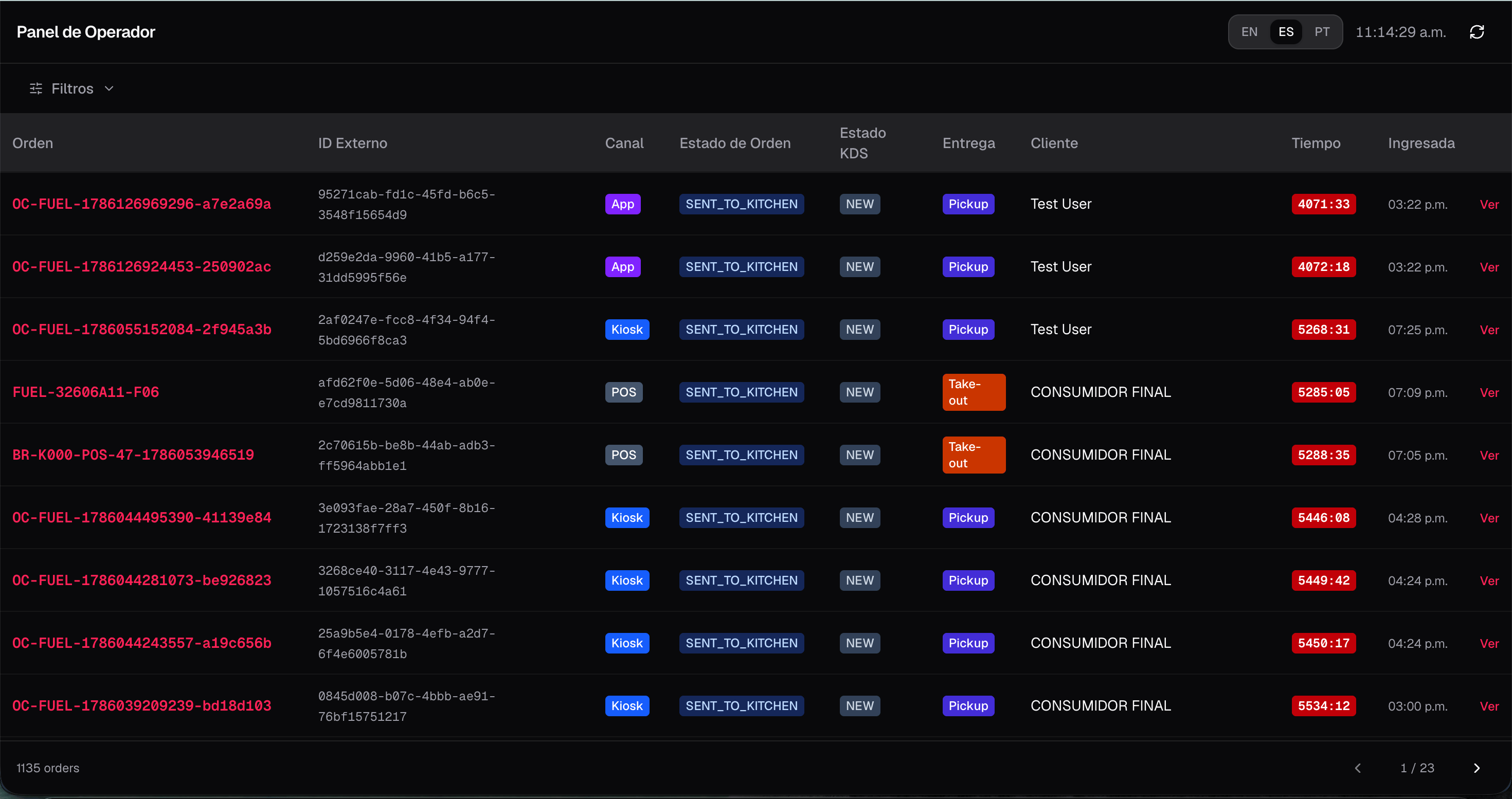
The list shows active and recent orders with:- Channel, order status, KDS status, and fulfillment badges
- A live elapsed timer (green → amber → red as the order ages)
- Order code / external ID and customer name when available
- Clocks and timestamps in the store timezone (not the browser’s)
Filters
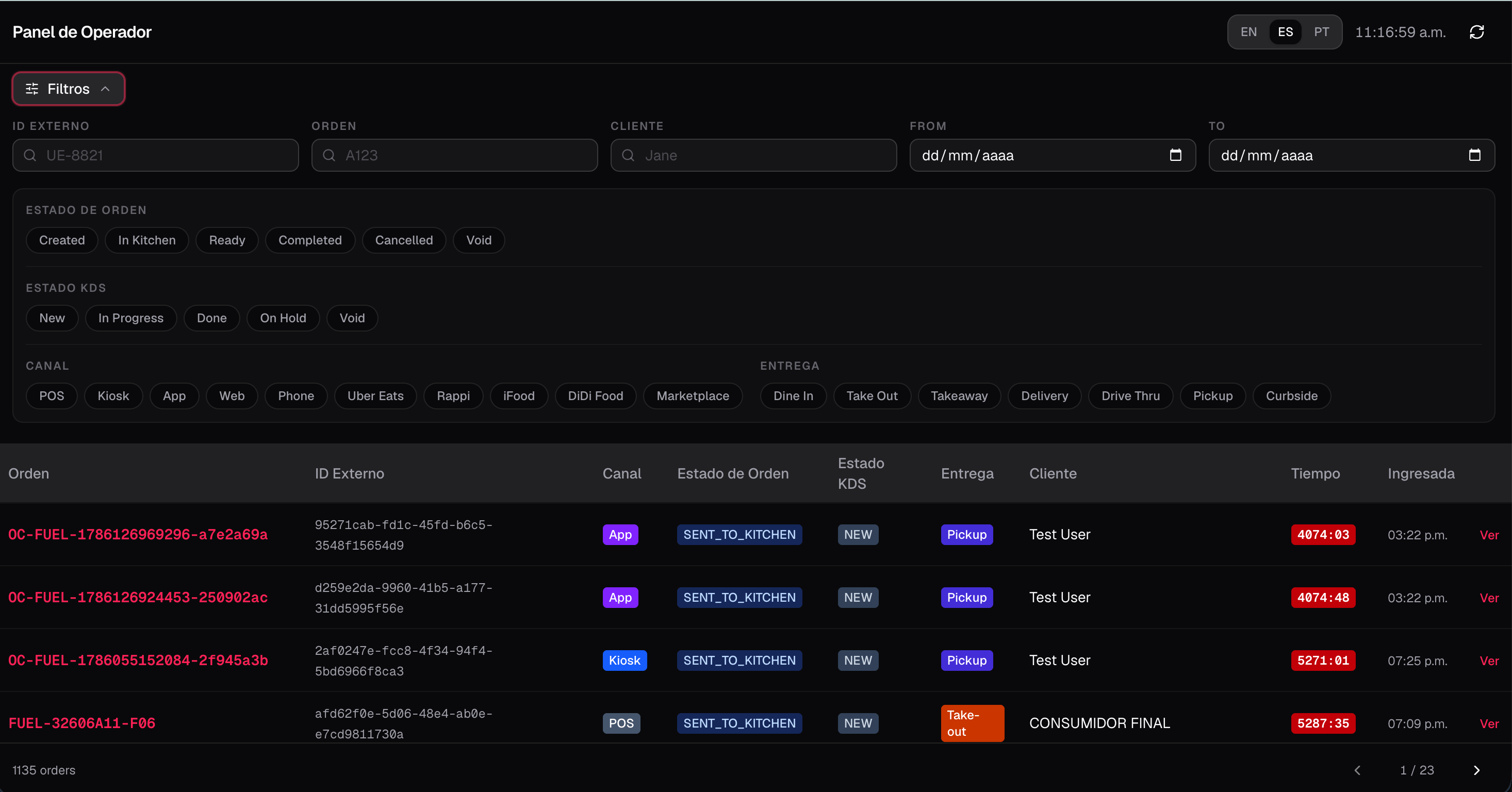
Open the filter panel to narrow the list:- Text: external ID, order code, customer name
- Date range (business day)
- Chips: order status, KDS status, channel, fulfillment type
Order detail
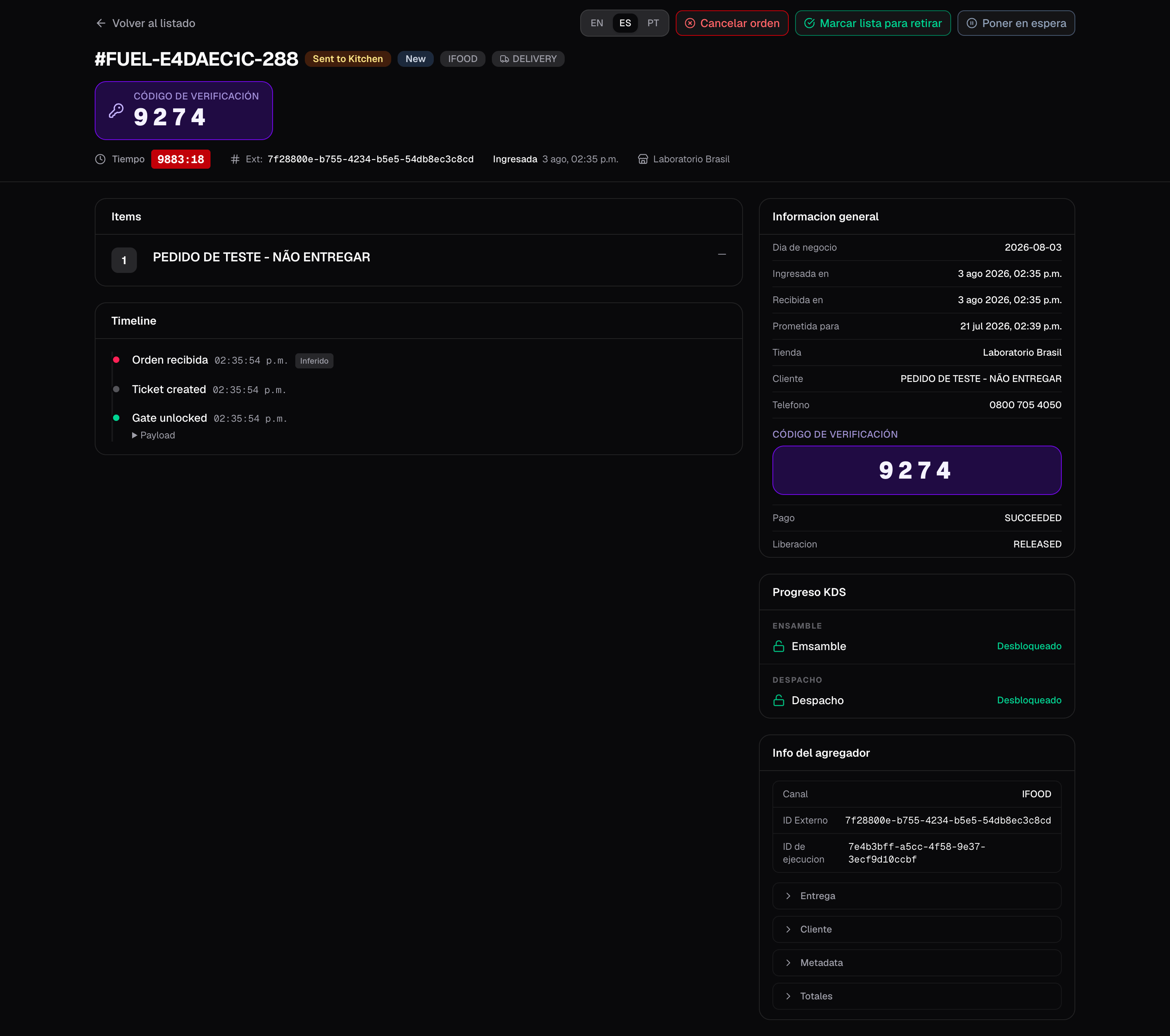
Tap View (or the row) to open/operator/{storeId}/orders/{orderId}. The detail layout includes:
- Header with status badges and prominent collect / verification code when the aggregator provides one
- General info (channel, fulfillment, timestamps in store timezone)
- Order lines / items
- KDS progress across stations
- Timeline of kitchen and status events
- Aggregator payload extras when present
Supervisor actions
From the detail page you can run operational overrides (each asks for confirmation):
Operator fiscal printer
The printer icon opens Operator fiscal printer. Enable it, pick the Fire Agent queue on this computer, and test. Kitchen bump printing is a different printer on the KDS tablet or expo PC.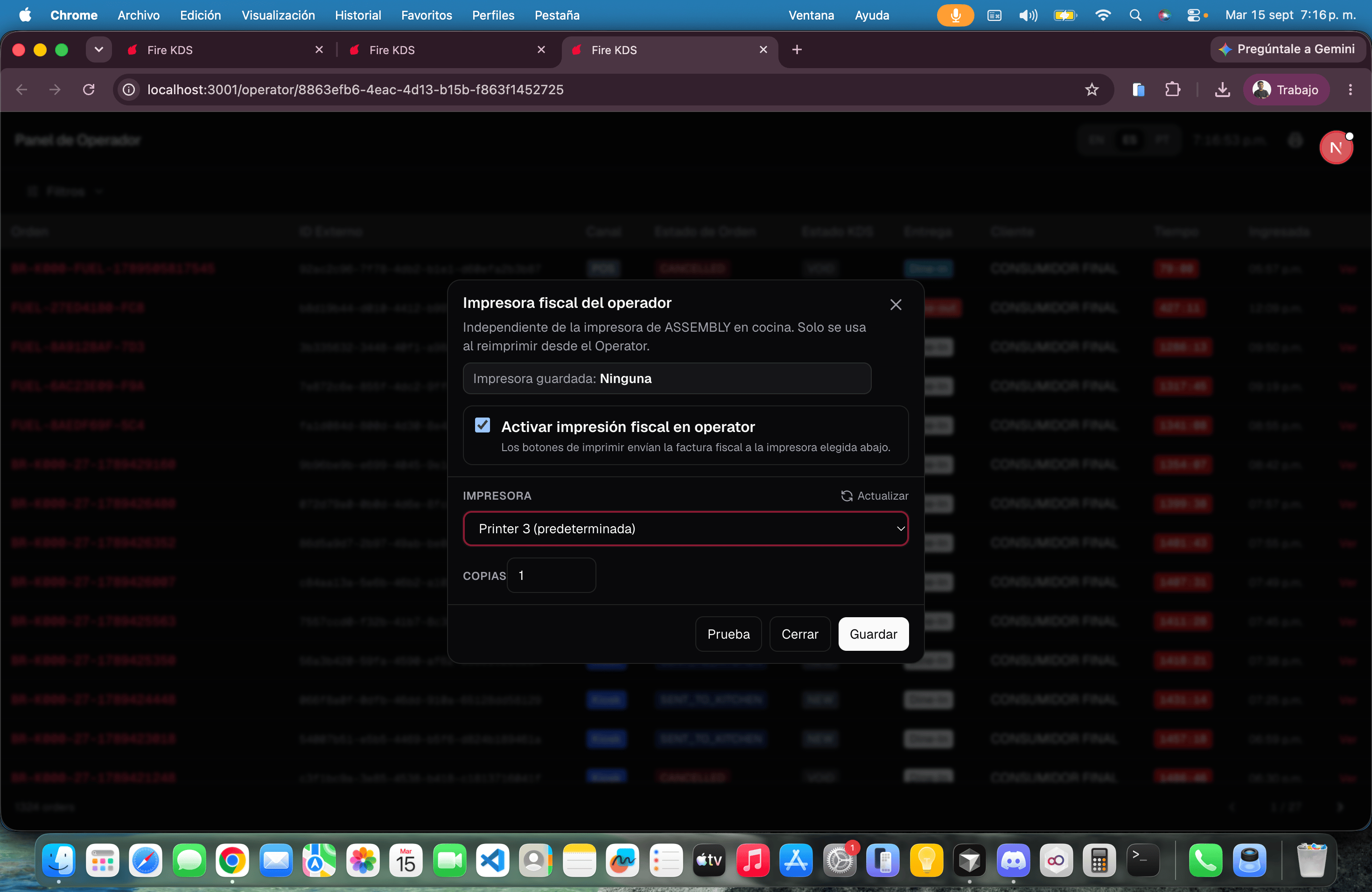
How it differs from the kitchen screen
You can monitor the store’s orders live and apply cancel, ready, or dispatch overrides when service needs them.