/boh/admin/operations/transfers) and Production (/boh/admin/operations/production-batches).
Transfers
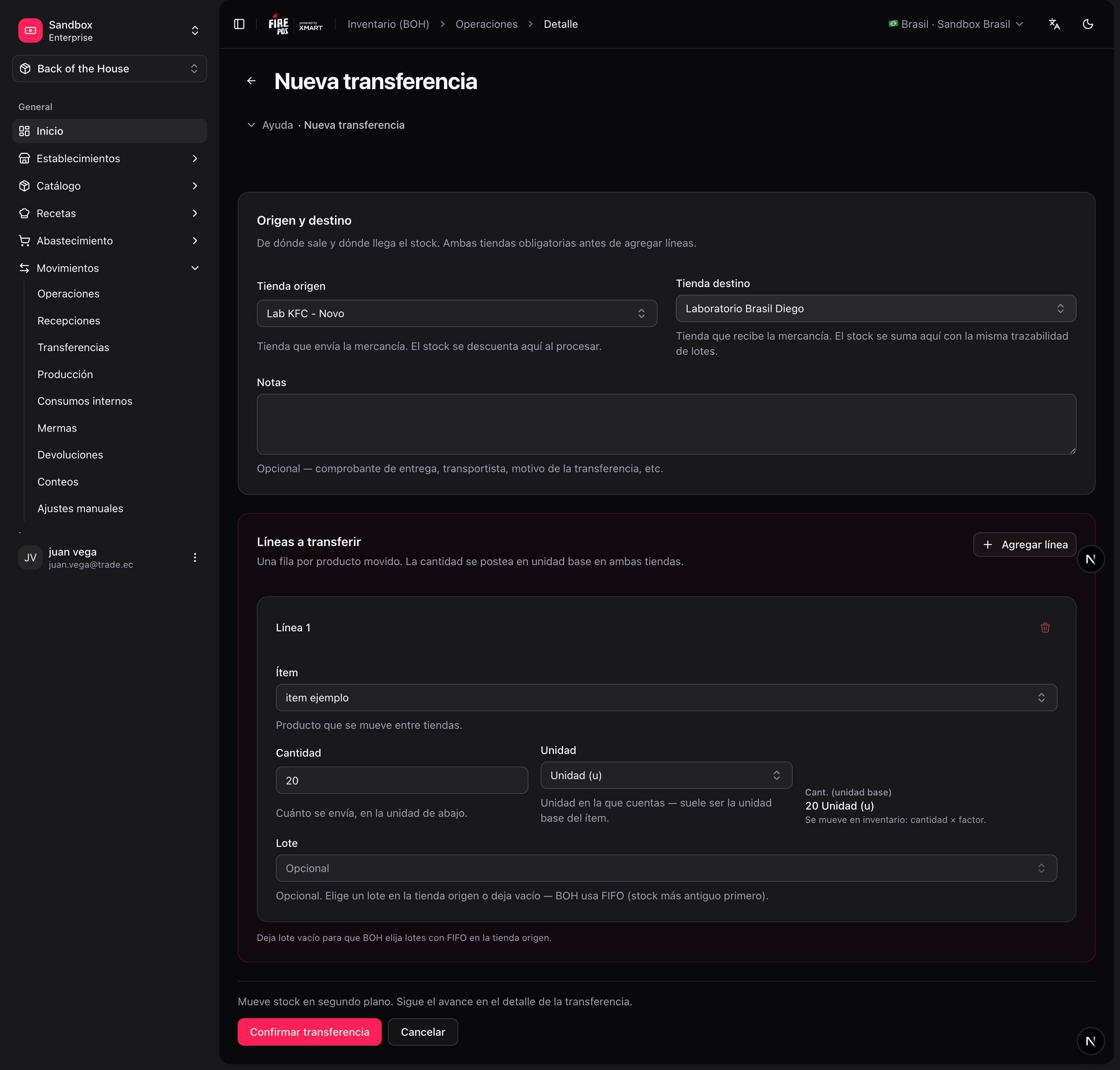
A transfer takes stock out of one store and puts it into another — for example, sending cheese from the central kitchen to a branch. One document generates both sides of the movement: the exit at the origin store and the entry at the destination store.1
Open the transfer form
Movements → Transfers → Create (
/boh/admin/operations/transfers/new).2
Pick origin and destination stores
They must be different stores of the same account.
3
Enter the lines
Item, quantity, and unit per line.
4
Confirm
Stock leaves the origin and enters the destination in the same operation.
If the transfer was recorded by mistake, cancel it from the detail page — both sides are reversed together.
Production batches
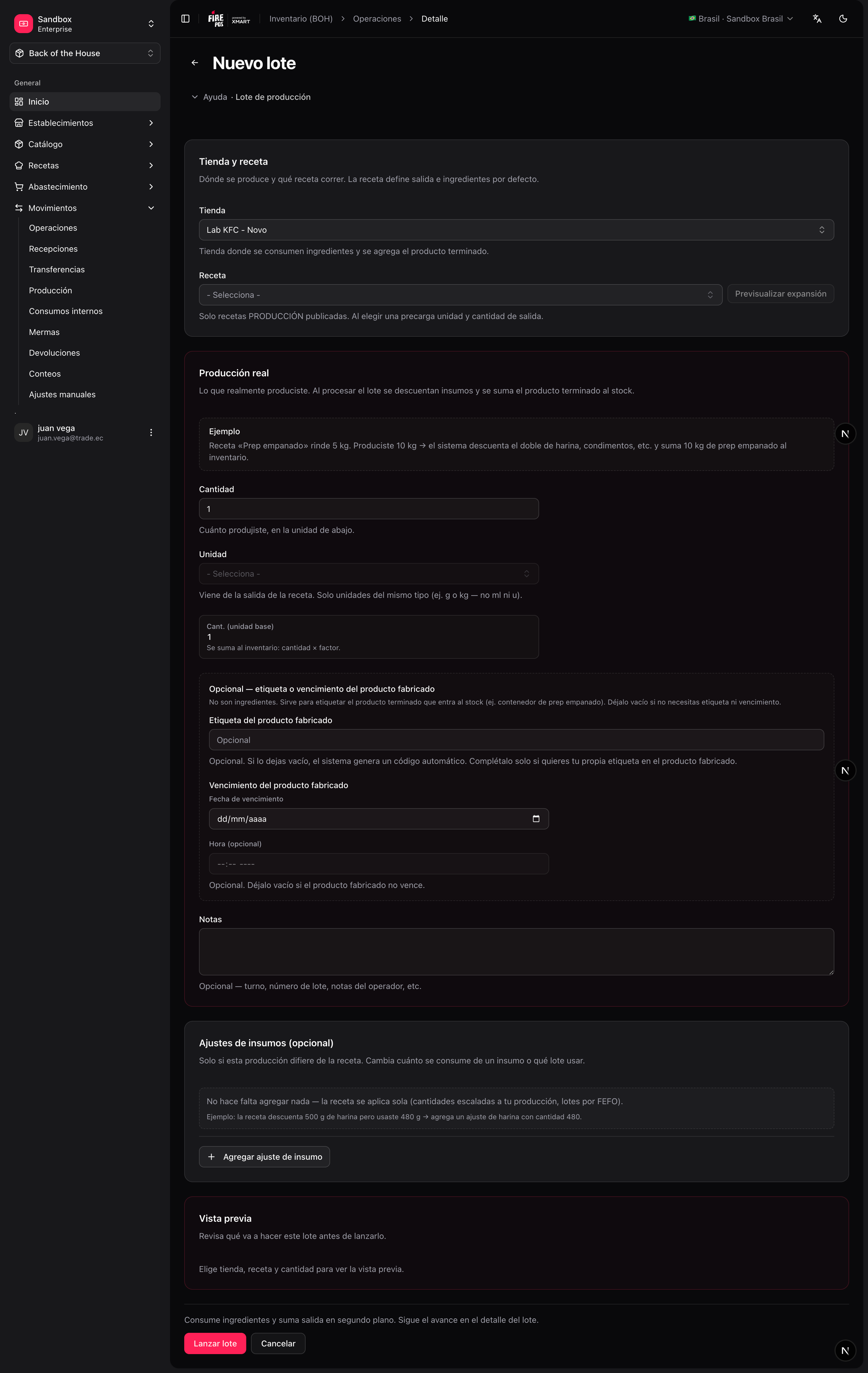
A production batch executes a production recipe: it consumes the input ingredients and produces the output item, which enters inventory as a new lot. Use it for preparations you stock and track: sauces, doughs, marinated proteins, portioned items.Record a production batch
1
Open the batch form
Movements → Production → Create (
/boh/admin/operations/production-batches/new).2
Pick the store and the production recipe
The recipe determines the inputs and the output item.
3
Enter the planned quantity
How much output you intend to produce. Inputs scale from the recipe.
4
Enter the actual output
After producing, record what actually came out — this is what enters stock.
5
Confirm
Ingredients are deducted and the output lot is created.