

There can be only one active strategy per store. Activating a new one automatically deactivates the others for that store.
Default vs custom mappings
- Default — assembly-only (production)
- Default — KITCHEN station
- Custom — multiple production lines
- Production required = No in Store settings.
- One
ASSEMBLYstation + one screen. - Active routing (empty mappings); item mappings are not used because there is no prior production.
item_type, the line goes to fallback (ideally a production station, not assembly).
Decision order
- Routing (layer 1): picks candidate production stations by
item_type+ fallback. - Station rules (layer 2): channel and service type (
DINE_IN,DELIVERY…) — can reject the line. Station item types are ignored (they belong only to the strategy / station categories). - Distribution (layer 3): if several production candidates remain, picks one according to the mode.
- Convergence (runtime): when production advances, the ticket appears in ASSEMBLY/DISPATCH according to gates and convergence distribution; there, channel/service station filters apply.
How production routing works
Line routing (layers 1–3) applies only to production stations:- Reads the line’s
item_type. - Looks for a mapping (production stations only in the form).
- If no match → fallback stations (your default station).
- Applies station rules (channel, service).
- If several candidates → distribution.
BURGER → ASSEMBLY in a mapping.
Distribution modes (when 2+ candidate stations)
If the mapping has a single station, the distribution mode does not change the result.
Multi-station example
Stations:
Screens:
Routing strategy — production only in mappings:
Convergence (outside mappings): when the lines in
GRILL/FRY complete, the ticket appears in ASSEMBLY and then DISPATCH according to convergence distribution and those stations’ channel/service rules.
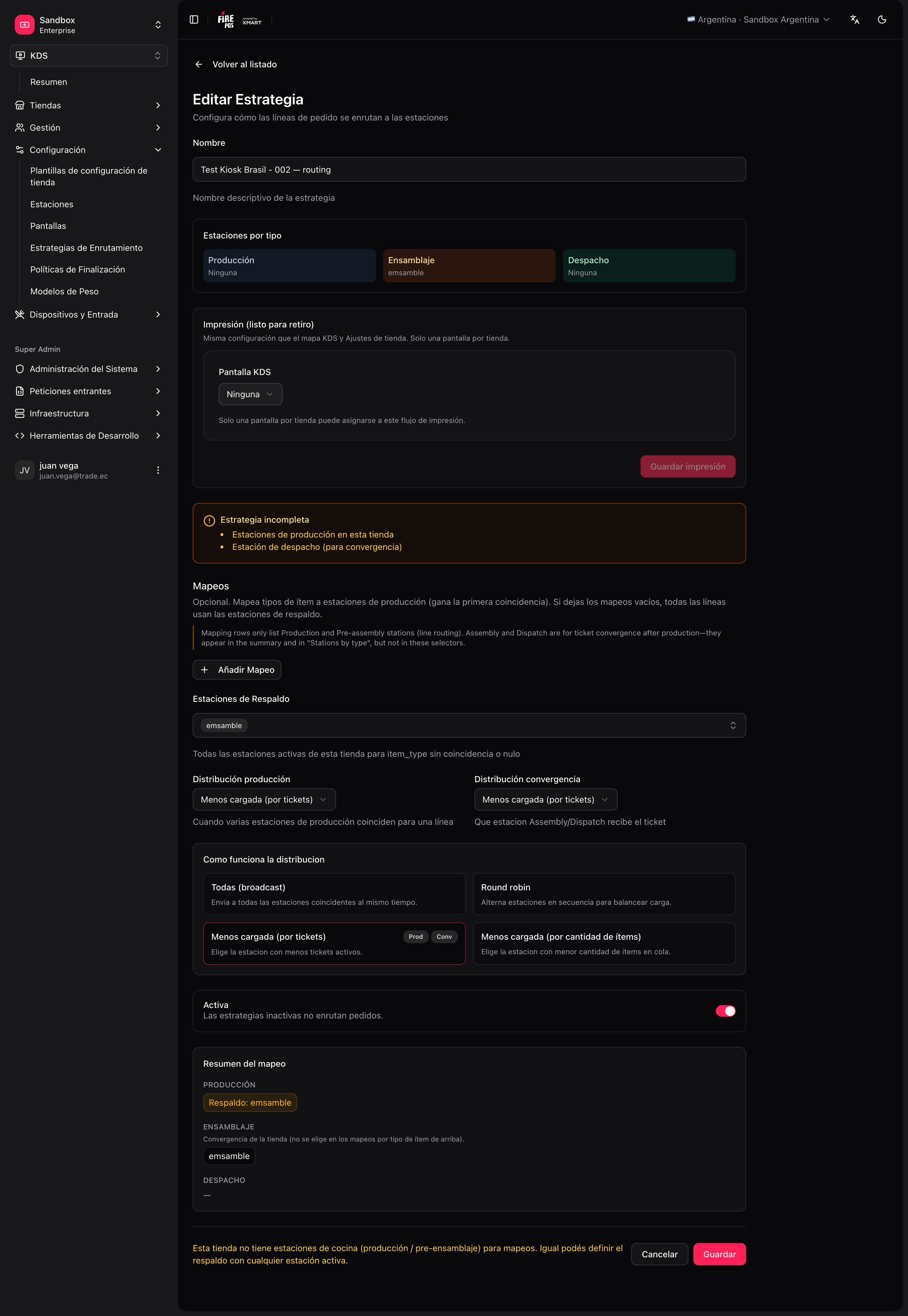
Create the strategy
1
Open the routing form
KDS → Routing → Create (
/kds/admin/routing/new).2
Choose store and name
For example, “Default routing”.
3
Simple kitchen
One
KITCHEN station, fallback = KITCHEN, no mappings, Active.4
Advanced kitchen
Mappings only to production stations; convergence distribution if there are ASSEMBLY/DISPATCH stations; fallback = default production station.
5
Save