

The minimum you need to know
- Everything here is in Settings: tap your name at the top right.
- The printer is set up through the Fire Agent, which has to be installed and open on the device.
- The settings are saved on this terminal, not with the cashier.
Prerequisites
- The terminal linked and a shift started. See Linking.
- To print and open the drawer: the Fire Agent installed. See the Fire Agent installation guide.
The Settings panel
Tap your name at the top right. The panel groups the Register actions, the Catalog, Personalization and the Terminal. Options marked Soon are not available yet.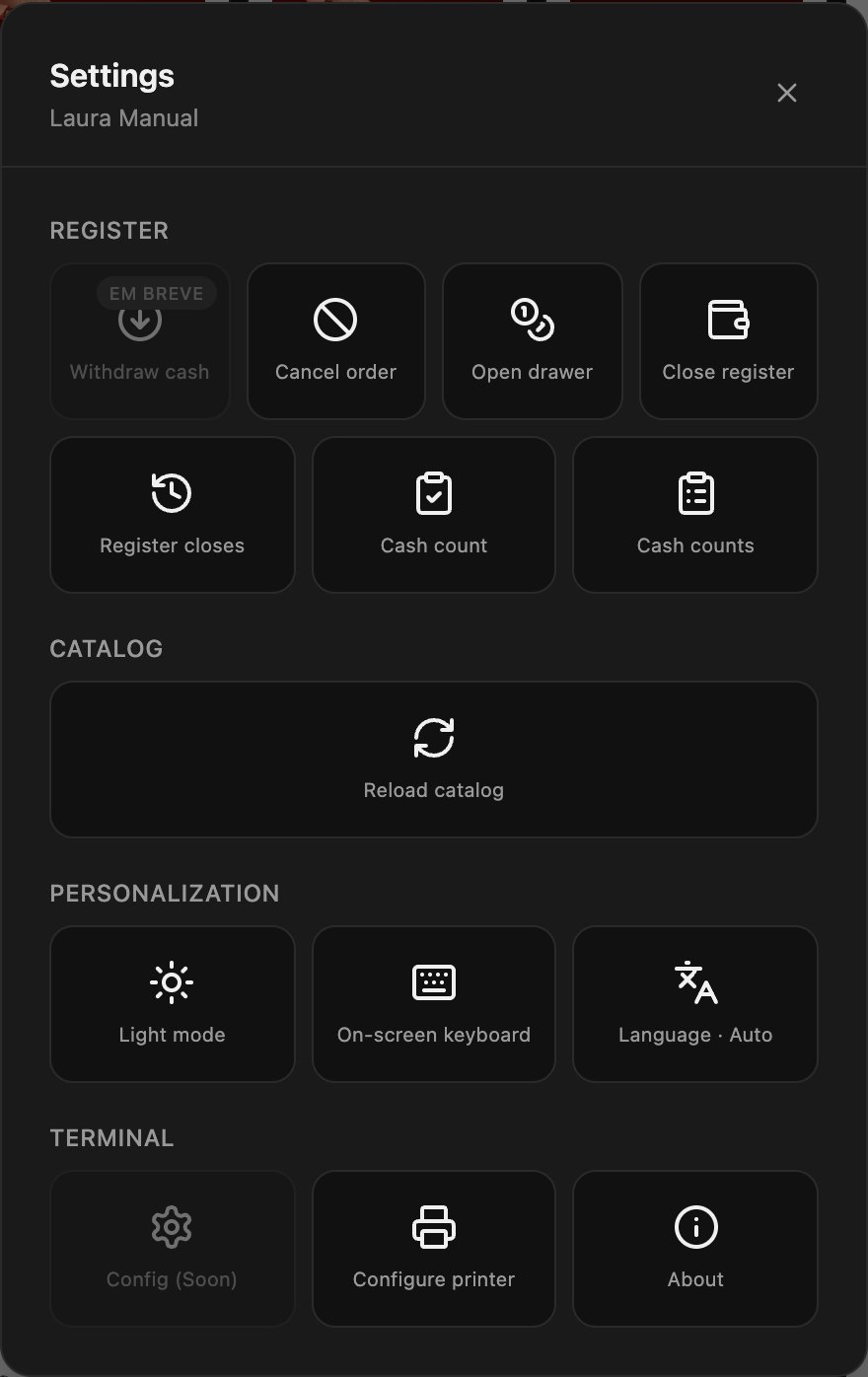
Set up the printer
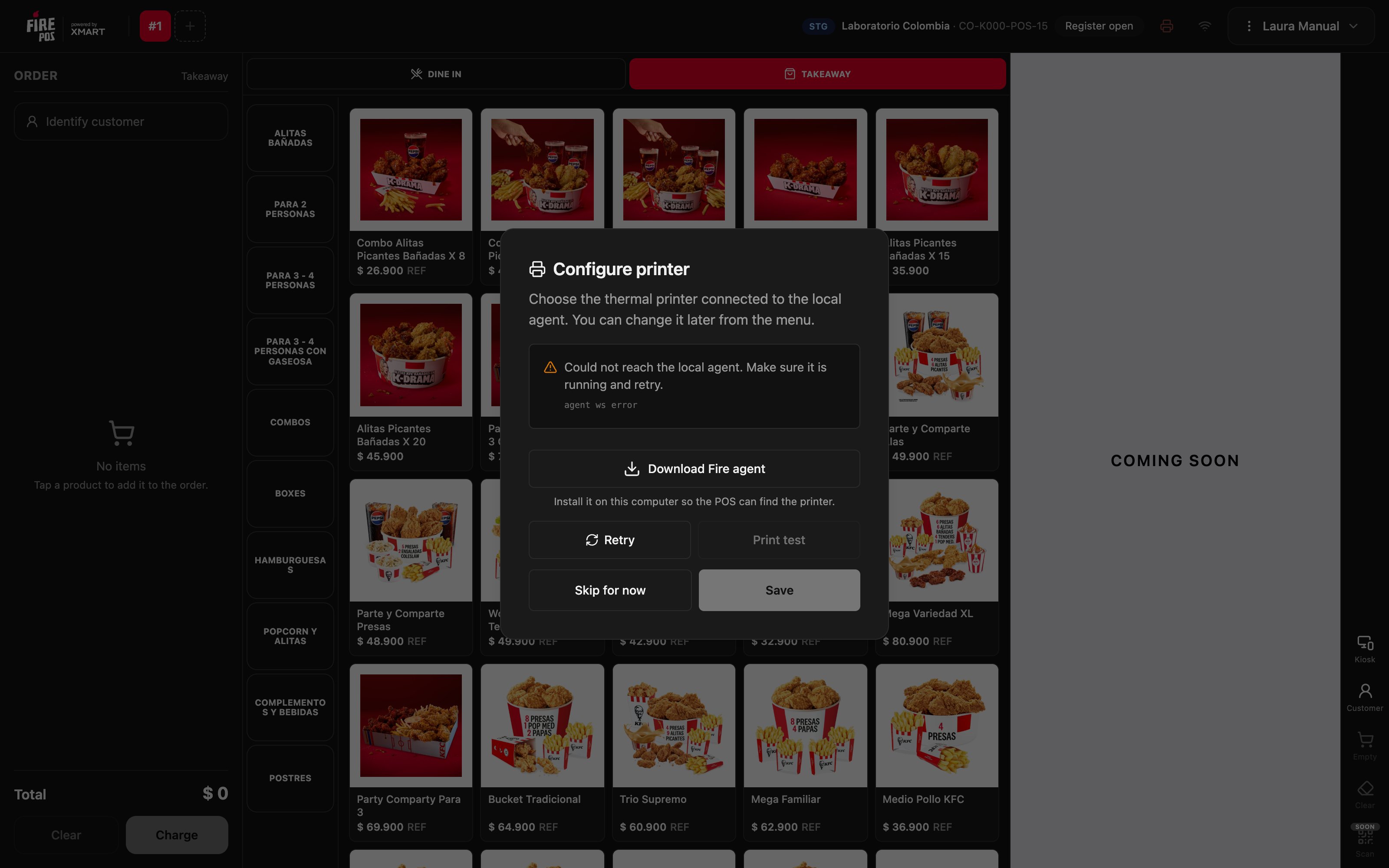
- In Settings, tap Configure printer. The POS connects to the Fire Agent and looks for the printers installed on the device.
- In Printer, choose the thermal printer.
- Tap Print test and check that the paper comes out.
- Tap Save.
The printer icon
At the top, next to the register status, the printer icon tells you how it is doing:
Tap the icon to open Configure printer directly.
Language
Language changes the language of the POS screens. On Auto, the POS uses the language of the store’s country; you can also set Español, Português (BR) or English.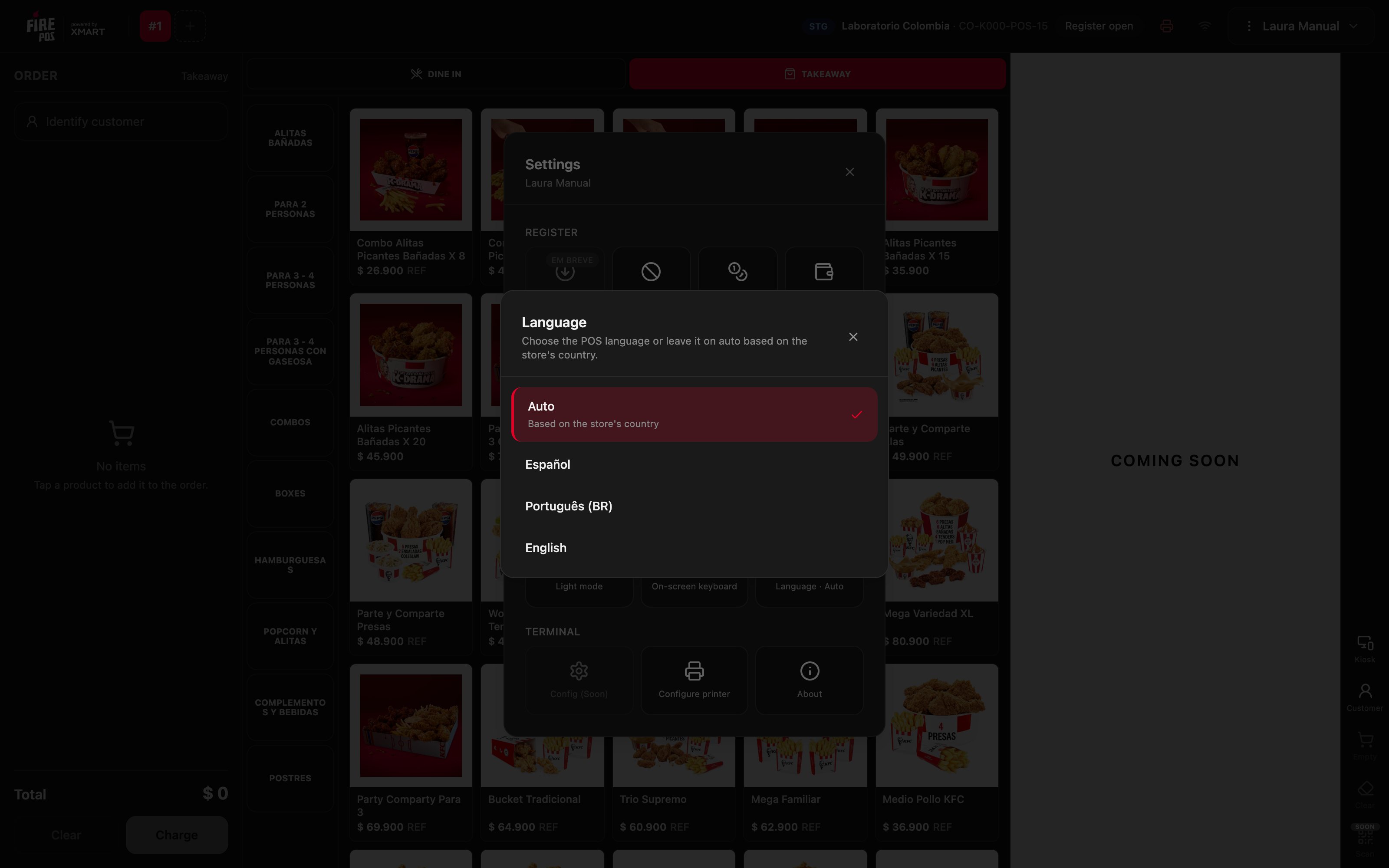
On-screen keyboard
On a touch device without a physical keyboard, tap On-screen keyboard. From then on, when you tap a text field the keyboard appears at the bottom. To turn it off, tap Hide keyboard in the same place.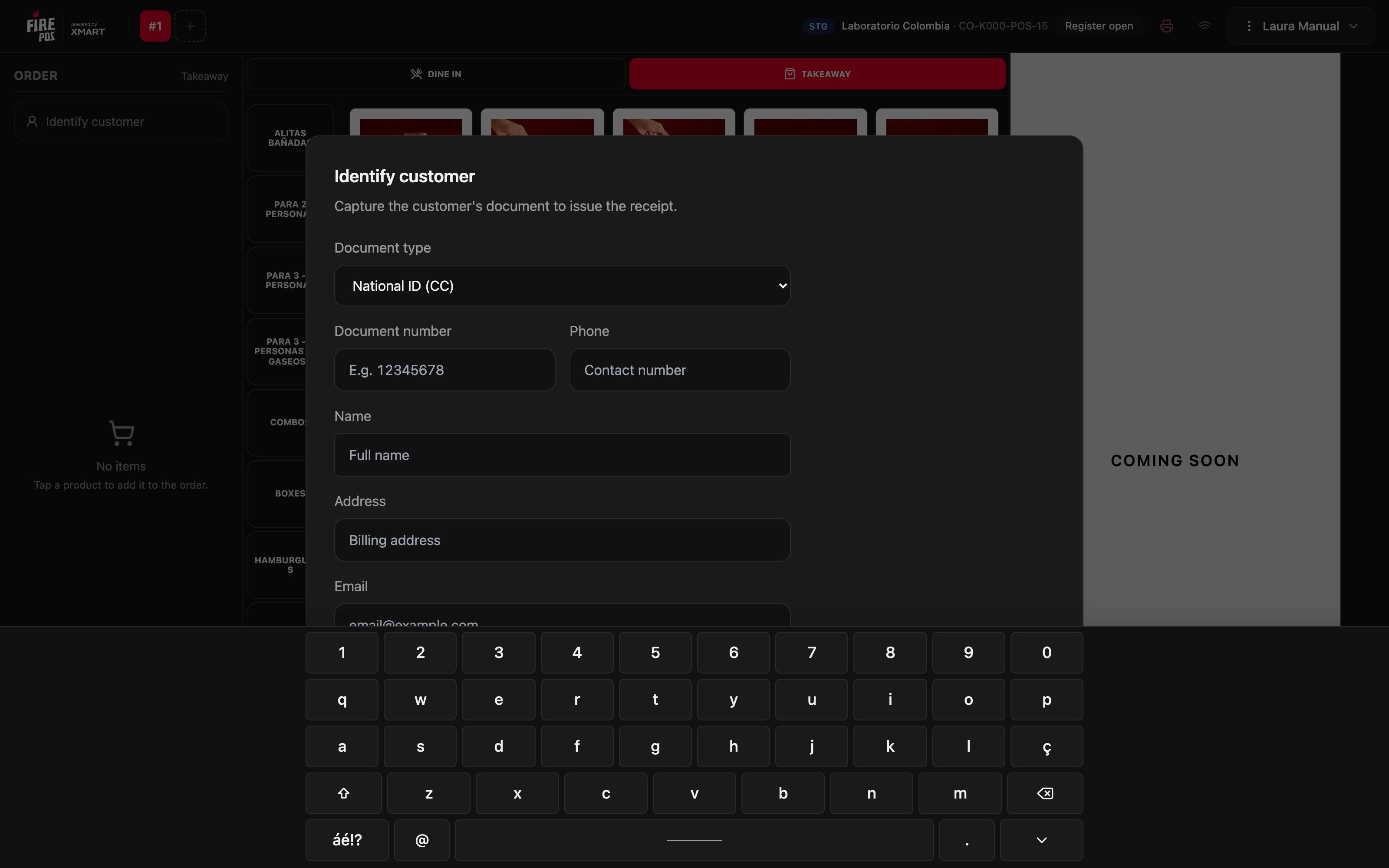
Light mode and dark mode
Light mode switches the POS to a light background, and Dark mode switches it back. Choose the one that reads better with the store’s lighting.Reload the catalog
If products or prices changed in the backoffice and they do not show up yet, tap Reload catalog. The POS asks for confirmation because it clears the open orders.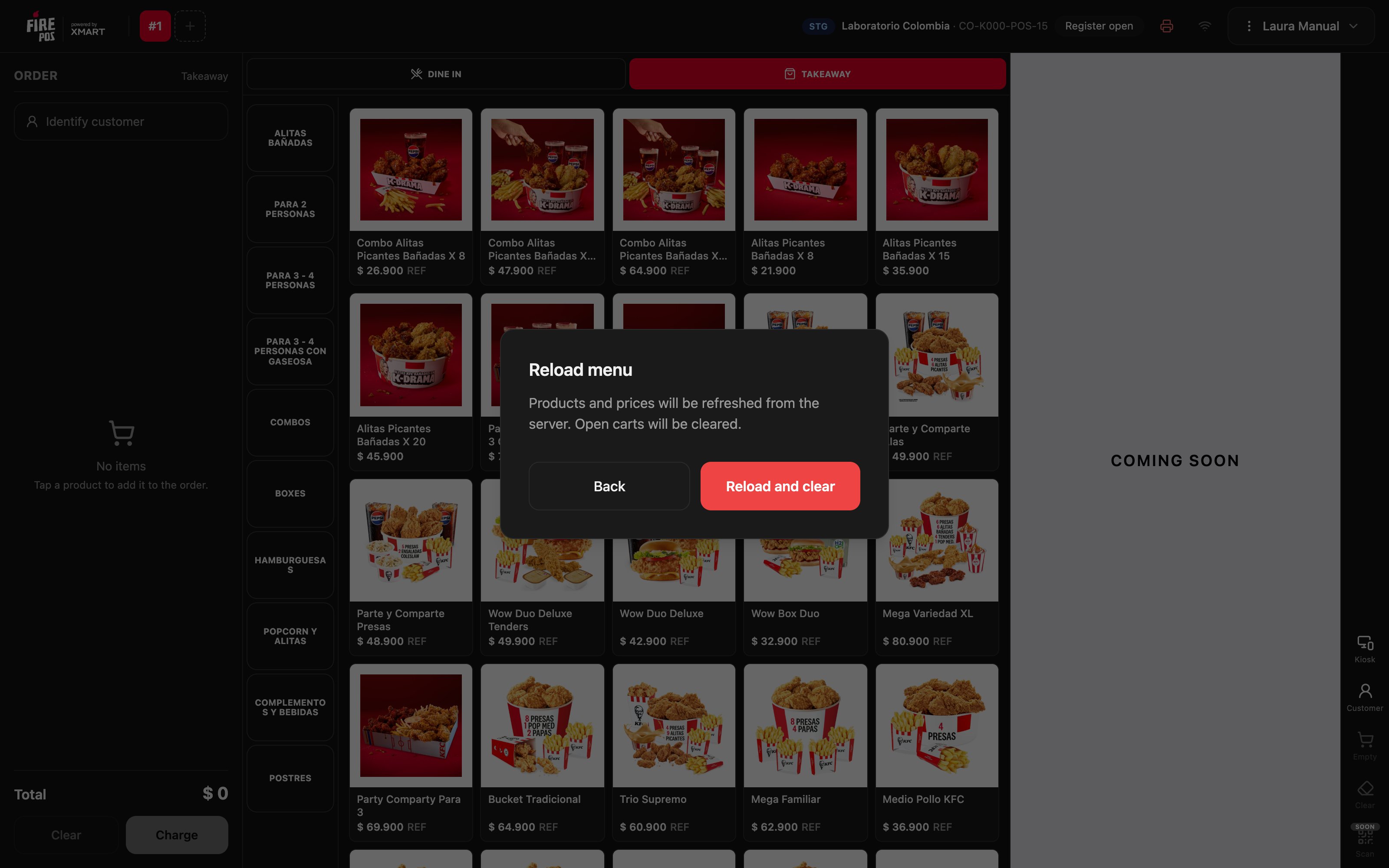
About
About shows the POS version and environment. That is the information support asks for when you report a problem. Reload app loads the POS again.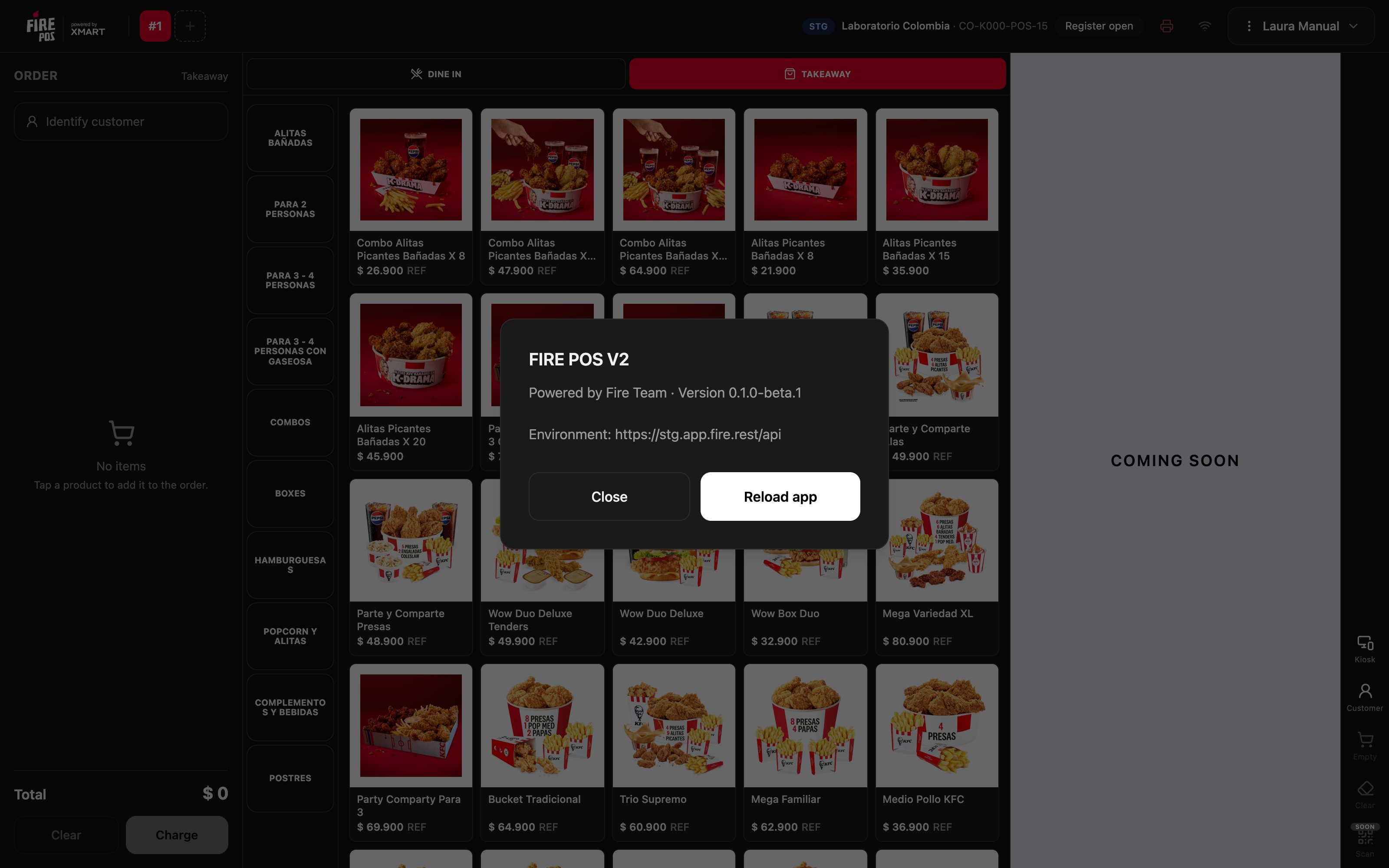
Mistakes that cost money
Frequently asked questions
It says “Could not reach the local agent”
It says “Could not reach the local agent”
The Fire Agent is not open or is not installed. Open it, or download it with Download Fire agent, and tap Retry.
It says “Agent is connected but no printers were detected”
It says “Agent is connected but no printers were detected”
The printer is not installed on the device. Install it in the operating system and tap Retry.
I changed the language and the receipt is still in Spanish
I changed the language and the receipt is still in Spanish
That is expected: printouts come out in the language of the store’s country, not in the POS language.
A new price does not show up in the POS
A new price does not show up in the POS
Tap Reload catalog. If it still does not show up, check that the change is published in the backoffice.