

Agent 1.0.1, package com.firepos.fireagent) on the KDS tablet. Windows PCs still use Windows installation.
The minimum you need to know
- Two independent chains: KDS ↔ agent (DNS + WSS + token) and agent ↔ printer (LAN TCP, usually port 9100).
- The printer name you save in the app is the name you pick in fire-kds. They must match exactly.
- On HTTPS kitchens,
kds-agent.fire.restmust resolve to127.0.0.1on that tablet. If DNS sends it to the internet, print never starts.
The simple path
1
Install the APK
Install
Agente-1.0.1.apk on the tablet. Open the app and set Language to English if you follow this page’s labels.2
Start the agent
On Home, tap Start agent. The badge must read LIVE. Allow notifications if Android asks (needed for the foreground service).
3
Add the printer
Open Printers. Enter Name in KDS, IP address, and TCP port (usually
9100). Tap Save printer, then Test print.4
Arm the same name in KDS
In fire-kds, open Printer for this screen and pick that exact name. Enable store Print on bump so a bump actually sends paper. See Peripherals, printing and validation.
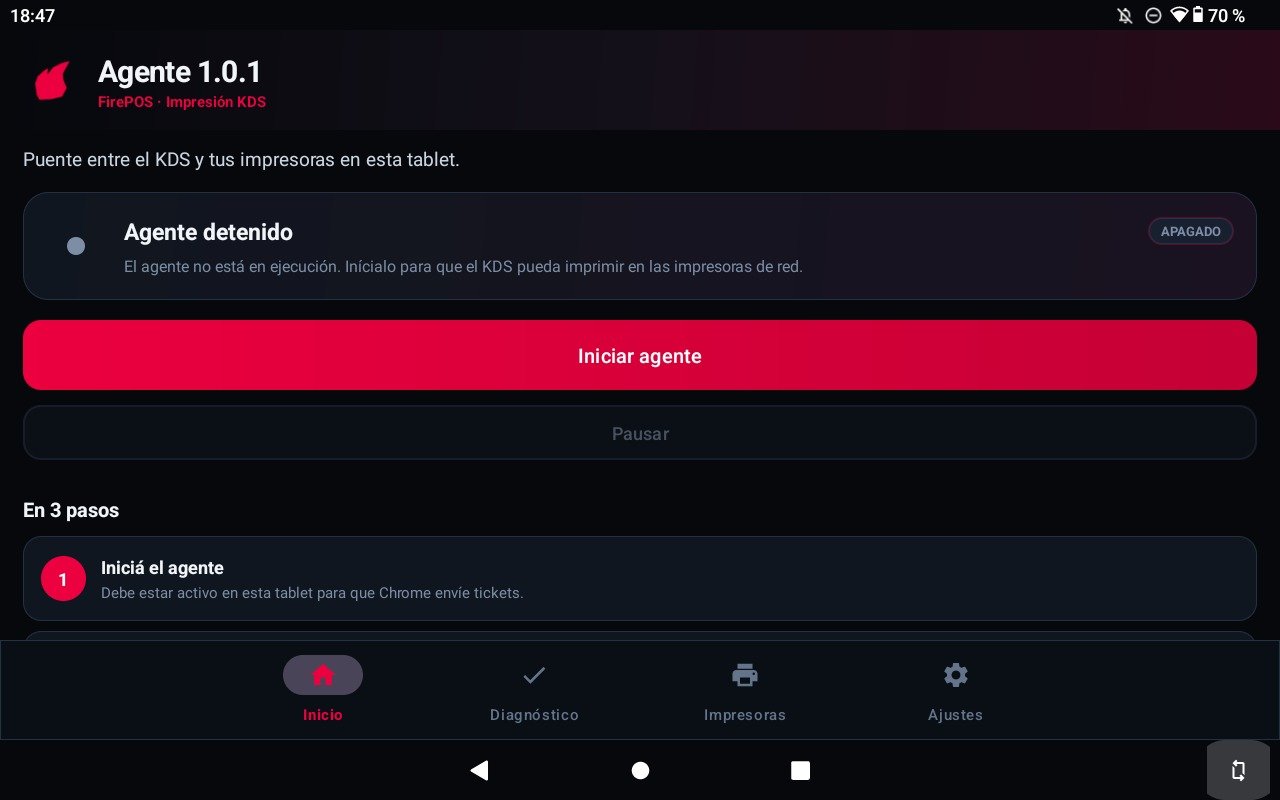
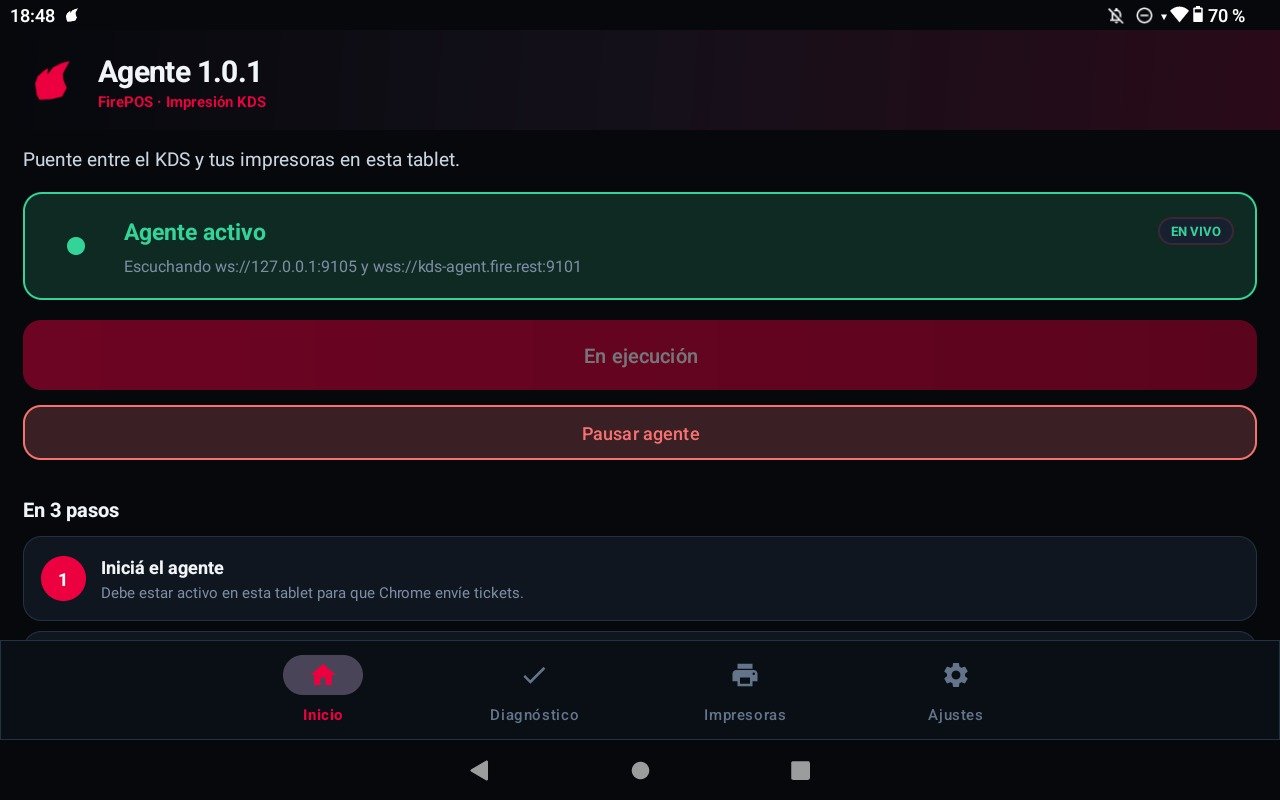
Home, Diagnostics, Printers, Settings
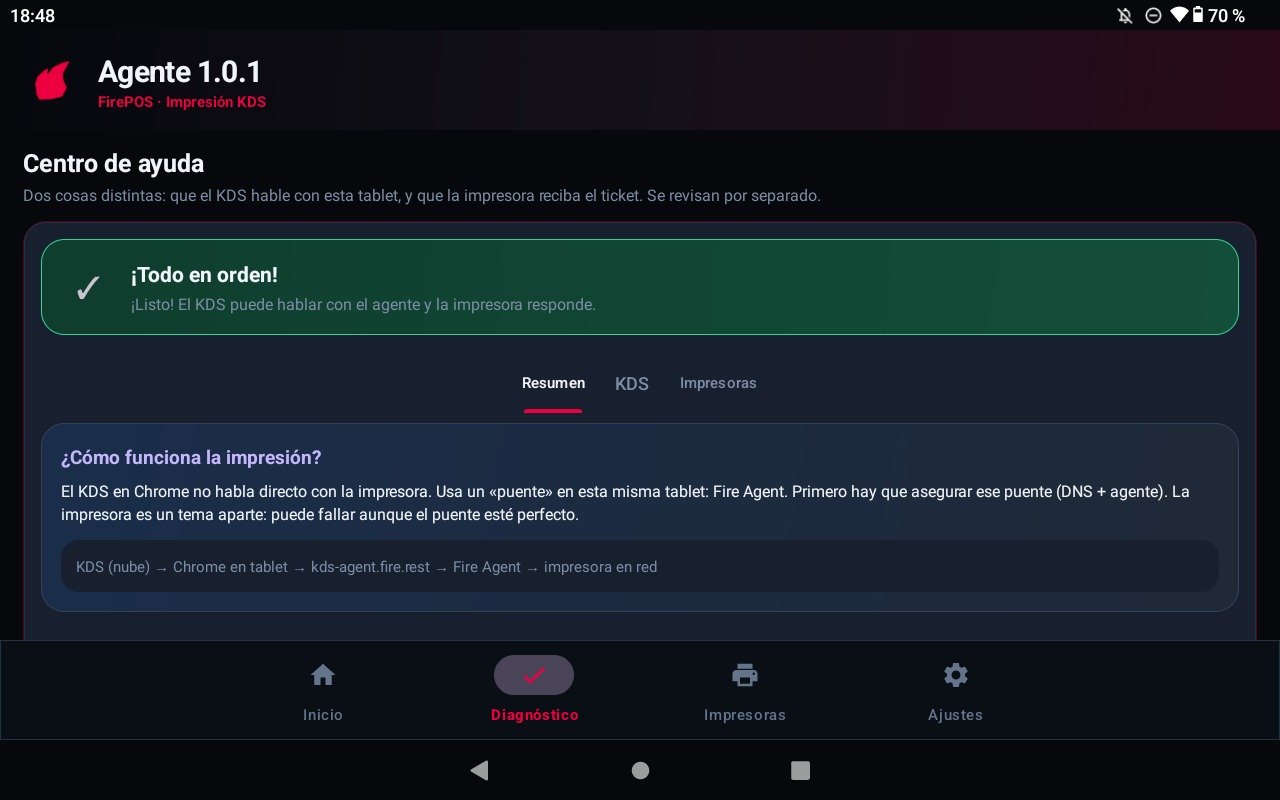
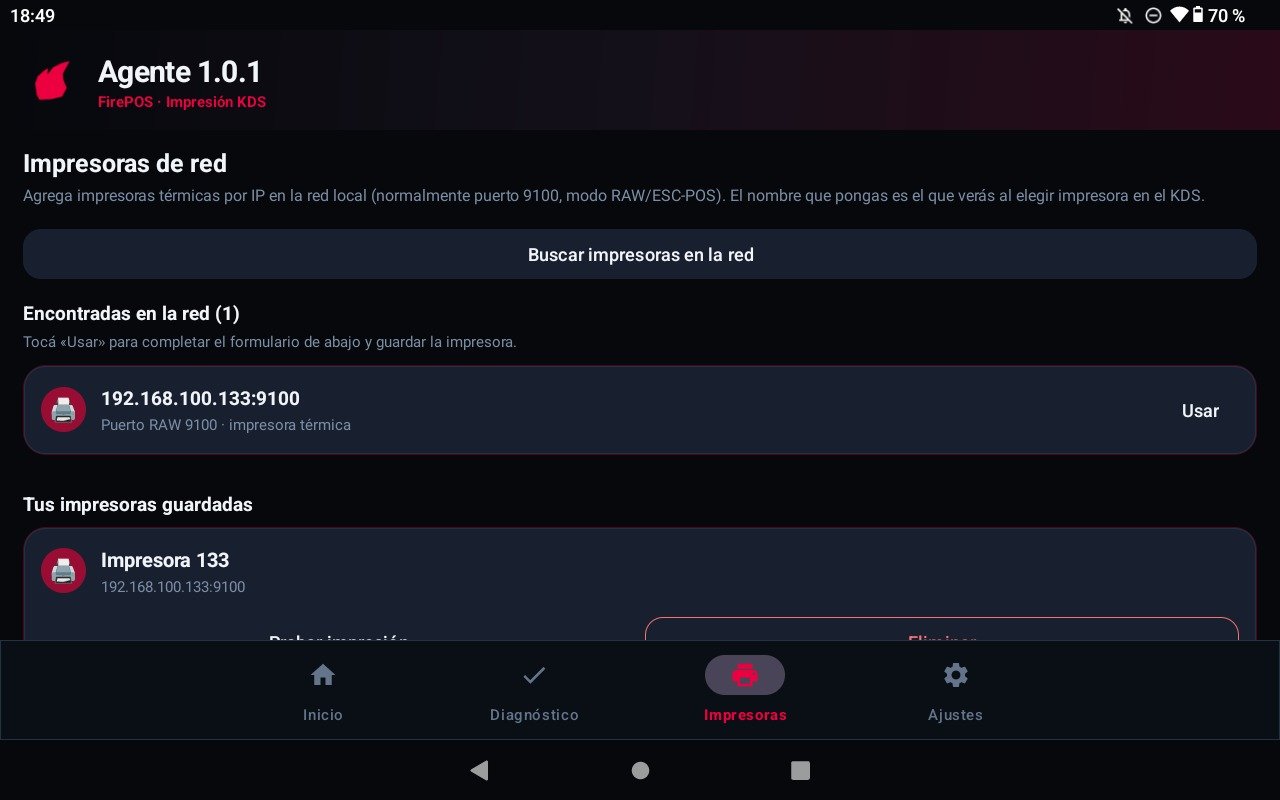
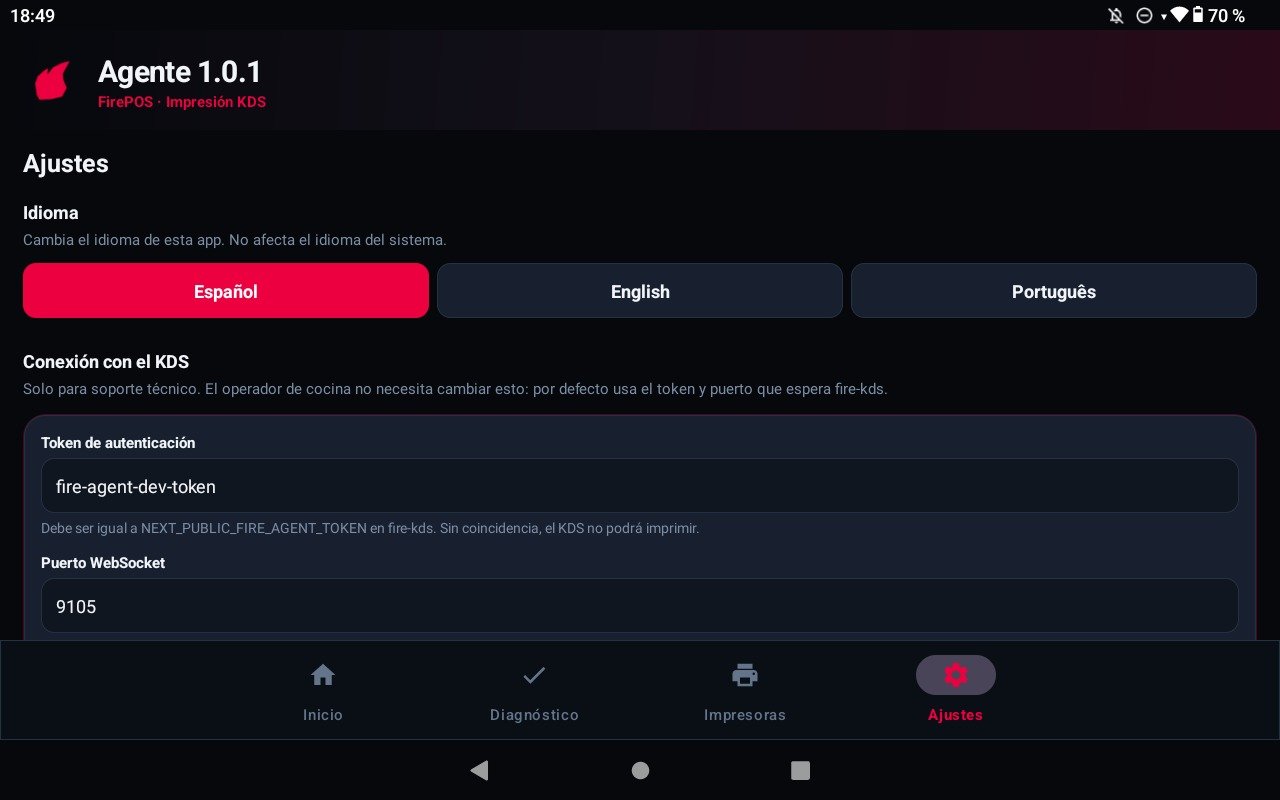
127.0.0.1. fire-kds on Android tries wss://kds-agent.fire.rest:9101 first, then the Windows URL if that connect fails. See Agent web tools.
Recipes
One tablet, one kitchen printer
One tablet, one kitchen printer
- Start the agent until LIVE.
- Save one printer named
Kitchenat the printer’s LAN IP, port9100. - Test print.
- In fire-kds pick
Kitchenand enable Print on bump.
Diagnostics says KDS is red and printers are green
Diagnostics says KDS is red and printers are green
- Stay on Diagnostics → KDS.
- If DNS fails, IT must point
kds-agent.fire.restto127.0.0.1on this tablet. - If the token step fails, match Auth token to
NEXT_PUBLIC_FIRE_AGENT_TOKENin fire-kds. - Do not change the printer — Part 2 is already healthy.
Diagnostics says KDS is green and printers are red
Diagnostics says KDS is green and printers are red
- Confirm the printer is on the same Wi‑Fi / VLAN.
- Recheck IP and port
9100(some devices use 9102). - Run Test print from the Printers tab.
- KDS can connect and still print nothing if TCP to the printer fails.
Rotate the token without a new APK
Rotate the token without a new APK
- Open Settings → Advanced: KDS connection.
- Paste the new Auth token.
- Save settings (the agent restarts if it was LIVE).
- Update the same token in the fire-kds deploy for that tablet.
Worked example
Errors that cost money
Glossary
FAQ
Do I install this on Windows too?
Do I install this on Windows too?
No. Windows uses the Windows installer. This APK is only for the Android KDS device.
Is there a pairing code?
Is there a pairing code?
No. You install the app, start it, and register printers. Pairing codes are for kitchen devices in fire-kds, not for this agent.
Why two ports?
Why two ports?
9100 is plain WS. 9101 is WSS with the shipped certificate so HTTPS KDS can connect. The printer’s own port is usually also 9100 — that is a different hop.
Does it start after a reboot?
Does it start after a reboot?
Yes by default, after the app was opened at least once after install (Android 12+). If Home shows OFF, tap Start agent.
What this page does not do
- It does not choose Comanda vs Fiscal — that is store Print on bump.
- It does not replace Fire credentials for fiscal data. The agent only moves bytes to paper.
- It does not expose a public print API. Traffic stays on
127.0.0.1.