

item_type. If the product has no station category, the line misses the mapping and falls to the default station — burgers on the fryer, drinks on the grill. If the thumbnail does not match what the cook sees, they pick the wrong item.
This page is KDS → Station categories. It is the account catalog of codes (BEVERAGE, FRIES) that routing mappings use. You do not create stations here.
The minimum you need to know
- Create the code once. It cannot change. Routing mappings refer to that code.
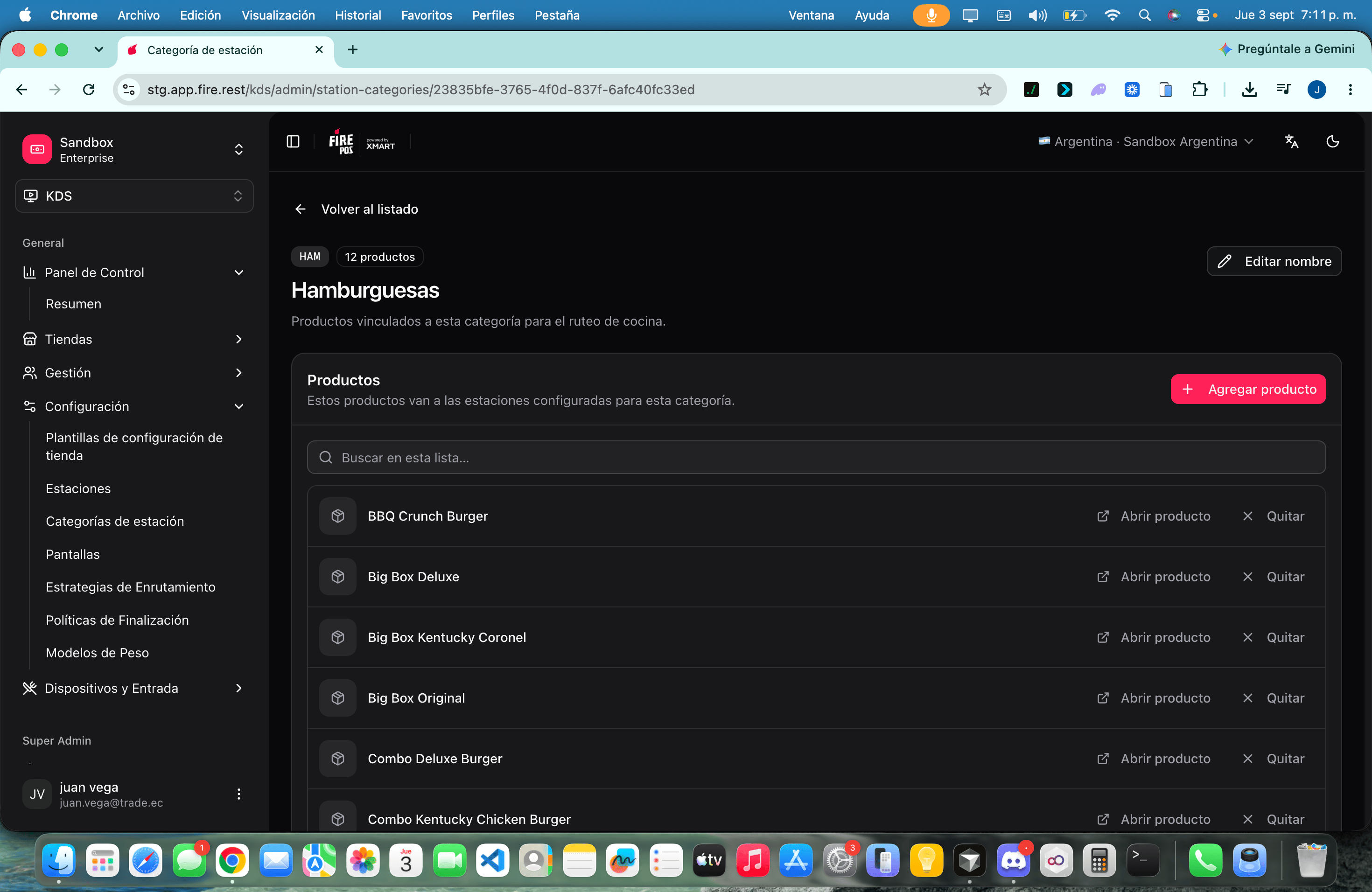
- On the category View page, Add product and attach a thumbnail so the kitchen card looks like the plate.
- First match in Routing wins. A product without a category uses fallback, not a guess.
The simple path
1
Open Station categories
Go to KDS → Station categories (
/kds/admin/station-categories).2
Create a code
Click Create category. Enter a Name (e.g. Beverages) and a Code (
BEVERAGE). Letters, numbers and _ only. Click save.3
Assign products
Open View. Click Add product, search by name or PLU, and tap each product. You can add several without closing the dialog.
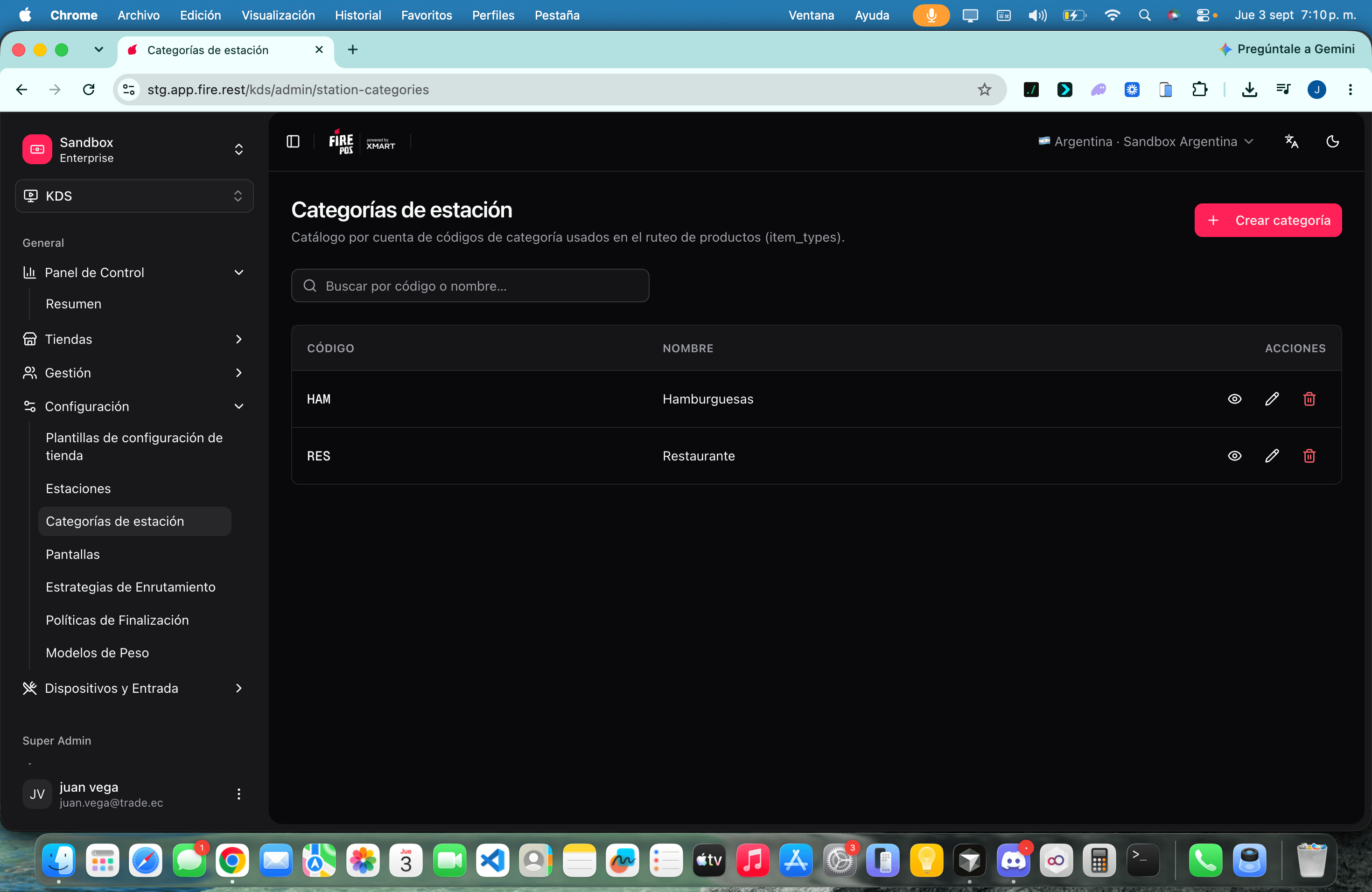
List vs view
How this feeds routing
- The product carries the category code as its
item_type. - The active routing strategy looks for a mapping of that code to production stations.
- First matching mapping wins. No mapping → fallback.
- Station rules can still reject the line after that.
Recipes
Split grill and fryer
Split grill and fryer
- Create
BURGERandFRIES. - On each View page, add the matching products.
- In Routing → Mappings, map
BURGER→ grill andFRIES→ fryer. - Leave drinks unmapped only if fallback is the right station.
A product that must not go to the hot line
A product that must not go to the hot line
- Put it in
BEVERAGE(or create that code). - Map
BEVERAGEto the cold station, or exclude it in the grill station rules. - Confirm a test order: the drink must not appear on the grill.
Fix a wrong thumbnail
Fix a wrong thumbnail
- Open View on the category.
- Find the product and replace the thumb.
- The next ticket shows the new image. A stale thumb is how cooks bump the wrong line.
Delete a category you no longer use
Delete a category you no longer use
- Confirm no mapping still points at that code.
- Delete. Products keep existing; they lose the category link (
SET NULL). - Those products now route by fallback until you assign another category.
Worked example
Errors that cost money
Glossary
FAQ
Can I change the code later?
Can I change the code later?
No. Create a new category and move the products. Then update the routing mapping.
Does deleting a category delete the products?
Does deleting a category delete the products?
No. Products stay. They lose the category link and route by fallback.
Where do I map the code to a station?
Where do I map the code to a station?
In Routing, not on this page.
Why does the kitchen still show the old photo?
Why does the kitchen still show the old photo?
Replace the thumb on View. Cached tickets already on screen keep the image they loaded.
What this page does not do
- It does not create stations or screens.
- It does not pick distribution (
ALL,ROUND_ROBIN). That lives in routing. - It does not assign which monitor shows which station. See Screens.