

The minimum you need to know
- Empty Vendor ID = Account default. A row with a vendor ID overrides that default for that vendor only.
- Base URL is the Fire host only (
https://br.app.fire.rest). No path, query, or hash — fire-kds appends print and cancel paths itself. - The same stored key is used for both jobs: fiscal print sends it as Bearer; cancel sends it as
x-api-key.
The simple path
1
Open Fire credentials
Go to KDS → Fire credentials (
/kds/admin/fire-credentials).2
Add an account default
Click Add credential. Leave Vendor ID empty. Paste the Base URL (https host only) and the API key. Leave Active on. Click Create.
3
Add a vendor override only if you need one
If a brand talks to a different Fire host or key, create a second row and fill Vendor ID. That row wins for that vendor; every other store still uses the account default.
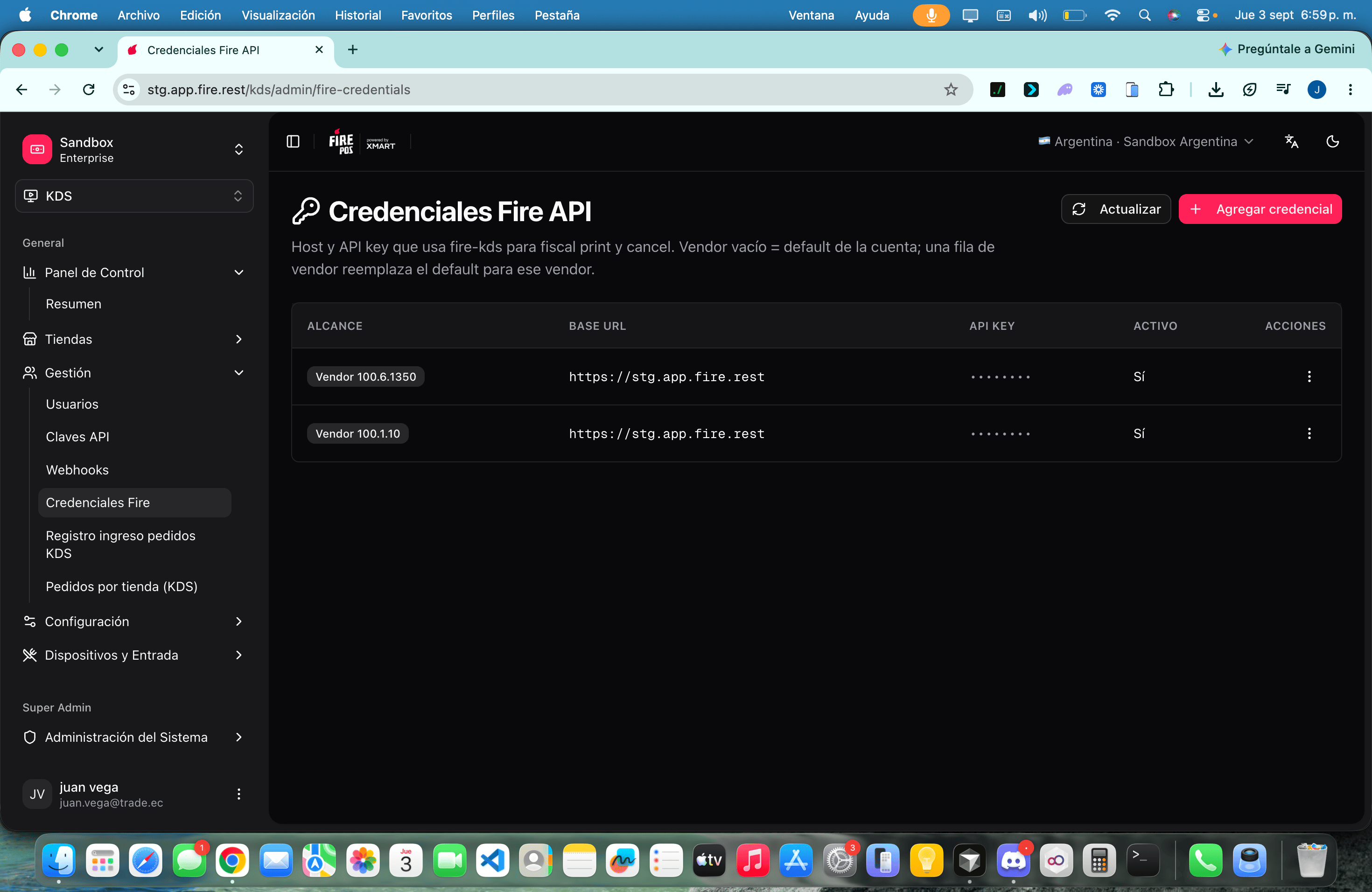
Account default vs vendor override
Resolution at runtime is always: vendor row → account default → environment variables (
FISCAL_PRINT_* for print; cancel may fall back to FIRE_*). Print never reads FIRE_API_*.
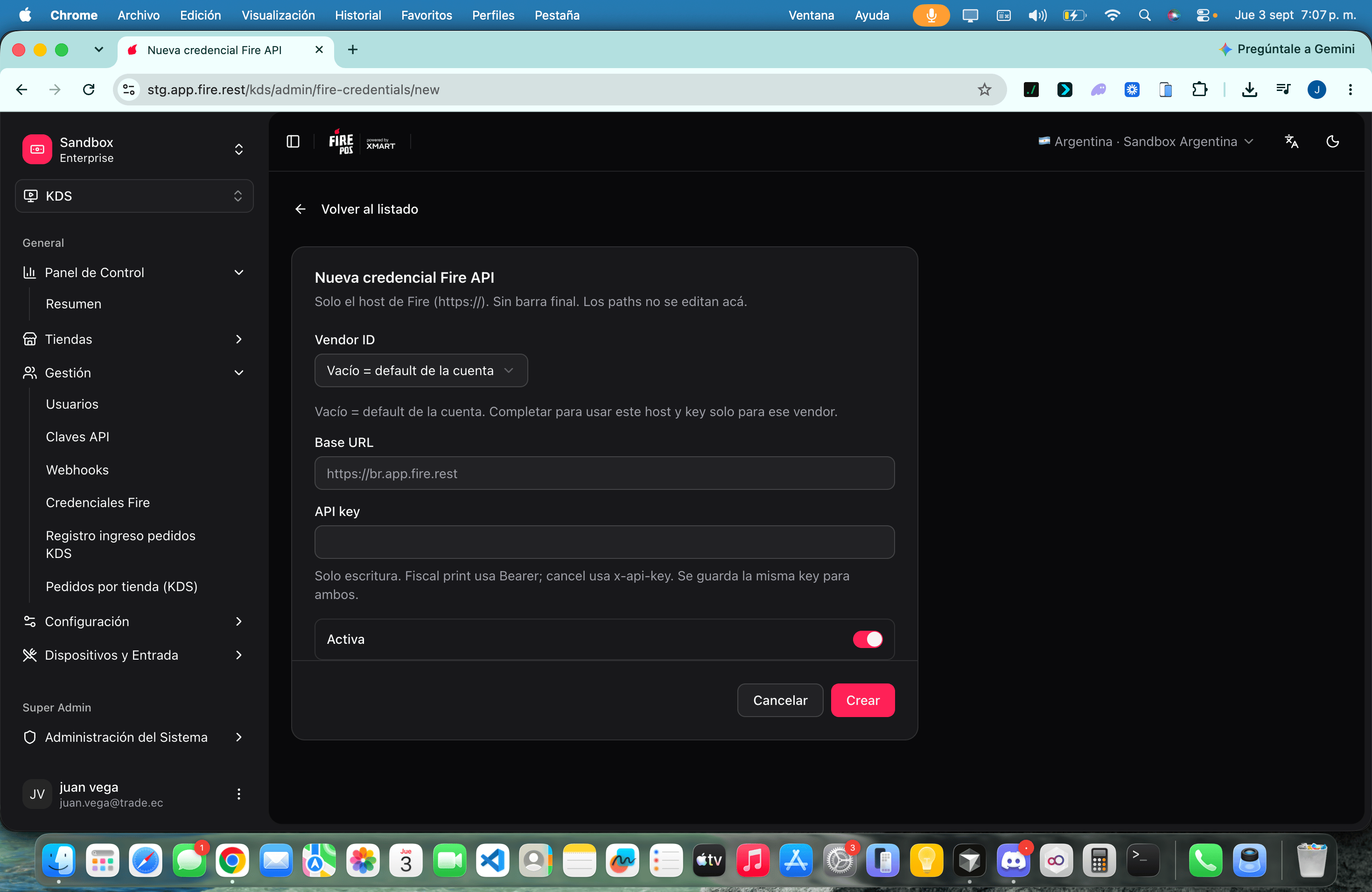
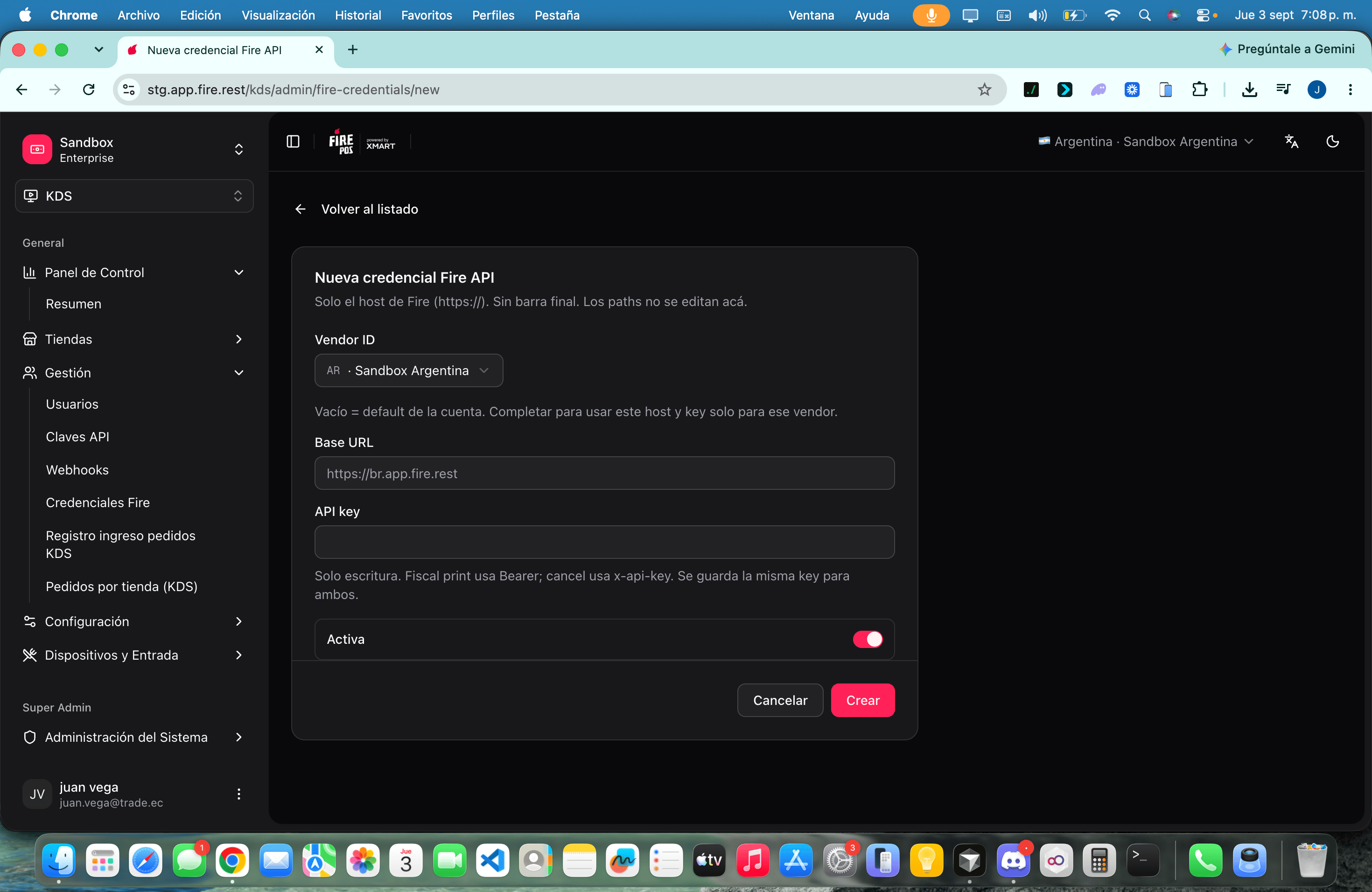
Fields
Recipes
One Fire environment for the whole account
One Fire environment for the whole account
- Create a single row with an empty Vendor ID.
- Use the host of that country (for example
https://br.app.fire.rest). - Keep it Active.
- Do not create vendor rows unless a brand really uses another key.
Rotate a key without downtime
Rotate a key without downtime
- Open Edit on the row.
- Paste the new API key (the old one is never shown).
- Save. The next print or cancel uses the new key.
Retire a vendor override
Retire a vendor override
- Deactivate or Delete the vendor row.
- Delete is permanent: runtime falls through to the account default, then env.
- Confirm a test print still works on a store of that vendor.
Worked example
Errors that cost money
Glossary
FAQ
Do I put the print path in the Base URL?
Do I put the print path in the Base URL?
No. Only the host. Paths are not edited on this screen.
Is the key different for print and cancel?
Is the key different for print and cancel?
No. One stored key. Print sends Bearer; cancel sends
x-api-key.What if I delete the only row?
What if I delete the only row?
Runtime uses environment variables on the fire-kds server, if they are set. If they are not, print and cancel fail until you add a row again.
What this page does not do
- It does not configure Fire Agent (local printer). See Peripherals, printing and validation.
- It does not choose Brazil v1 vs Ecuador v2 — fire-kds picks the version from the store country.
- It does not show the kitchen operator a form. They only see print/cancel outcomes.