

The minimum you need to know
- The document types are the same as in the POS, with the same names, in each country.
- The kiosk only fills in empty fields: what the customer already typed is left alone.
- The details are saved only if the customer accepts the terms. Without that, they type them again next time.
The simple path
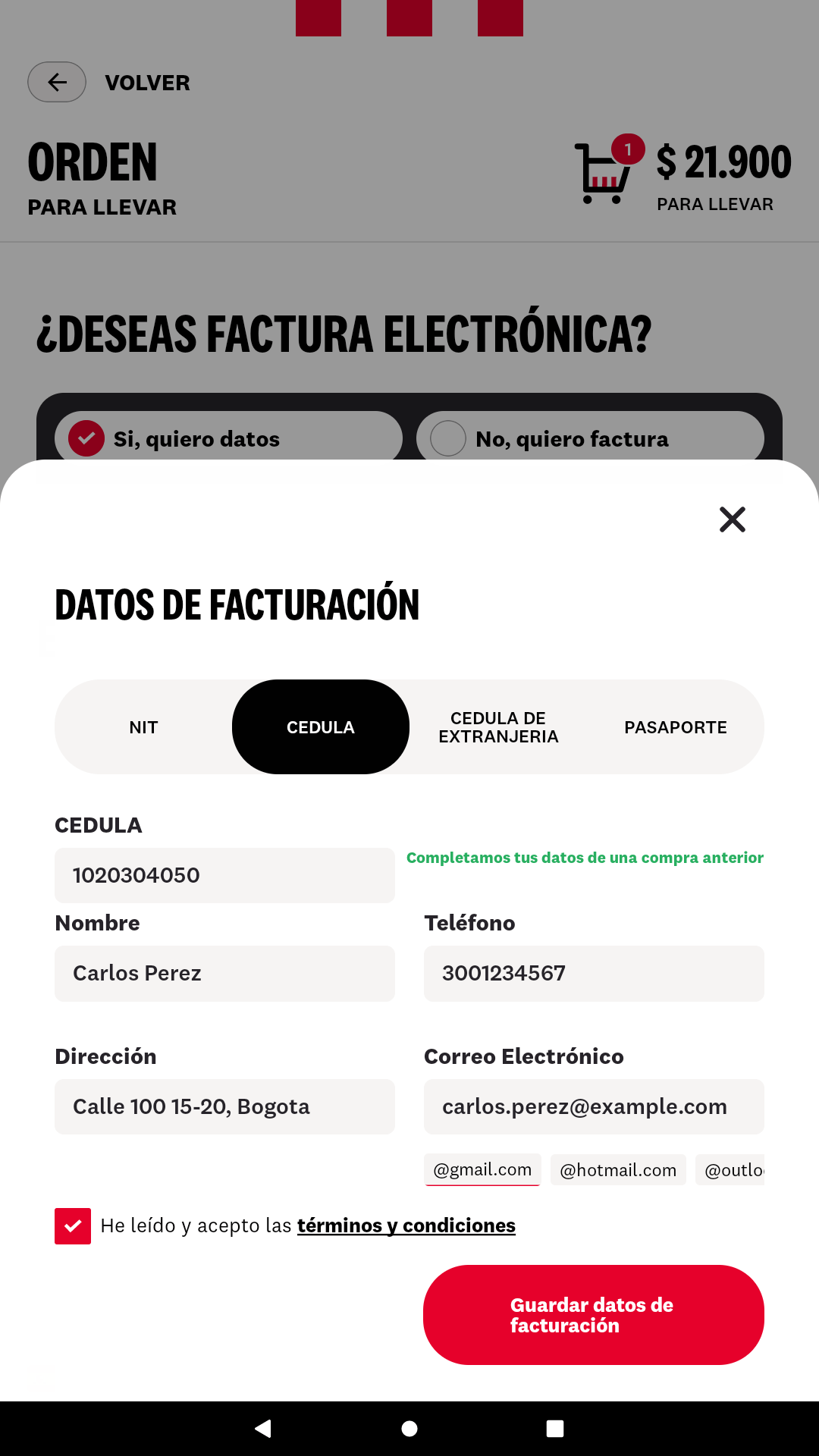
- At payment, under Do you want to add billing data?, the customer taps Yes, I want billing data.
- They choose the document type and type the number.
- If they bought before and accepted the terms, the kiosk fills in their details and shows We filled in your details from a previous purchase.
- They check the details, accept the terms and tap Save billing information.
Document types by country
The kiosk opens on the most common type in the country. The names are the same ones the POS shows.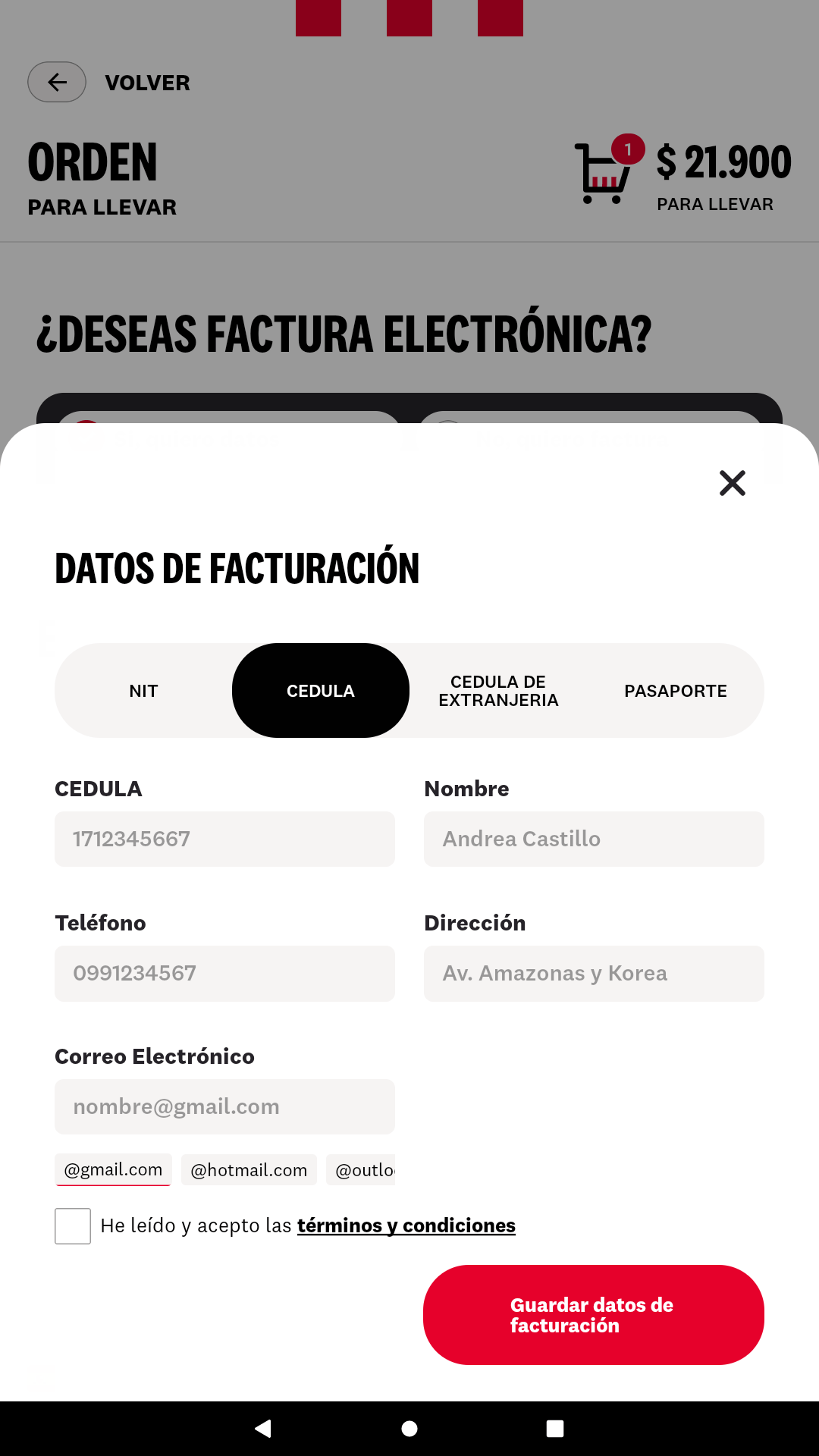
How it fills in the details
- It looks up the customer when the number has 6 characters or more and the customer stops typing.
- It fills in the name, phone, address and email that are empty, and checks the terms checkbox: they had already accepted them.
- If the customer changes the type or the number, the kiosk clears what it had filled in. The same number under another document type is another person.
- The name and the address are filled in the way the kiosk form accepts them: no accents and no symbols such as # (“Pérez” becomes “Perez”).
- If they change a filled-in detail, the new one is saved at payment.
- If it doesn’t find the customer, or the system doesn’t respond, the form stays empty as usual and the order goes on.
What the customer has to accept
If in Ecuador the customer unchecks any policy from Setup preferences, their details are not saved.
Where to see them
Saved customers are viewed and deleted in the backoffice: see Fire customers. The same customer is found from the kiosk and from the POS.Mistakes that cost money
Frequently asked questions
The customer already bought and the kiosk didn't fill in anything
The customer already bought and the kiosk didn't fill in anything
On that purchase they didn’t accept the terms, chose another document type or bought in another country. They can type their details and accept the terms now: next time they fill in on their own.
The customer wants their data deleted
The customer wants their data deleted
It’s deleted from the backoffice, in Customers. See Fire customers.
The kiosk filled in a wrong detail
The kiosk filled in a wrong detail
The customer corrects it in the field before paying. At payment, the corrected detail is saved.