

The minimum you need to know
- A customer is saved only if they accept the terms when buying. Without that checkbox, or as final consumer, nothing is saved.
- A customer is their document type and number within the country: the same ID number under another document type is another person.
- Deleting is permanent. Orders and invoices already issued keep their details.
Prerequisites
- Access to the Fire backoffice at app.fire.rest, with permission on Customers.
- The Channel - E-Commerce mode and the country selected in the header.
1. Open Customers
In Channel - E-Commerce, open Customers → Customers. The list shows the document, the name, the contact, whether they accepted promotions, how many purchases they made and when the last one was.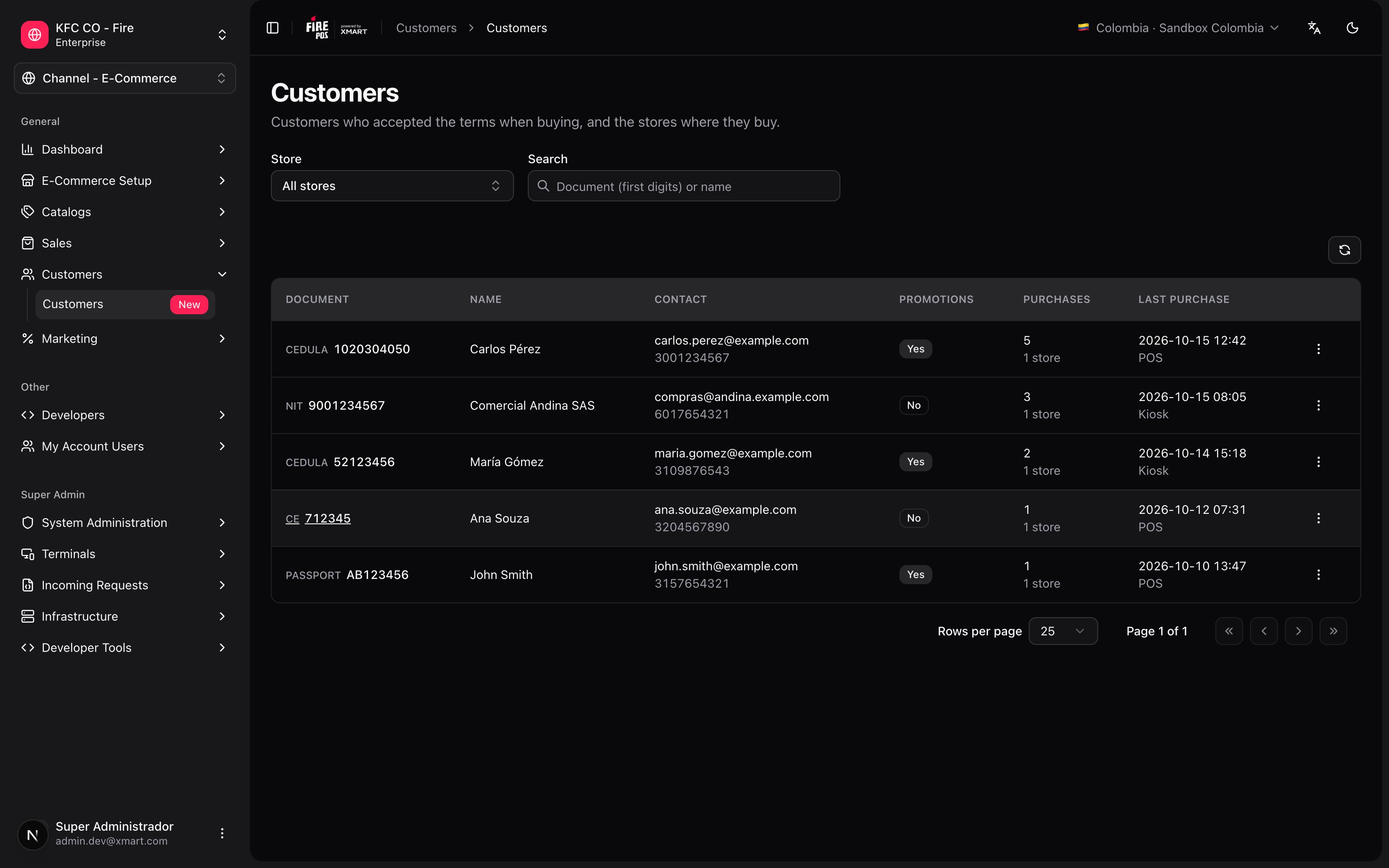
- Store: with access to the whole country you can see All stores or just one. If your user is limited to some stores, you only see the customers who bought in them.
- Search: type the first digits of the document or part of the name.
2. Open the details
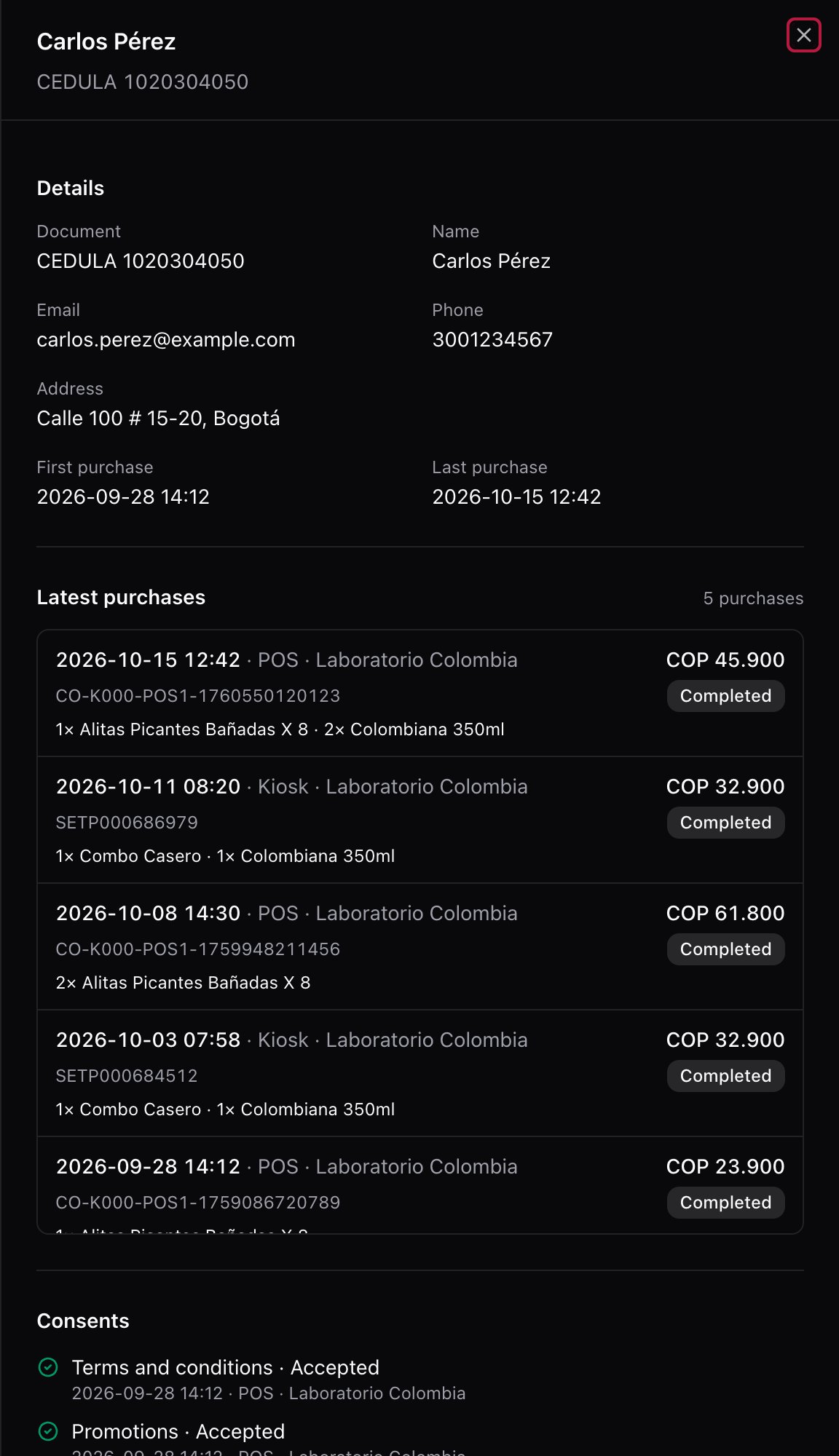
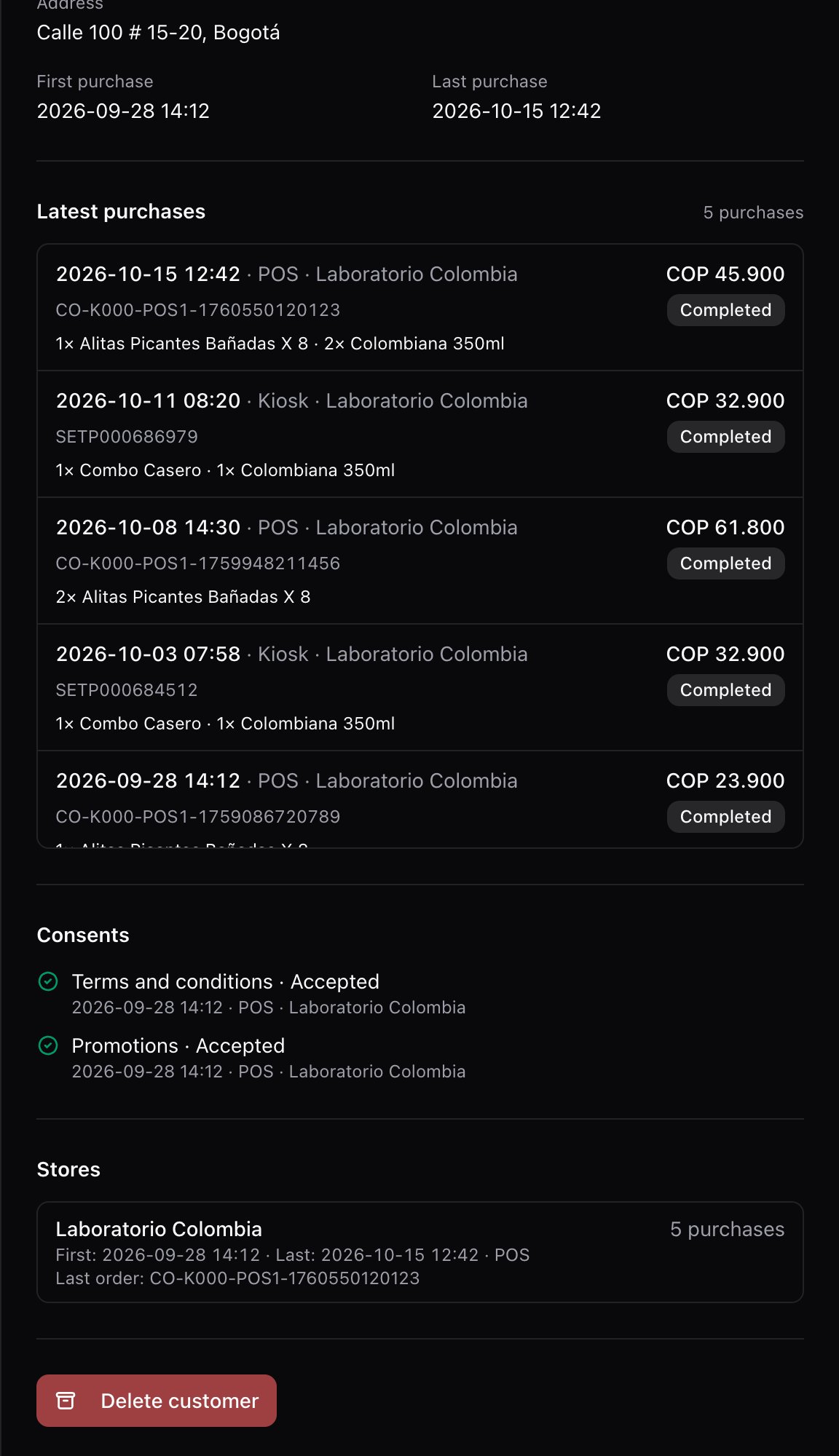
Tap a customer. The panel shows:- Details: document, name, email, phone, address and the dates of their first and last purchase.
- Latest purchases: each purchase with the date, the channel (POS or kiosk), the store and the code; and, from the order in Fire, the total, the status and the products. If there are many, View more purchases loads the next ones.
3. Delete a customer when they ask
If the customer asks for their data to be deleted, open their details and tap Delete customer. Choose the Reason, tap Continue and, in Delete permanently?, confirm with Yes, delete.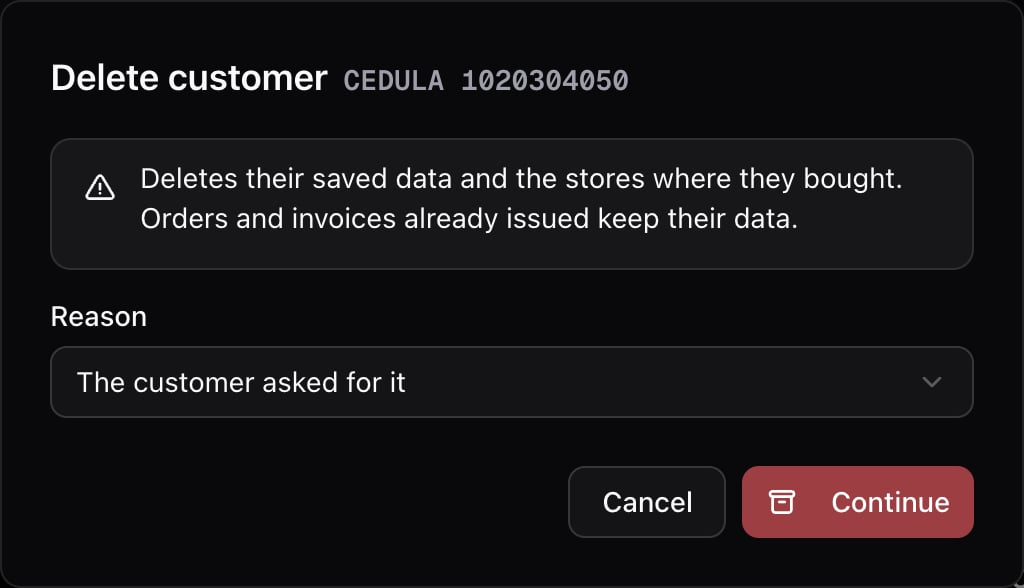
Delete customer only shows up for users with access to the whole country.
How a customer gets here
- At the POS or the kiosk, the customer gives their document and their billing details.
- They accept the terms: at the POS, the checkbox in Billing details; at the kiosk, the terms checkbox on the form.
- Fire creates the order and, without making the sale wait, saves the customer with the store and the purchase code.
Mistakes that cost money
Frequently asked questions
A customer bought and doesn't show up
A customer bought and doesn't show up
They are saved only if they accepted the terms on that purchase and it didn’t go out as final consumer. Also check that the country and the store in the filter are the ones of the purchase.
The same customer shows up twice
The same customer shows up twice
They bought with two different document types, for example national ID and passport. For Fire they are two customers.
A purchase says there are no order details
A purchase says there are no order details
The order hasn’t reached Fire yet or was created in another country. The purchase code is still the right one.