

The minimum you need to know
- There are three ways: Even split, By amount and By item.
- By item is only available before the first charge.
- Remove split keeps the charges already made: it only removes the part guide.
Prerequisites
- The order on the charge screen. See Sell and charge.
1. Open the split
On the charge screen, tap Split the bill. The window divides the remaining balance between two people; with + you add more, and with each person’s × you remove them.2. Choose how to split
-
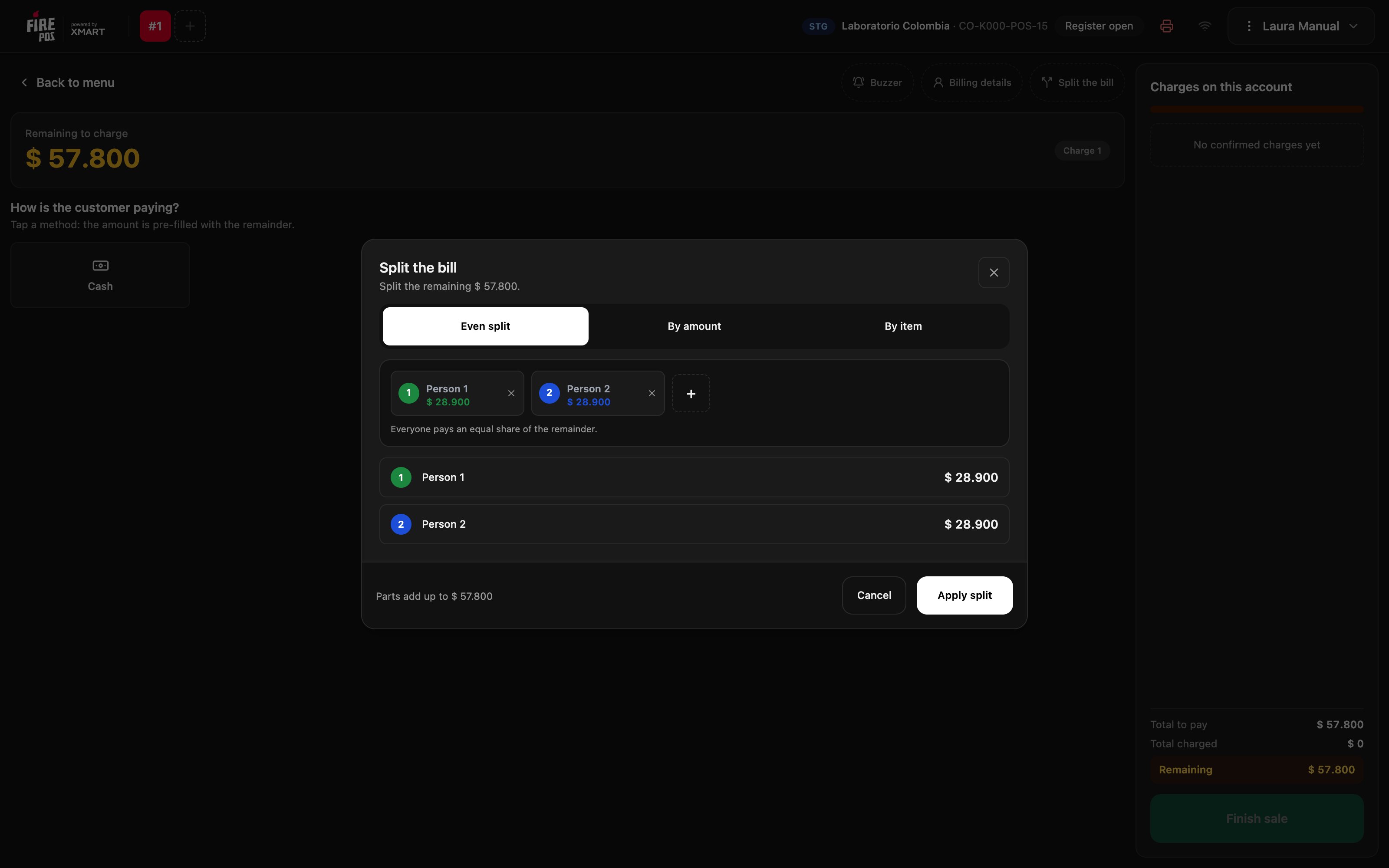
Even split: each person pays the same share of the remaining balance.
-
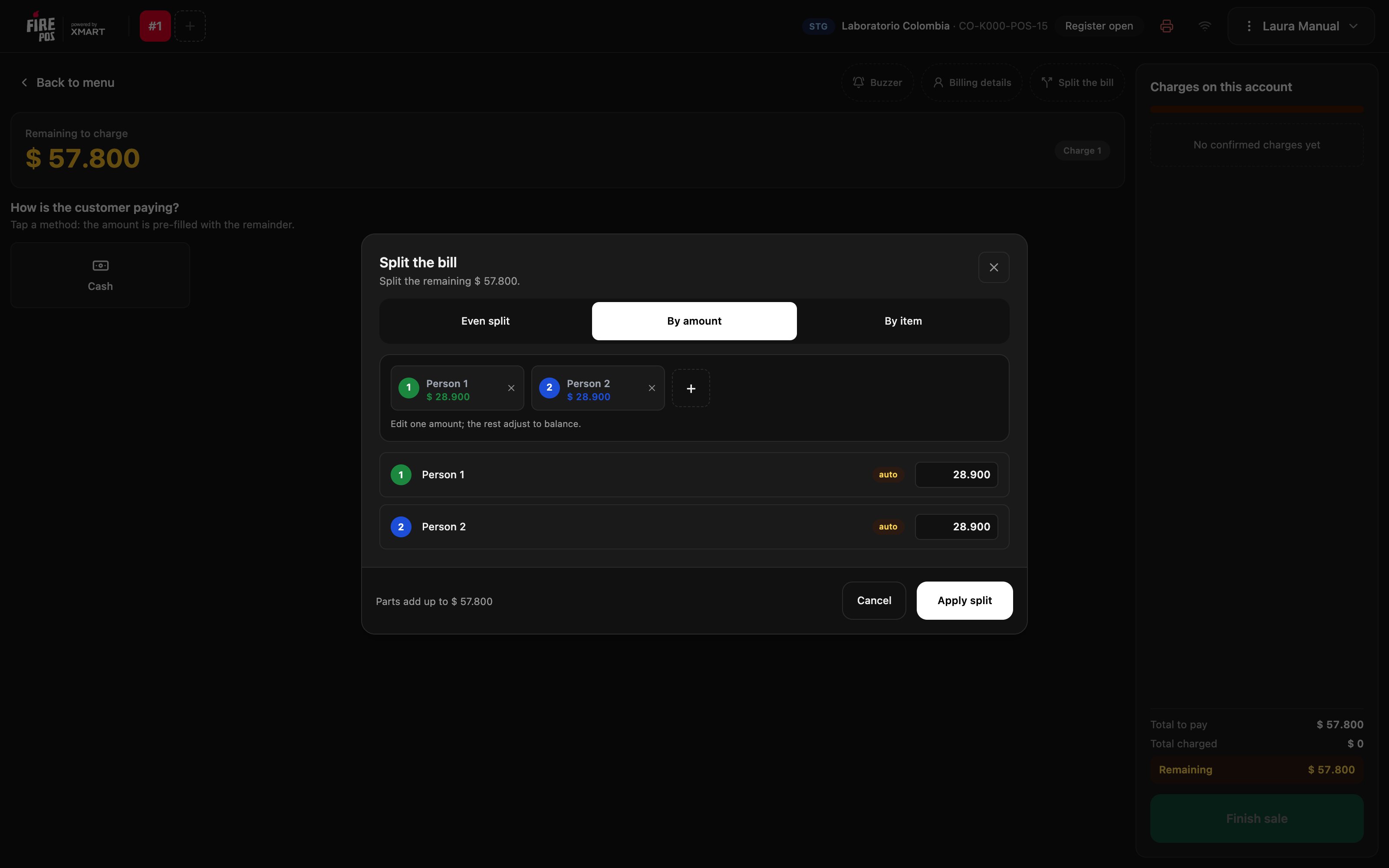
By amount: edit what one person pays and the others adjust so the total adds up.
-
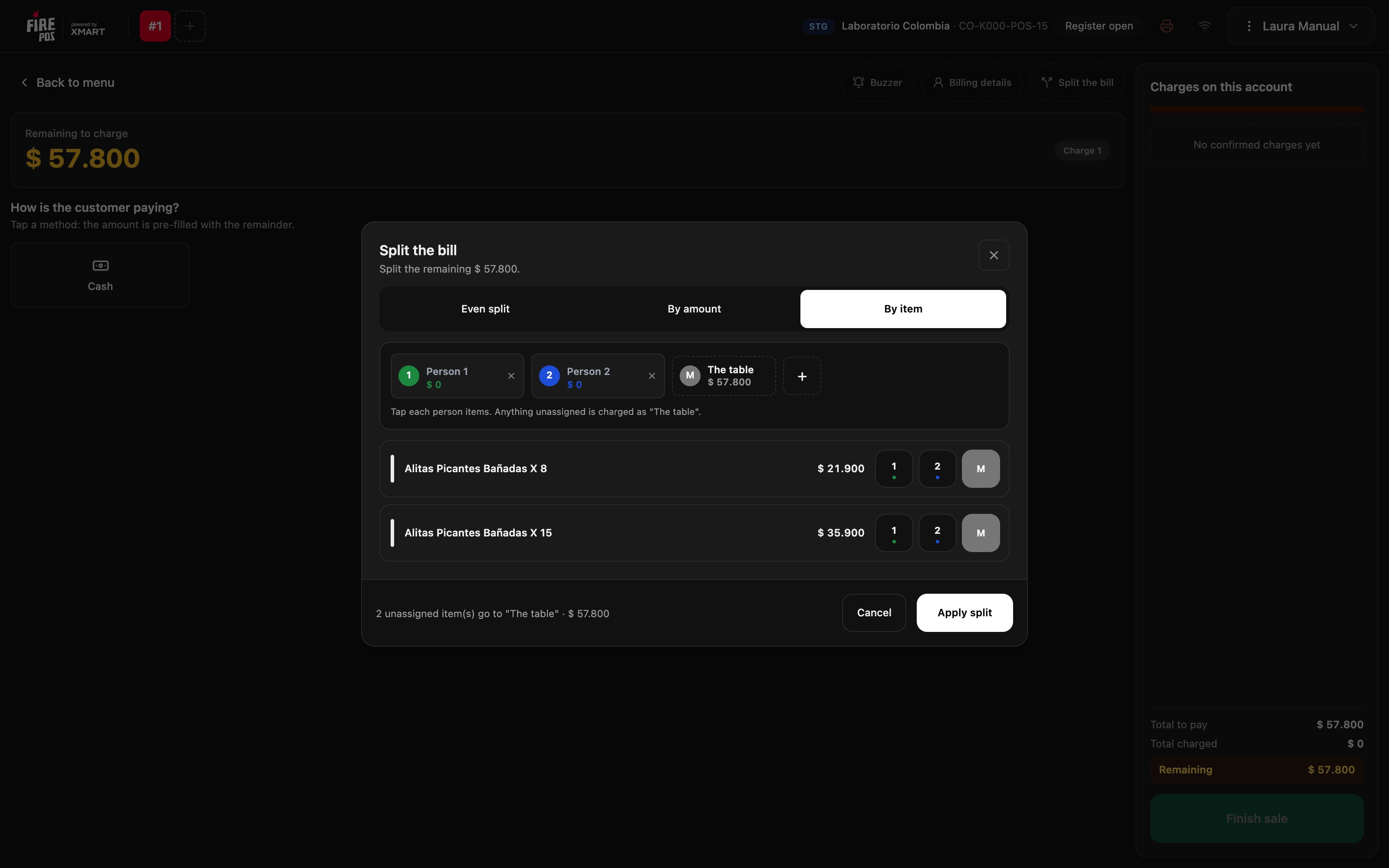
By item: on each product, tap the number of the person who had it. Anything you don’t assign is charged as The table.
3. Charge each part
The charge screen shows Bill split with each part and who you are charging. The amount already comes with that person’s share: charge as usual.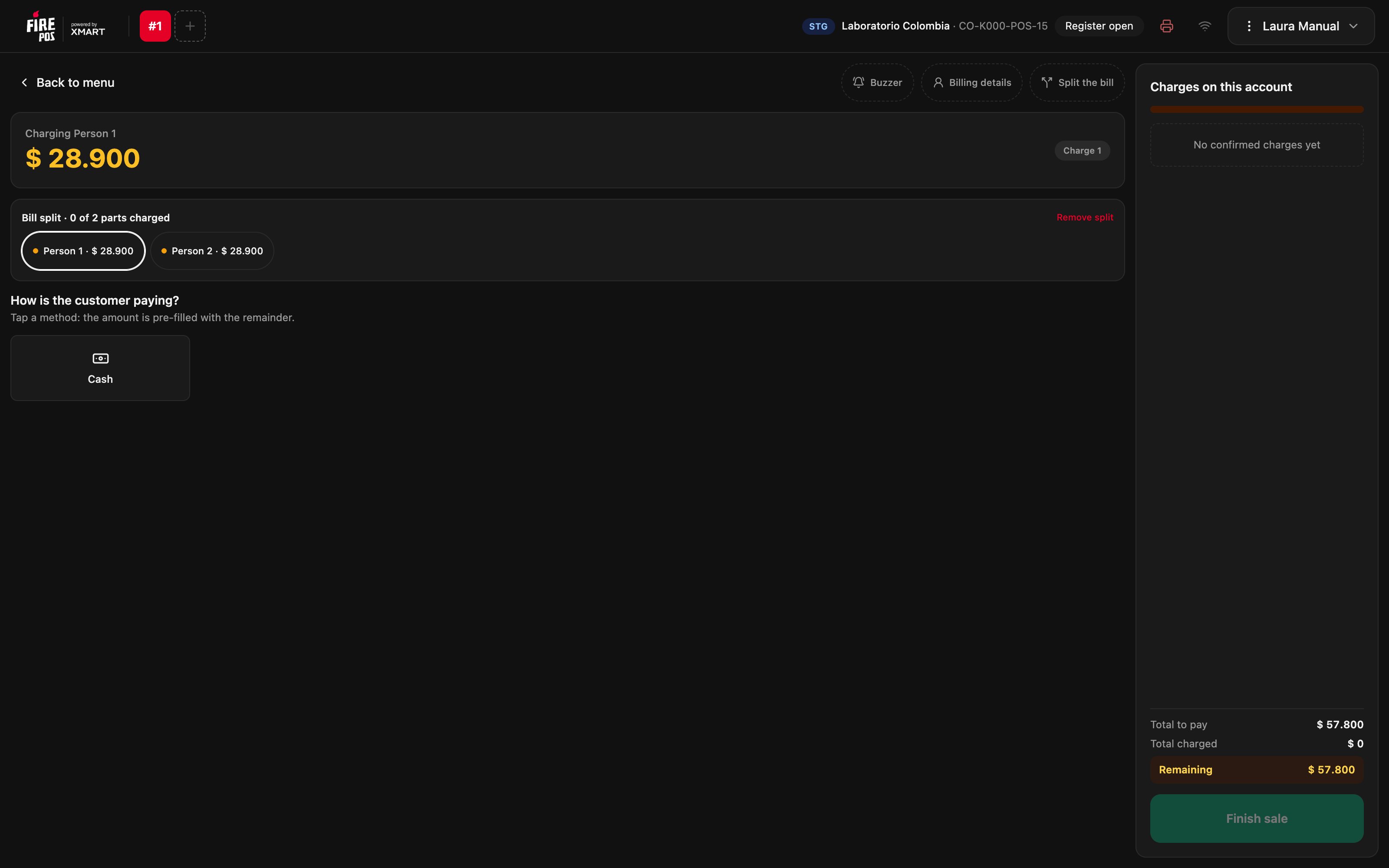

Remove the split
If the table changes its mind, tap Remove split and confirm. The charges already made are kept; what’s left to charge becomes a single remaining balance again.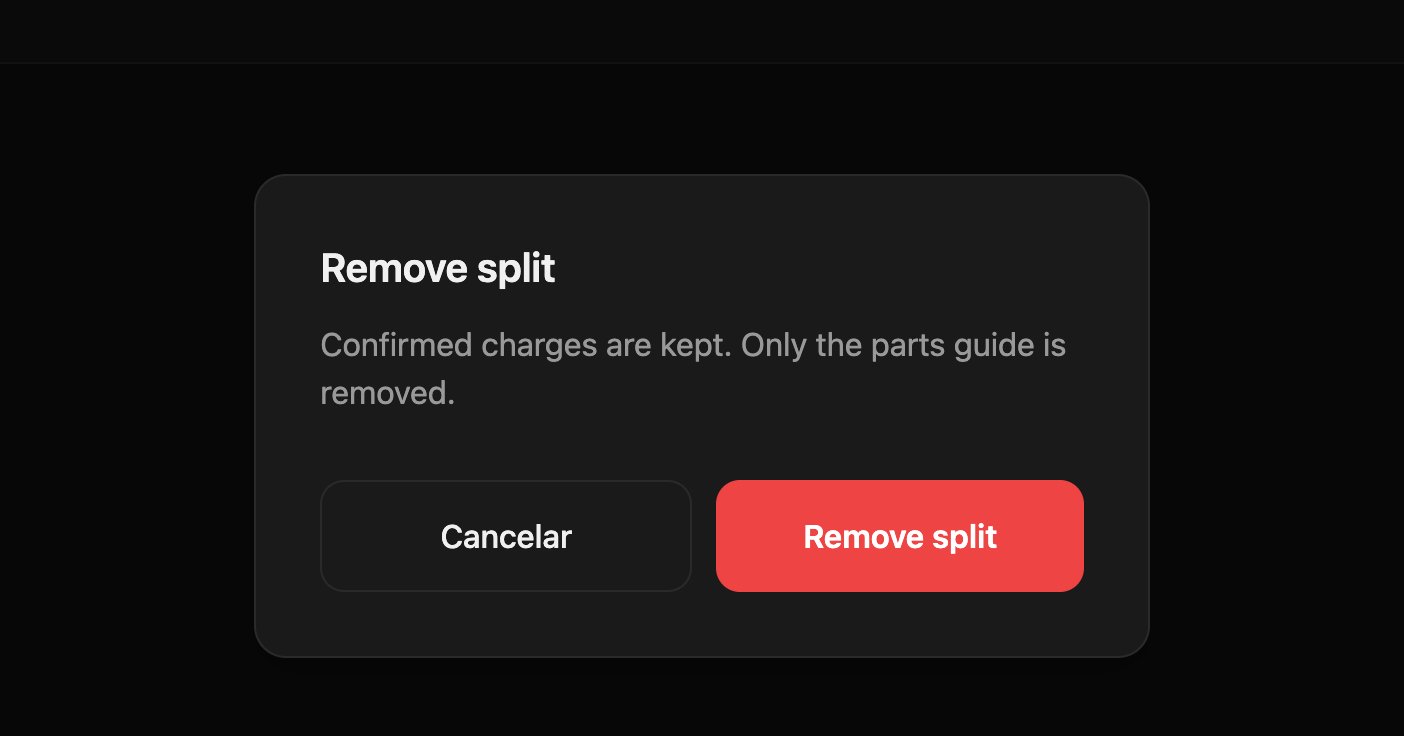
Recipes
Four friends pay the same
Four friends pay the same
- Tap Split the bill.
- With +, add people until you have four.
- Leave Even split selected and tap Apply split.
- Charge each part.
Each person pays for what they ordered
Each person pays for what they ordered
- Before charging anything, tap Split the bill and choose By item.
- On each product, tap the number of the person who ordered it.
- Tap Apply split and charge each part.
Mistakes that cost money
Frequently asked questions
It won't let me split by item
It won't let me split by item
It’s only available before the first charge. If you already charged something, use Even split or By amount for the remaining balance.
What is “The table”?
What is “The table”?
Whatever you didn’t assign to any person when splitting by item. It’s charged as one more part.
I removed the split: are the charges lost?
I removed the split: are the charges lost?
No. The confirmed charges are kept; only the part guide is removed.