

/kds/admin/store-orders) in the backoffice.
The minimum you need to know
- Dates are business days of the store, not calendar days: an order placed at 1:00 a.m. can belong to the previous day.
- You can search one store or All my stores (up to 100 stores, up to 93 days).
- The KPI cards are also filters: click In kitchen to see only those orders.
The simple path
1
Open Store orders
Go to KDS → Store orders. It opens with the last 7 days.
2
Pick the store
Use the store picker (it has a search). Choose All my stores to search every store you can see; the table then shows a store column.
3
Find the order
Type the order number, the call name, or the customer name in the search box.
4
Open it
Click the order number. The detail opens in a side panel over the list: summary, ticket timeline (in the store time zone), lines with modifiers, and totals. Open full page gives you a link to share.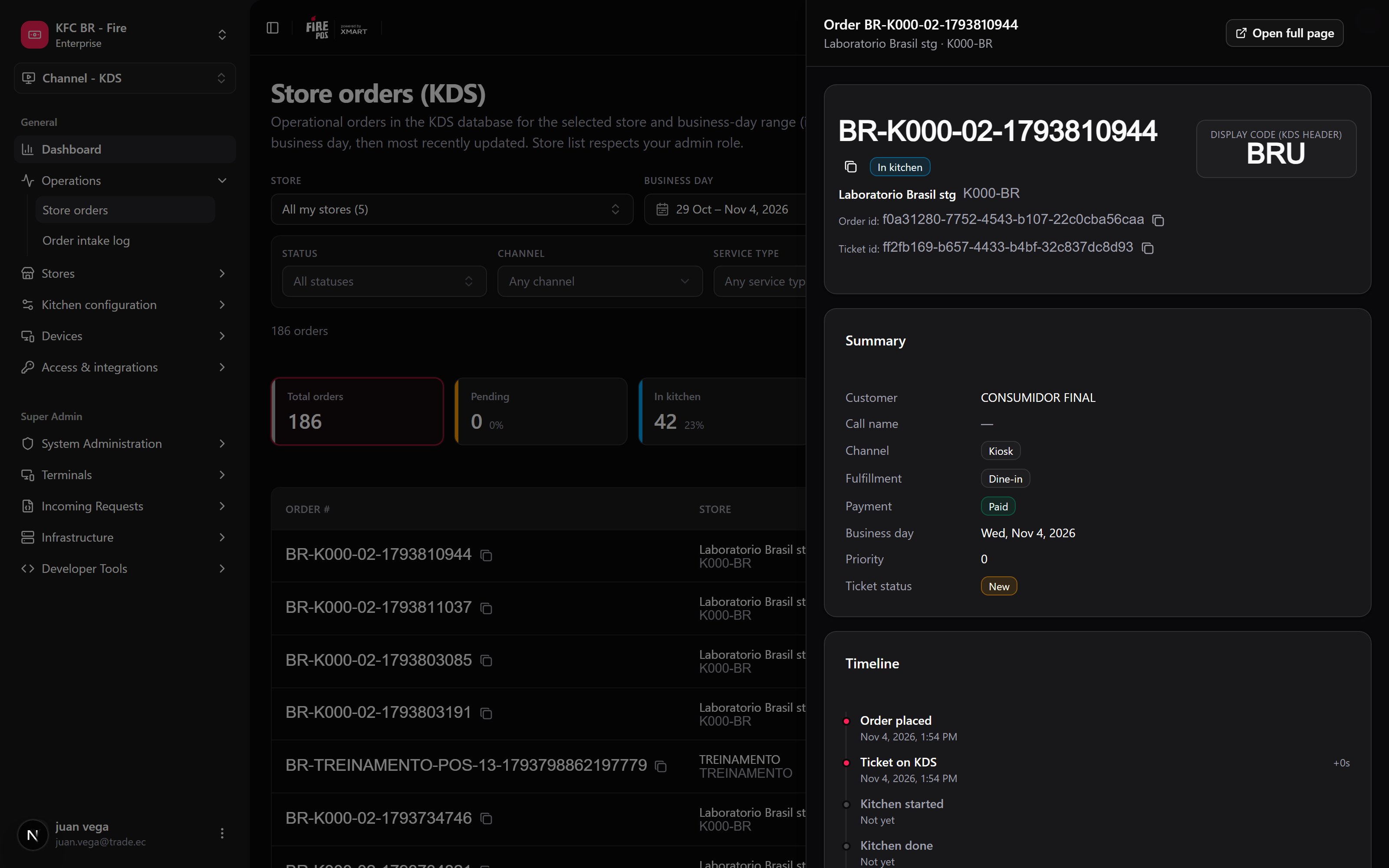
Filters
Active filters show as chips; Clear filters removes them all.
What the table shows
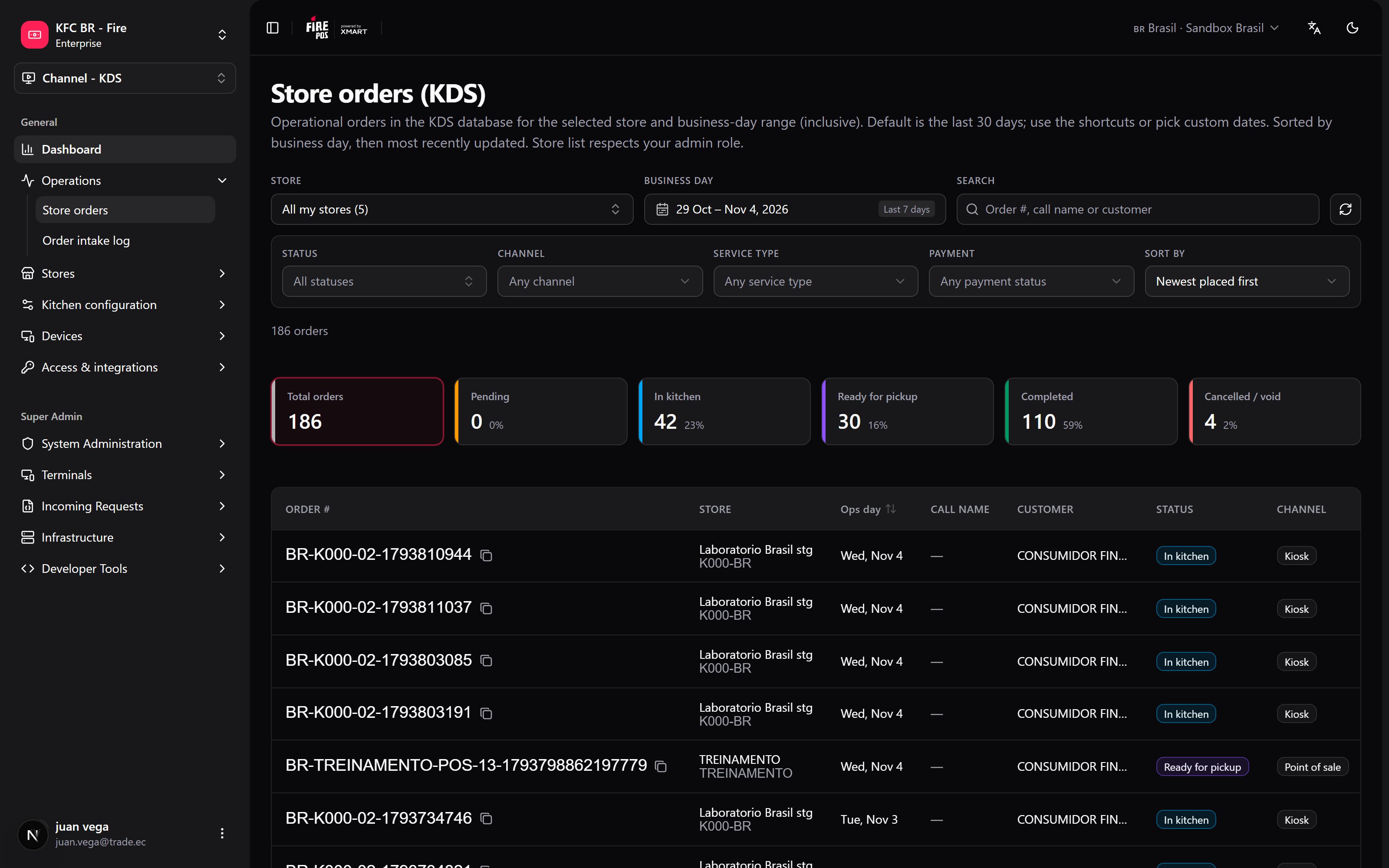
The KPI cards above the table (Total orders, Pending, in kitchen, ready for pickup, completed, cancelled / void) count the orders that match every filter except status, with their percentage. Click one to filter by it.
Recipes
A customer says their order never came out
A customer says their order never came out
- Pick the store and today’s business day.
- Search by the customer’s name or the call name.
- Open the order and read the timeline: which station had it and when it was bumped.
- If it is still In kitchen, the Operator board can mark it ready.
How many orders were cancelled this week, across the chain
How many orders were cancelled this week, across the chain
- Choose All my stores and This week.
- Click the Cancelled card.
- The store column shows where they happened.
Orders from a store that is already closed
Orders from a store that is already closed
Store and account admins also see inactive stores in the picker, so the history of a closed store is still there.
Send a supervisor the exact order
Send a supervisor the exact order
- Open the order.
- Click Open full page and copy the link.
Errors that cost money
FAQ
Why can't I pick a range longer than 93 days?
Why can't I pick a range longer than 93 days?
To keep the search fast. Run two searches if you need more.
Why does All my stores give an error?
Why does All my stores give an error?
It covers up to 100 stores. If you have access to more, pick one store or narrow the store context in the header.
Can I cancel or mark an order ready from here?
Can I cancel or mark an order ready from here?
No. This screen is read-only. Use the Operator board.
What this page does not do
- It does not change orders.
- It does not export to a file.
- It does not show orders that never reached the KDS.