

The bare minimum
- It only shows up on products the menu has set up with an upsell.
- It doesn’t slow down the sale: if the customer says no, you carry on as usual.
- Tapping an option swaps the product in the order for that option; it doesn’t add another one.
Prerequisites
- The register open. See Open the register.
- Suggest upsell to the cashier turned on for the store. It comes on; see Store configuration.
1. Open the product
Tap the product in the grid. It goes into the order as usual and, if it has an upsell, the panel on the right shows Offer the customer at the top with each option: how much more the customer pays and the total. Below, after a band, come the Product options.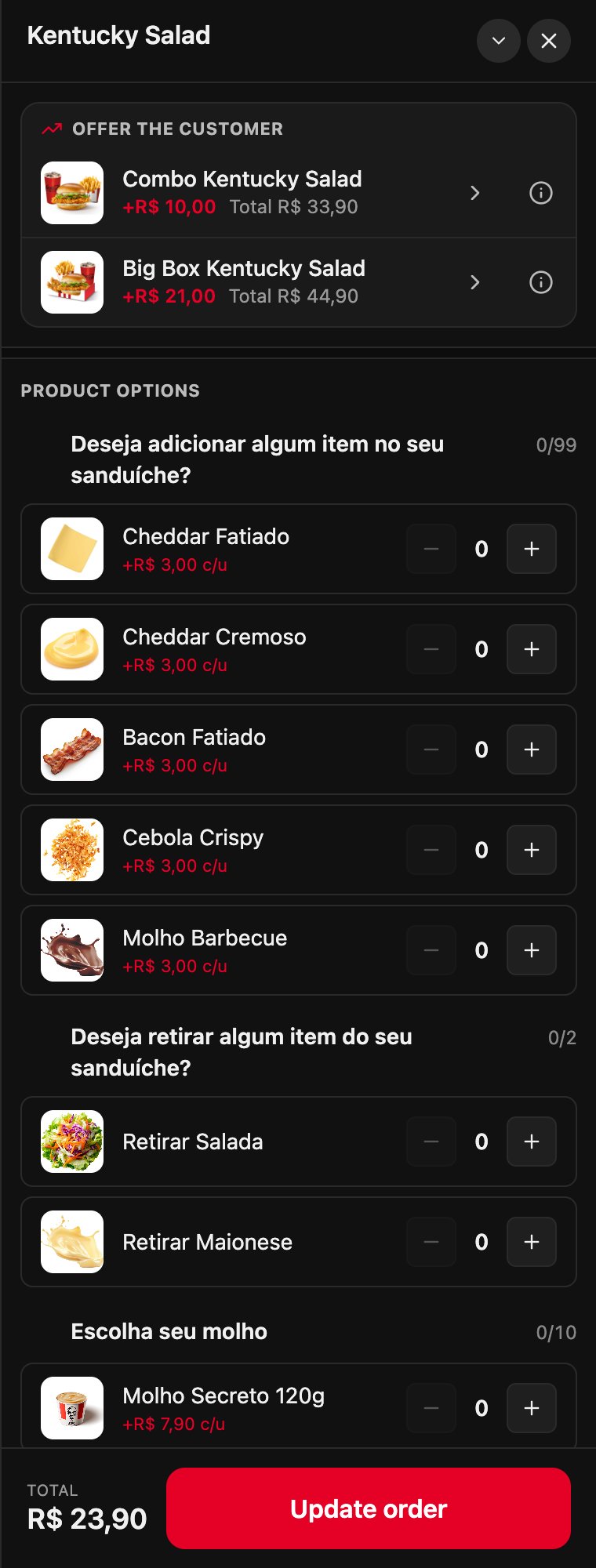
2. Show what it includes
If the customer asks what it comes with, tap the info button ⓘ next to the option. It shows the menu description or, if there is none, what the product comes with, using the options that come selected. The ones marked your choice can be changed later. Looking at the details doesn’t change the order.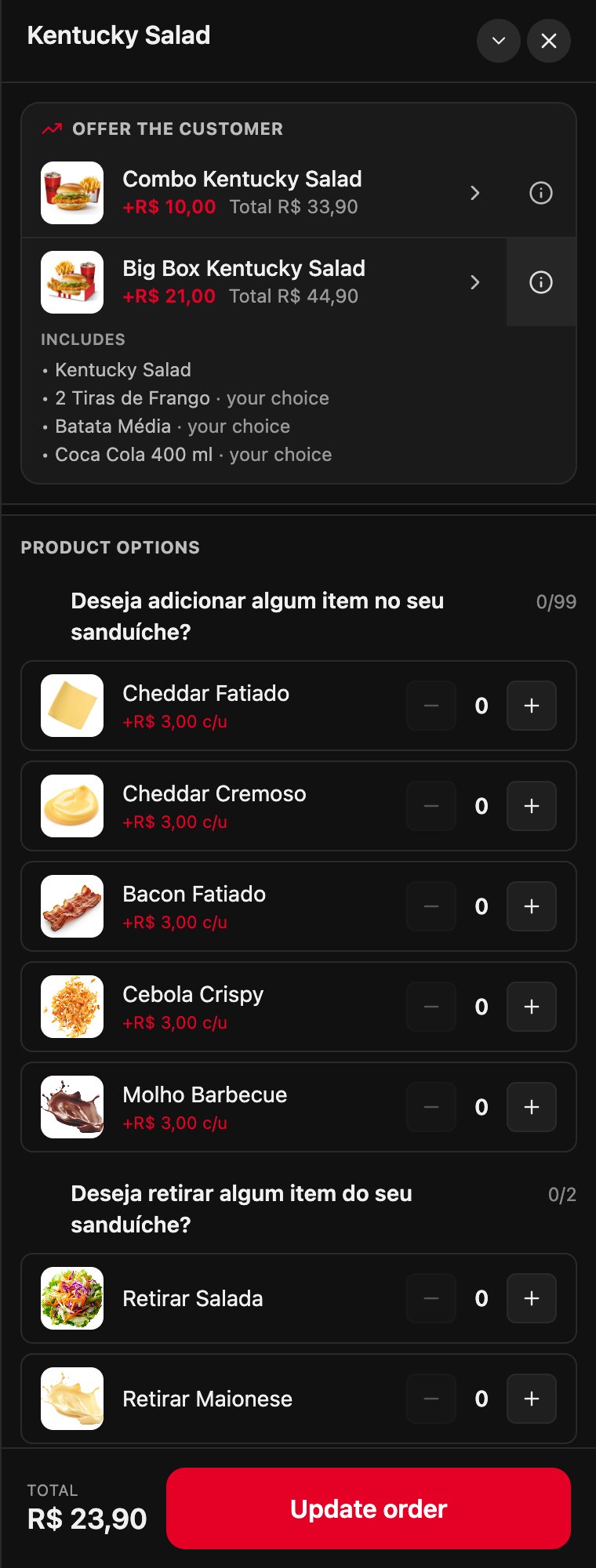
3. If the customer accepts, tap the option
Tap the option, not the ⓘ. The product in the order is swapped for the chosen option, with its cheapest options, and the panel stays open so you can adjust them: the drink, for example. If the option has an upgrade of its own, the panel already suggests it.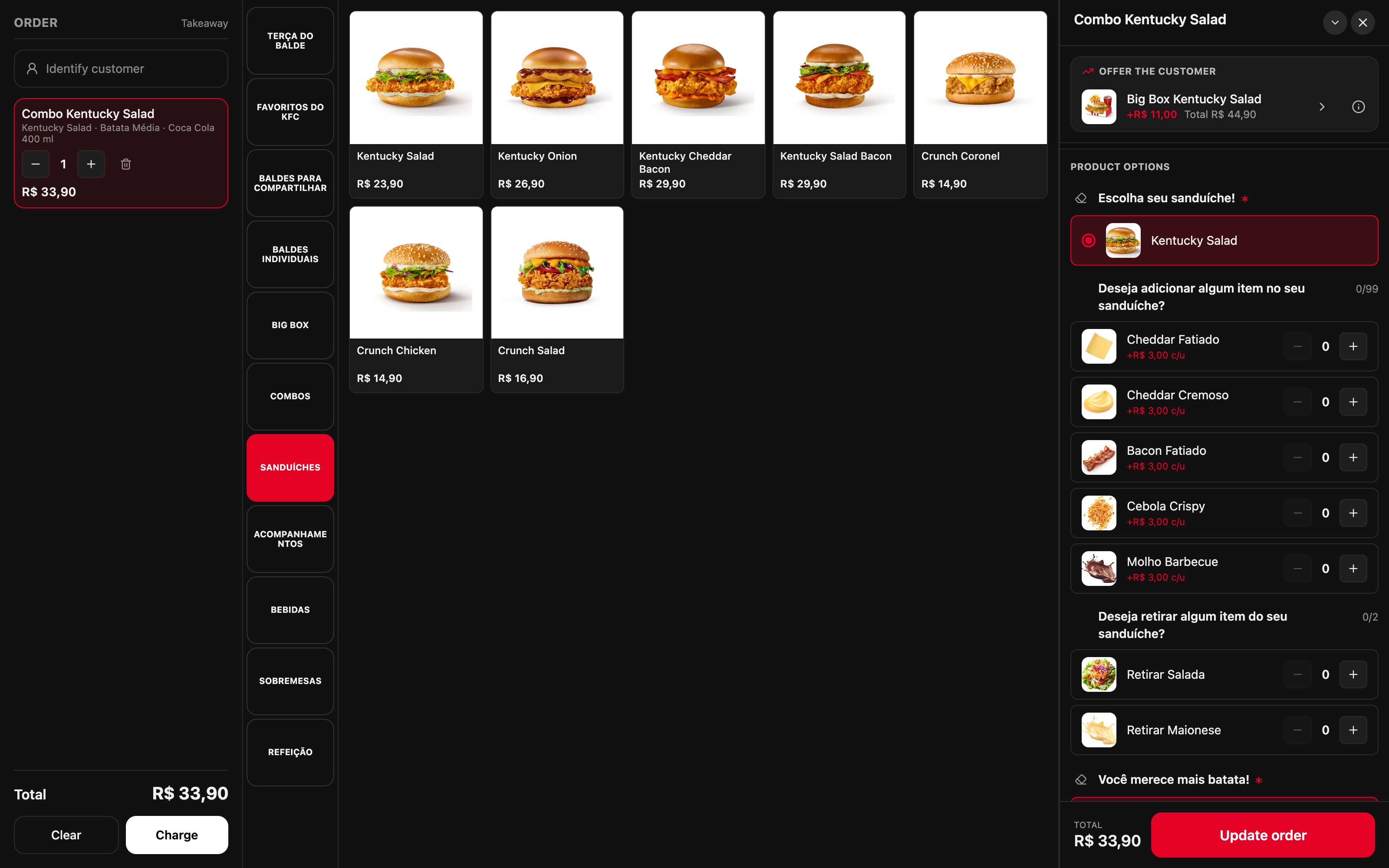
What happens to the order
- One unit is swapped. If the line has two identical products, it keeps one and the combo goes in separately.
- What was marked on the sandwich doesn’t carry over to the combo. If the customer asked for, say, no onion, mark it again in the combo panel.
- With charges already taken, if lowering that product would leave the total below what was charged, the POS doesn’t make the swap and tells you.
Worked example
With the Brazil menu, when the customer orders a Kentucky Salad:
The difference is worked out against the grid price. The total is the combo’s price with its cheapest options: if the customer switches the drink for a more expensive one, the difference adds up as usual.
Recipes
The customer wants the combo
The customer wants the combo
- Tap the sandwich in the grid.
- In Offer the customer, tap the combo.
- Choose the drink and whatever changes in the combo panel.
- Carry on with the order or tap Charge.
The customer asks what the Big Box comes with
The customer asks what the Big Box comes with
- Tap the ⓘ next to the Big Box.
- Read them the list: what’s marked your choice can be changed.
- If they accept, tap the option. If not, carry on as before.
They ordered two sandwiches and want only one as a combo
They ordered two sandwiches and want only one as a combo
- Tap the sandwich line in the order.
- In Offer the customer, tap the combo.
- The line keeps one sandwich and the combo goes in separately.
You tapped the combo and the customer didn't want it
You tapped the combo and the customer didn't want it
- In the order, delete the combo line with the trash icon.
- Tap the sandwich in the grid again.
The store doesn't want suggestions
The store doesn't want suggestions
- In the backoffice, open Fire POS → Store config.
- In Upsell, turn off Suggest upsell to the cashier and tap Save.
Mistakes that cost money
Glossary
Frequently asked questions
Why doesn't a product show suggestions?
Why doesn't a product show suggestions?
The menu has no upsell for that product, the option is out of stock or isn’t on the menu for this service type, or the store turned off Suggest upsell to the cashier.
Who decides what gets suggested?
Who decides what gets suggested?
The brand’s menu: it’s the same upsell the kiosk shows the customer. It’s set up in the menu, not in the POS.
The ⓘ says the catalog has no details
The ⓘ says the catalog has no details
The product has no description in the menu and no required options to show. Let whoever manages the menu know.
Can I offer something that doesn't show up?
Can I offer something that doesn't show up?
Yes: it’s a sale like any other. Add the product from the grid.